JOB CODE
76
12
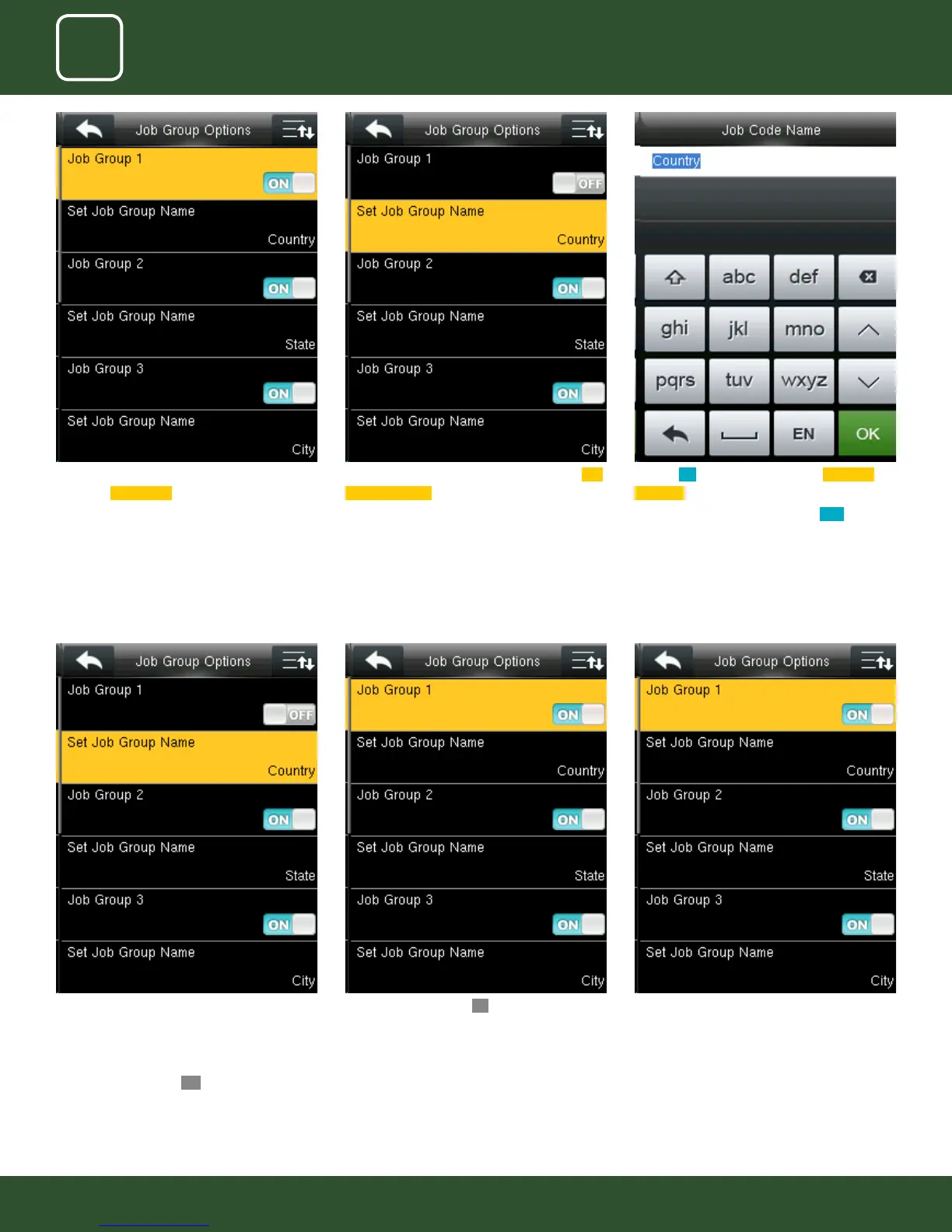
To change the job group name to country as
shown above we need to press* key to switch
the input method and type country using the
keypad.
After that press conrm
OK button.
After you press conrm OK button the set group
name will change from undened 1 to Country
as shown above.
Similar way you can put the dierent job group
name as shown above.
Group1>> Country, group 2>> State Group3>>
City.
Pressing switch will enable and disable the each
individual
Job Groups .
The name of the group can be edited using Set
Job Group Name individually.
To set a Job Group Name click on set job group
name as shown above.
Turning ON options will enable the Job Code
Required function
Switch “Job Code Must Dened” to
ON to force a
job code to be selected before verication
The input screen timeout for job code is selected
as 15 seconds as shown above.
This screen will appear when you press the set
job group name.



 To Next Page