SHORT MESSAGE
58
10
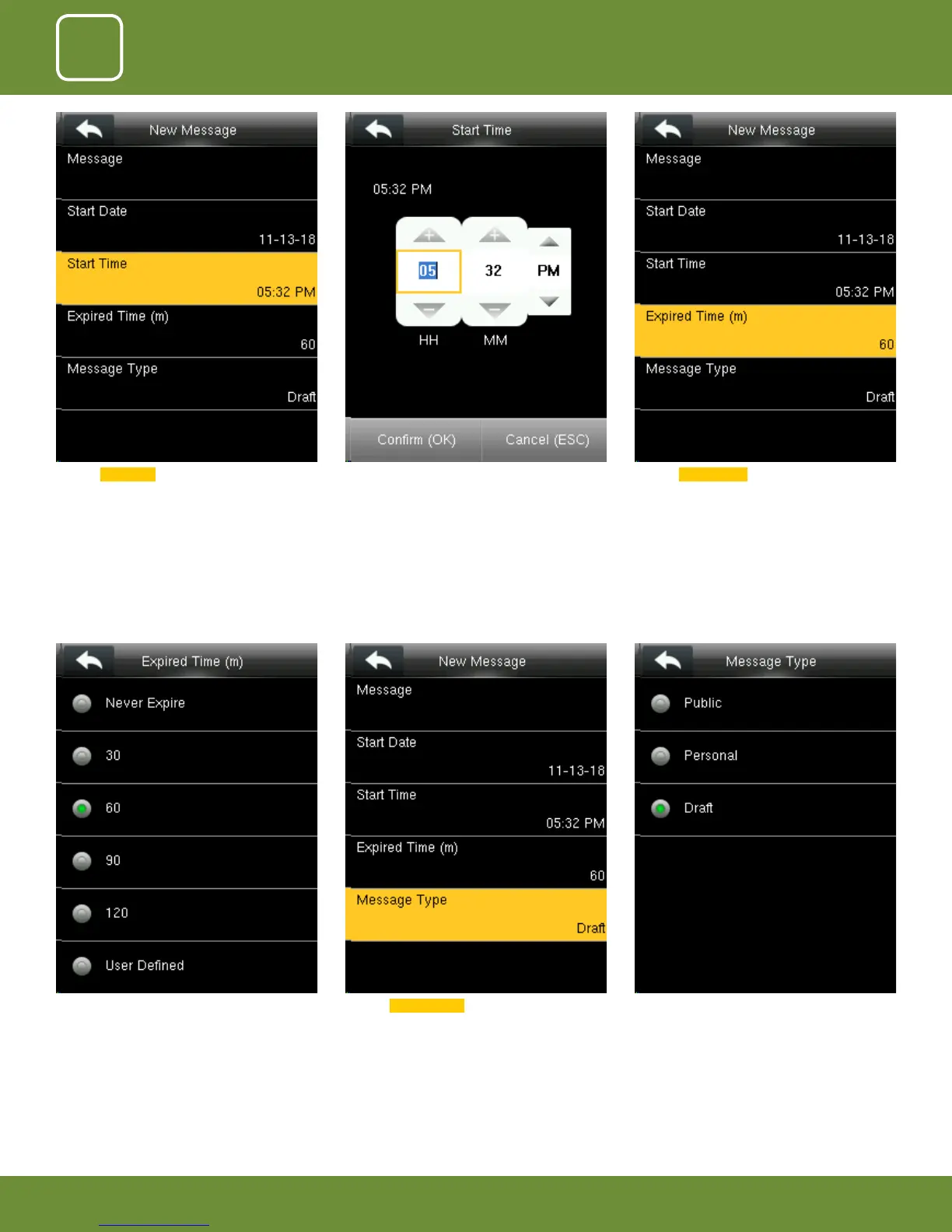
Here you can choose the time you want the
message to be expired from the screen.
The “Expired Time” ranges in minutes.
Click on Message Type . From the menu above you can select the “Mes-
sage Type” you wish to display.
Click on Start Time . Here you can edit the “Start Time” to what time
you want the message to be displayed.
Click on Expired Time .



 To Next Page