SYSTEM
26
4
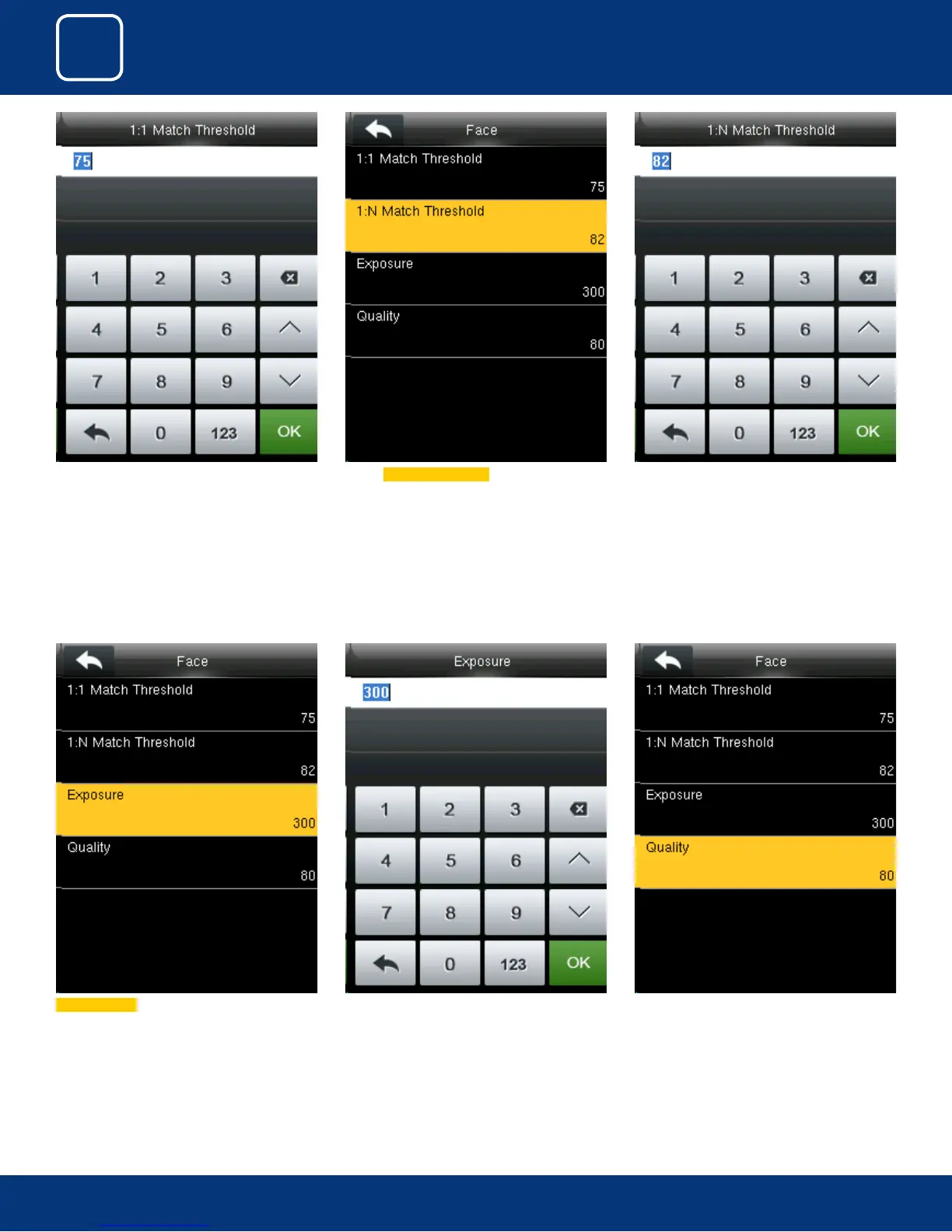
You can change the Quality of the face from the
options above.
Select Exposure
From the above options you can change the
exposure of the face you wish to apply.
From the above options change the threshold
value for1:1 verication.
Select 1:N Match Threshold from above. From the above options change the threshold
value for1:N verication.



 To Next Page