COMMUNICATION
20
3
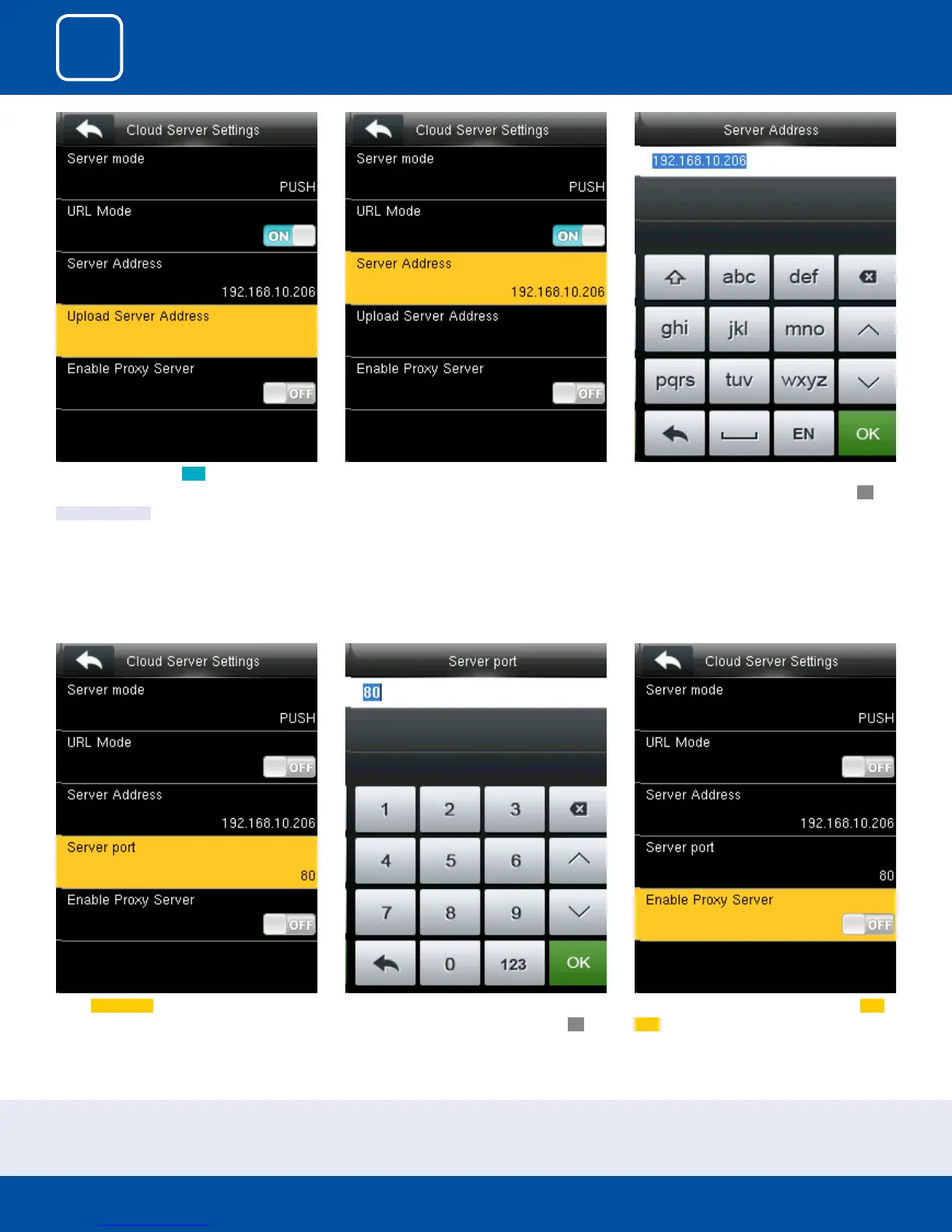
Select Server port. It is a port which is used by
the webserver.
Here you can change server port of the webserv-
er by using the keypad and press conrm
OK.
Here you can select the proxy server to be Ena-
bled or not. If it is o as above the proxy server
will be disabled.
Once the “URL Mode” is ON you can upload the
server address with “USB”.
See NOTE below
Here the server address is the IP address of the
webserver.
Here you can change server port of the webserv-
er by using the keypad and press conrm
OK.
NOTE: The new le name for uploading Wi-Fi password or URL Webserver: updataoptions2.cfg
Inside this le you can either use: WirelessKey= [for uploading Wi-Fi password] or ICLOCKSVRURL= [for uploading webserver URL]
The clock won’t accept saving those two congurations under the same le name. Our suggestion would be to save one separate le for Wi-Fi and one for URL.



 To Next Page