PERSONALIZE
38
5
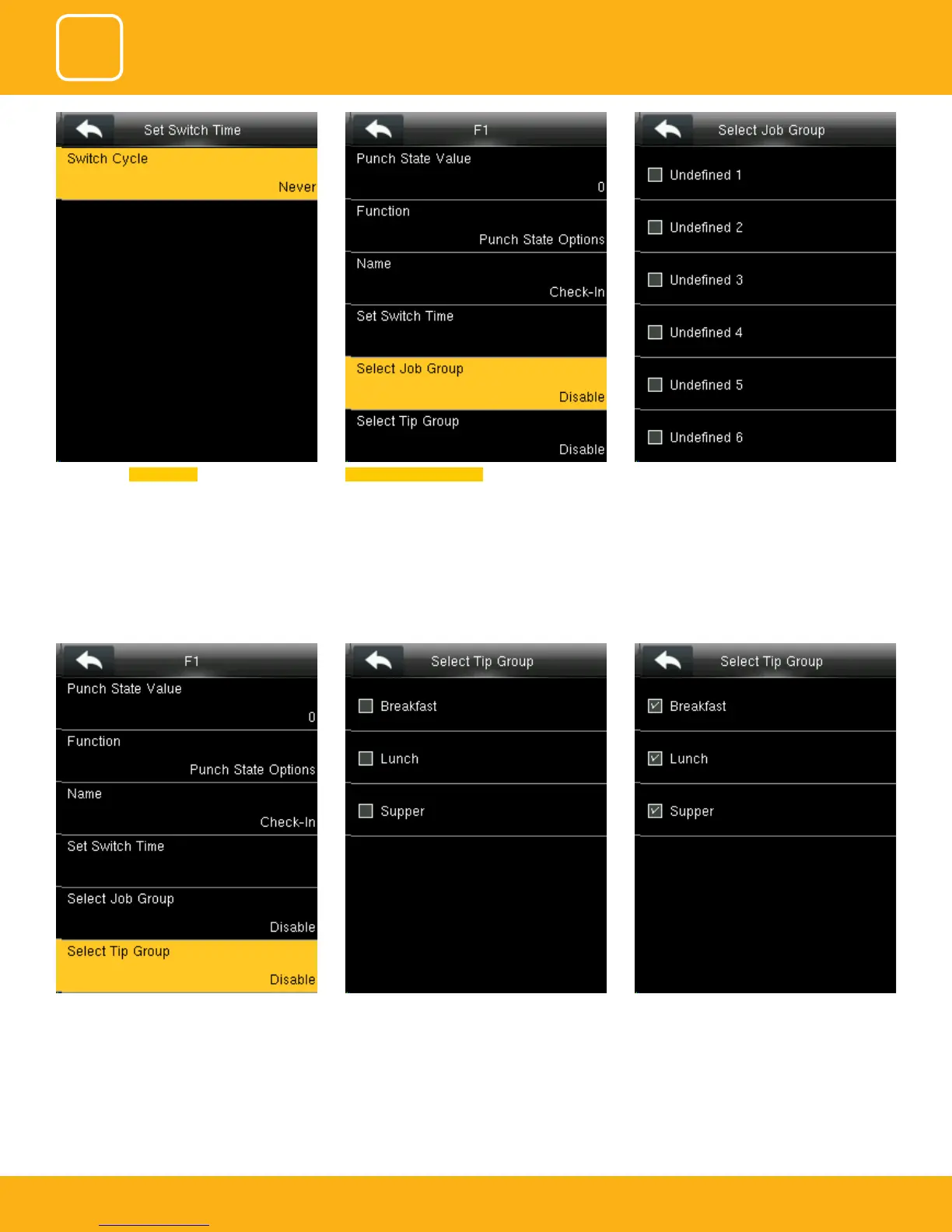
If you “Disable” the tip group the tip group will
not be displayed on the screen.
To enable the tip group you can select the tip
group you wish to enter in that group.
Here all the tip groups have been selected as
above.
Here you can Switch Cycle Select job group as Disable . If you disable, the job
group will be disabled and it will not show on
the screen
You can select any job group you want and you
can name the job group by using the keypad.



 To Next Page