PERSONALIZE
40
5
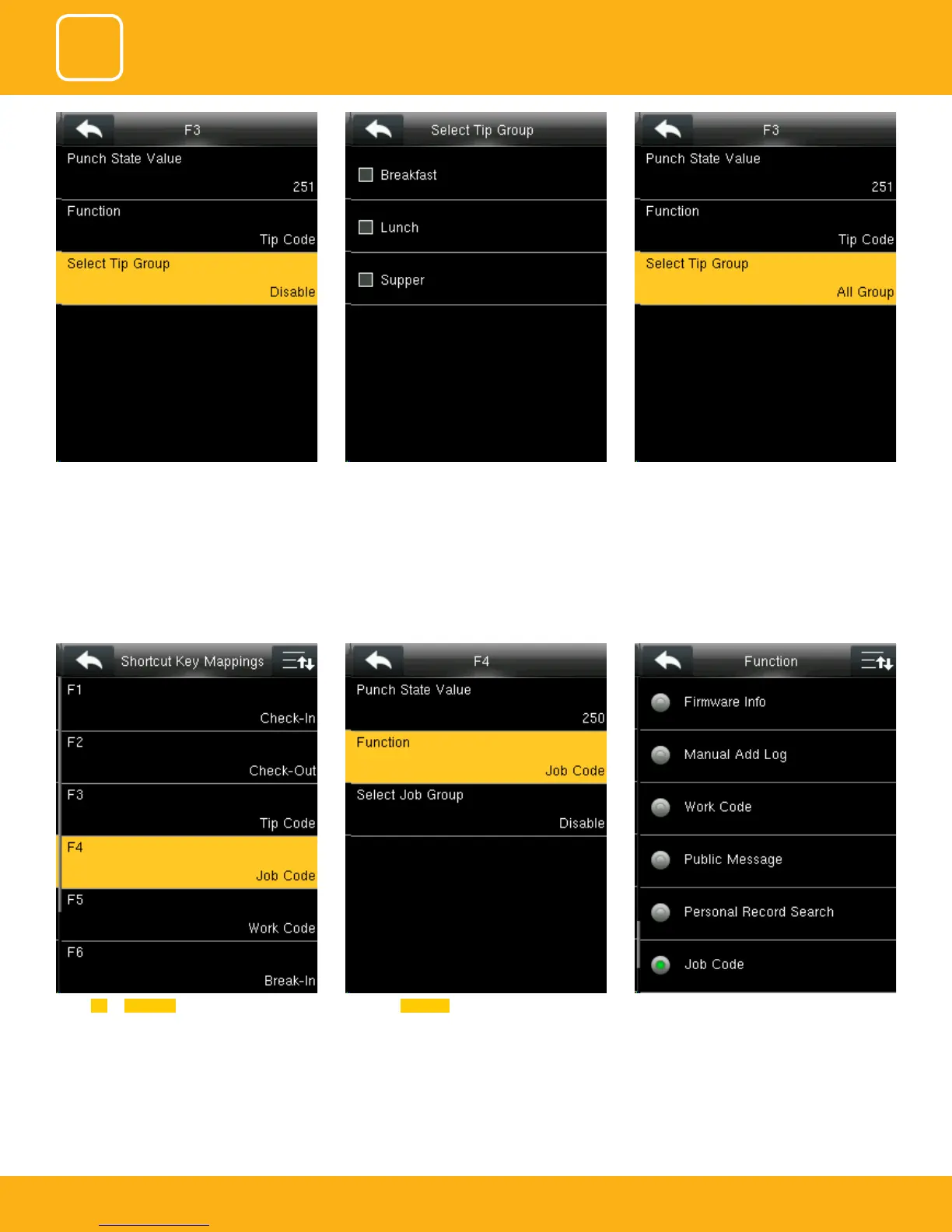
Select F4 as Job Code.
For More Details please refer to NO.12
Select the Function self-service for F4 and the F4
key will display as Job Code on the main screen.
You can change the functions from above.
Here the tip group is disable and no tip group
has been selected.
You can select the tip group you want. Here all
the tip group are selected
When you select all the tip group the select tip
group will display as “All group”.



 To Next Page