TIP CODE
81
13
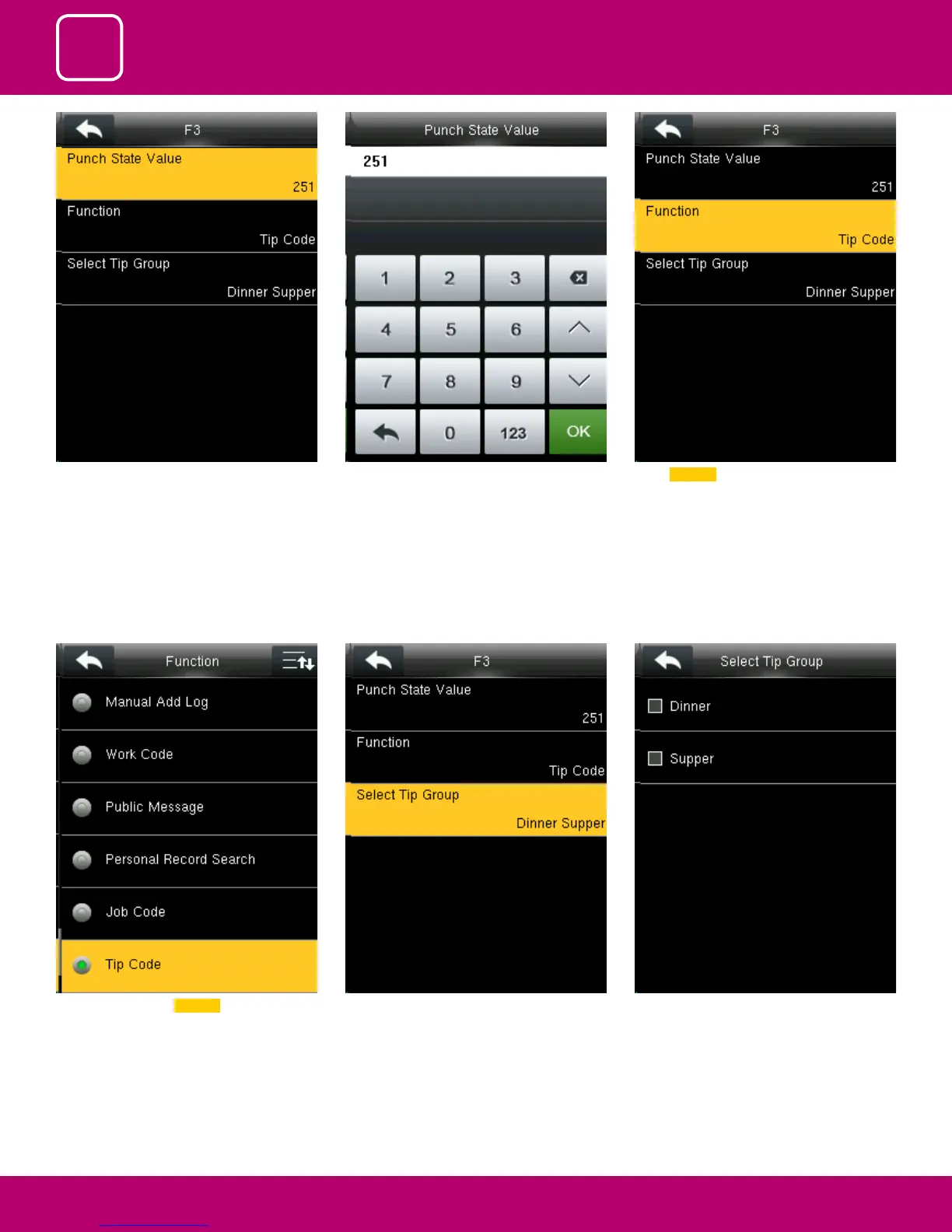
If the check mark is not selected on the box no
tip group will be selected and it will be disabled
as above
Pressing switch will enable and disable the each
individual job groups .
In function key select TIP code .
In F3 Select Punch State Value. You can change the punch state value by editing
in the input section using the keypad.
Select Function



 To Next Page