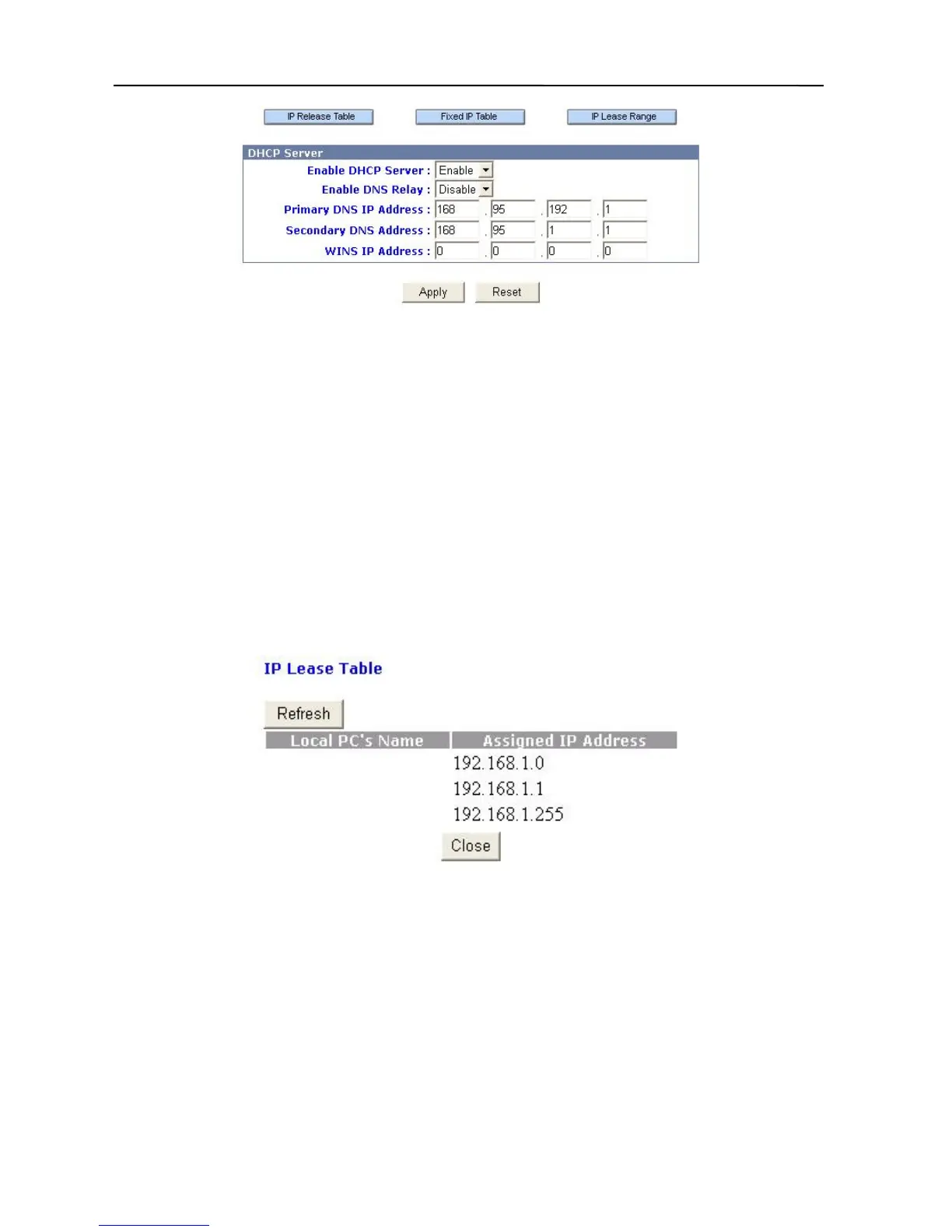
Enable DHCP Server: This option allows you to enable or disable the Broadband Firewall
Router’s DHCP feature. By default, the DHCP service of the Broadband Firewall Router
is enabled.
Enable DNS Relay: This option allows you to enable or disable the DNS relay feature in the
router inside. Default is disable.
Primary DNS IP Address: This option allows you to set the IP address of the Domain Name
Server. The information is provided form your ISP.
Secondary DNS IP Address: If the Primary DNS IP is not available, the Secondary DNS IP
will start.
WINS IP Address: This option allows you to set the IP address of the server that provides the
Windows Internet Name Service (WINS), if available on your network.
IP Release Table: This table allows you to see a user’s IP obtained from Broadband Firewall
Router.
Fixed IP Table: This option allows you to set aside the fixed IP address of a computer and its
associated network interface card address. This is usually used to set aside the IP addresses
for devices such as servers, mail hosts or Intranet servers that must have a fixed IP address
for access purposes.
21



 To Next Page