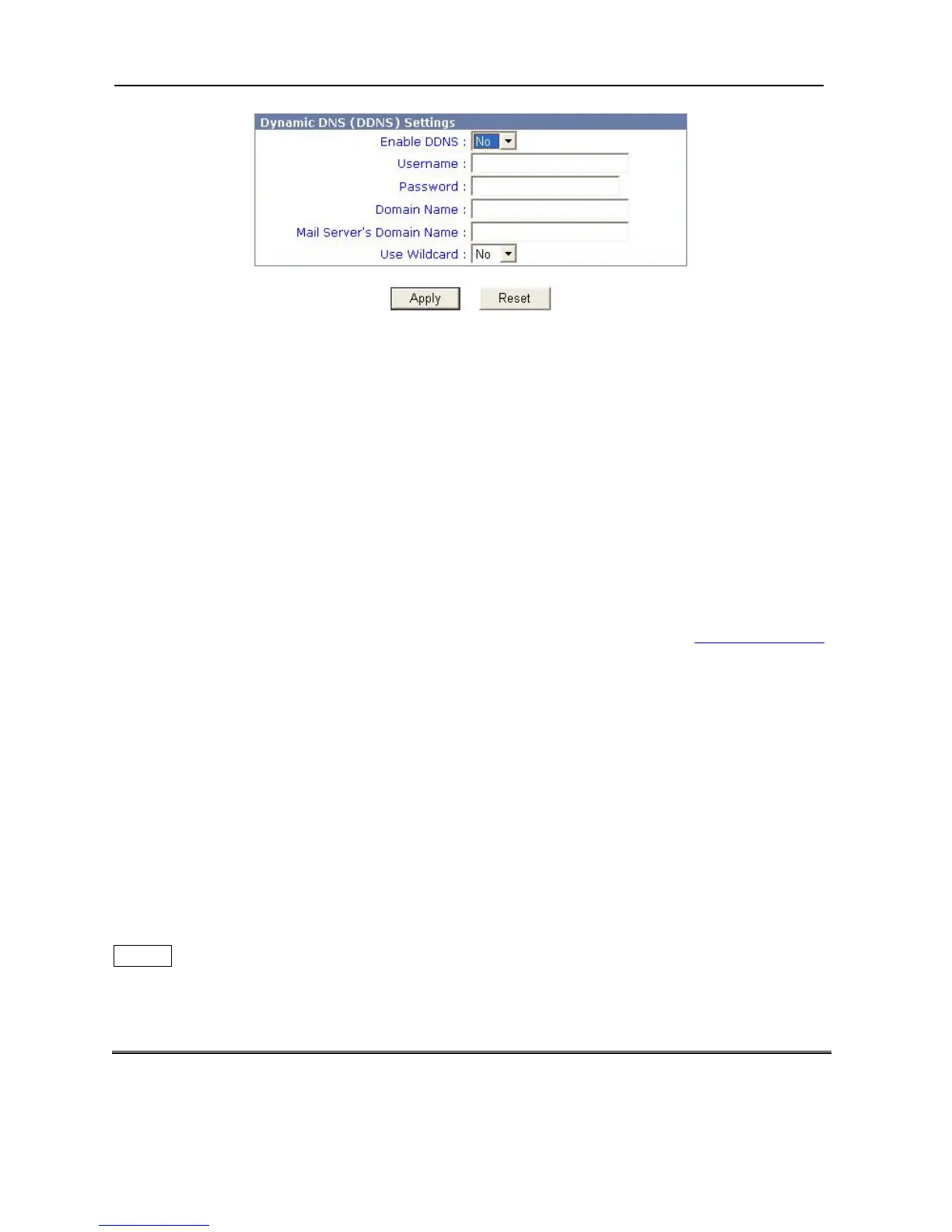
3. Enable DDNS: You want to use “DDNS”, or not.
4. Type username.
5. Type password.
6. Domain name: It is your domain name.
7. Mail Server’s Domain Name: It is your Mail server name.
8. Use Wildcard: You want to use “wildcard”, or not.
9. Click “Apply”.
【Note】
The Broadband Firewall Router only provides to apply for DDNS to www.dyndns.org
.
5.Print Server Configuration
Preparation
The print server supports TCP/IP protocol under Windows-based OS. Please make sure that
the following steps have been completed before proceeding with installation under Windows
PC.
TCP/IP
The TCP/IP Protocol must be installed. For further information, please read “TCP/IP
Protocol Installation” section in this chapter.
26



 To Next Page