11. A message reading, “To confirm that the printer is installed properly, you can print a test
page”. Select Yes (Recommended) and click Next.
12. Click Finish.
13. Done.
Windows SMB Printing
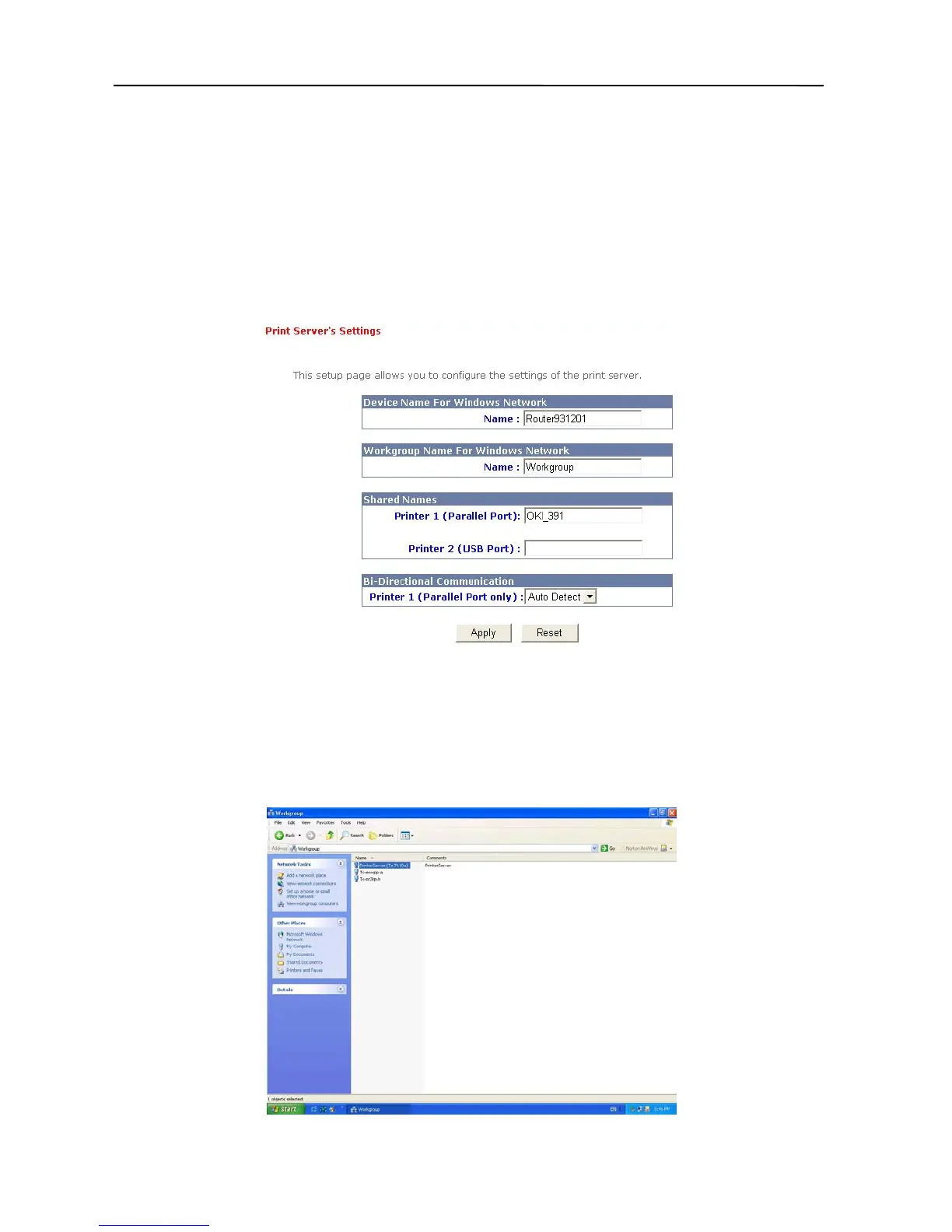
1. Click Print Server Setup in the top column, and the following box will appear.
2. Assume your computers use the “WORKGROUP” as the SMB workgroup name in
Windows. Please assign the same SMB name to your print server. If print server uses the
different SMB name from computers’, the SMB printing won’t active. And you have to
assign a name to the print server’s port, which connects your printer. (EX: OKI_391)
3. Now you can find the print server from the SMB workgroup of Windows. Then, double click
it.
35



 To Next Page