9. “Allows Broadcast Packets” allows for broadcast packets by-pass. The default is
“Yes”.
10. “Allows IP Source Routing” could protect against a hacker using another IP to attack
your network. The default is “No”.
11. “Enable Remote Web Management to this Router” default is “No”.
12. “Respond to Ping Requests” default is “No”.
13. Click Apply.
14. The Broadband Firewall Router’s Basic Setting is now in place.
LAN to Internet (WAN) Access Rule
Broadband Firewall Router could be according to administrator’s request to create LAN to
WAN Access Rules. You could follow the procedure to setup it.
1. Click Advanced Settings in the top column. Then click Firewall Setup.
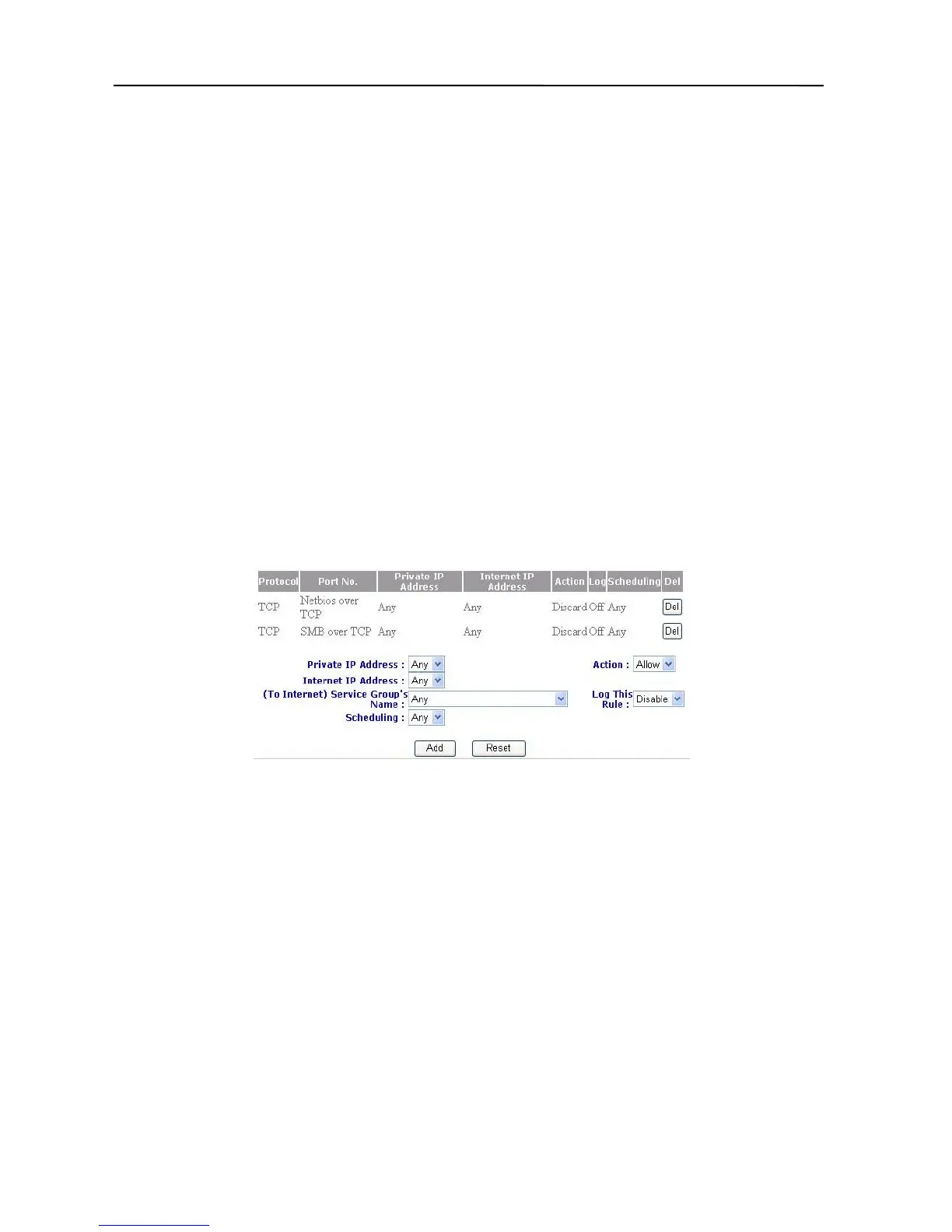
2. Click “Access Rules”, and select the direction LAN Internet (WAN), then it will
appear a picture as below.
3. Type into the Private IP Address Group’s name (LAN IP).
4. Type into the Internet IP Address Group’s name (WAN IP).
5. Select the Service Group’s name (Port number) from LAN to Internet (WAN).
6. Select Scheduling to your pre-define name.
7. Select Action to “Allow” or “Deny”.
8. You want to record the “Log” or not.
9. Click “Add”.
10. The setup is now completed.
39



 To Next Page