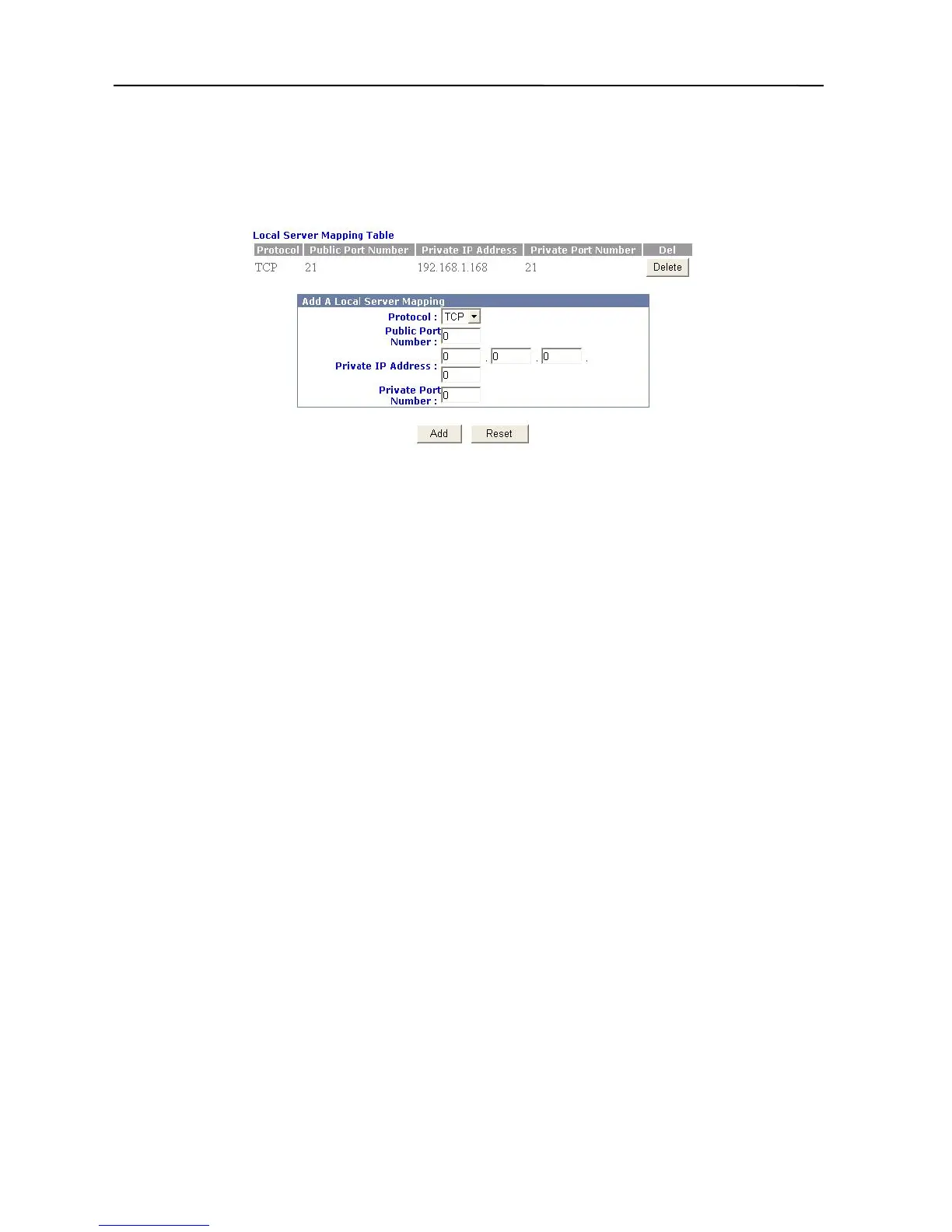
service to a designated host that can process requests for a specific Internet service on your
LAN.
1. Click Advanced Settings in the top column. Then click Service Setup.
2. Click Local Server Mapping, and the box below will then appear.
3. Select TCP or UDP.
4. Fill in the Public Port Number.
5. Fill in the Private IP Address of the LAN PC’s IP you want.
6. Fill in the Private Port Number.
7. Click “Add”
8. The procedure is now completed.
DDNS (Dynamic DNS)
The Broadband Firewall Router has a special function to provide one user who only has a
dynamic IP to setup a personal domain name. The function is DDNS (Dynamic Domain Name
Service).
Please follow these steps to setup DDNS.
1. Click Advanced Settings in the top column. Then click Service Setup.
2. Click Dynamic DNS, and then it will appear a picture as below.
25



 To Next Page