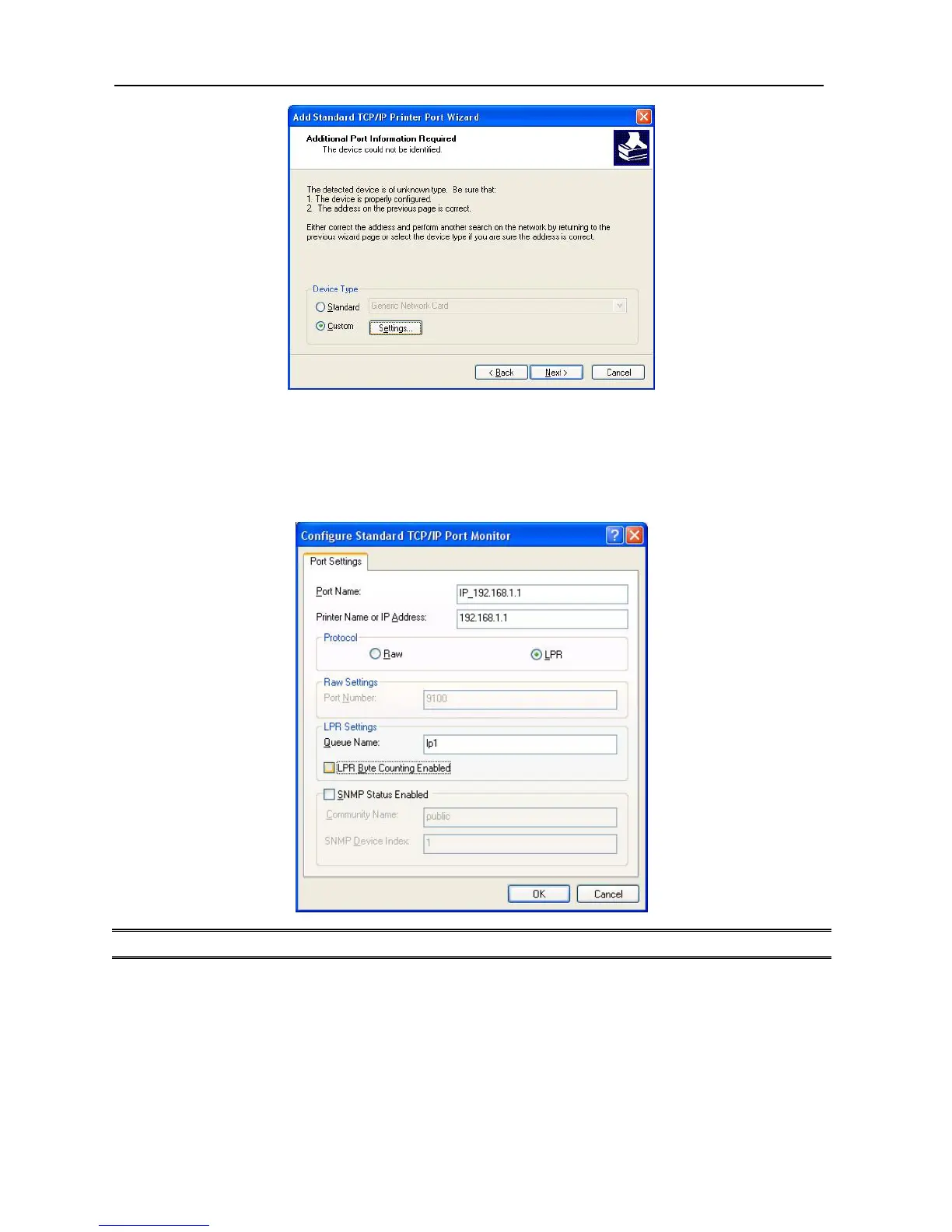
6. In the Configure Standard TCP/IP Port Monitor box as shown in the following picture,
select LPR from Protocol, type in a queue name: lp1 for Parallel Port (Port 1) or lp2 for
USB Port (Port 2).
7. Click OK, and Next.
Note: Please DO NOT type any other name than lp1, lp2 in this step.
8. Click Finish.
9. Select the appropriate printer manufacturer and printer type list and click Next.
10. Type in a new Printer name or leave it in default, and click Next button.
34



 To Next Page