4 Click the Login button to access the cable modem/router. The Status page appears, showing
connection status information about your cable modem/router.
Understanding the Configuration Manager Interface Screens
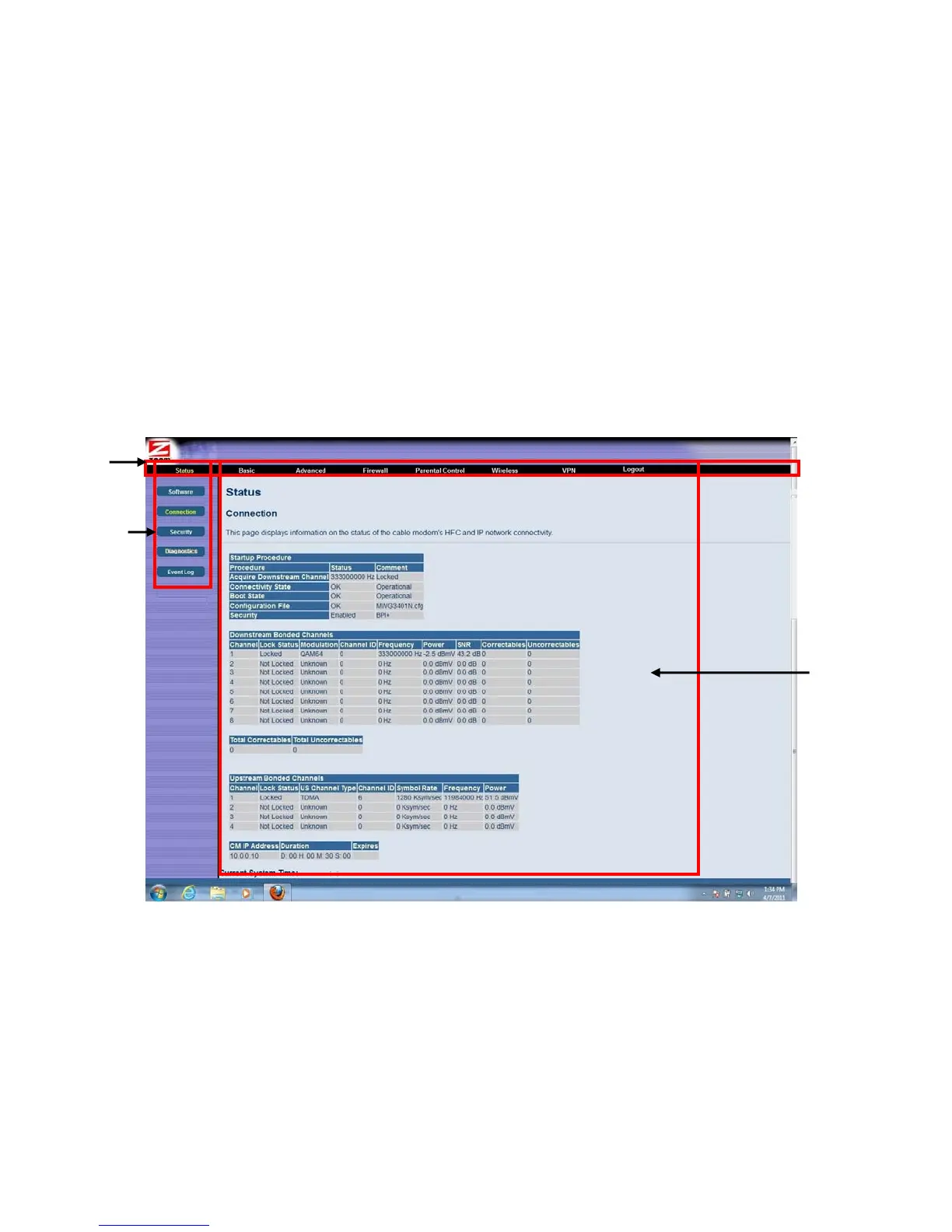
The top of the management interface contains a menu bar you use to select menus for configuring the
cable modem/router. When you click a menu item, information and any configuration settings
associated with the menu appear in the main area of the interface (see
Figure 2). If the displayed
information exceeds what can be shown in the main area, scroll bars appear to the right of the main
area so you can scroll up and down through the information.
Menu Ba
Submenu
Main Area
Figure 2. Main Areas on the Configuration Manager Interface
Every menu has submenus associated with it. If you click a menu item, the submenus appear on the
left frame of the Configuration Manager. For example, if you click the Status menu item, the
submenu Software, Connection, Security and Diagnostics appear on the left column (see
Figure
3
).
23



 To Next Page