116
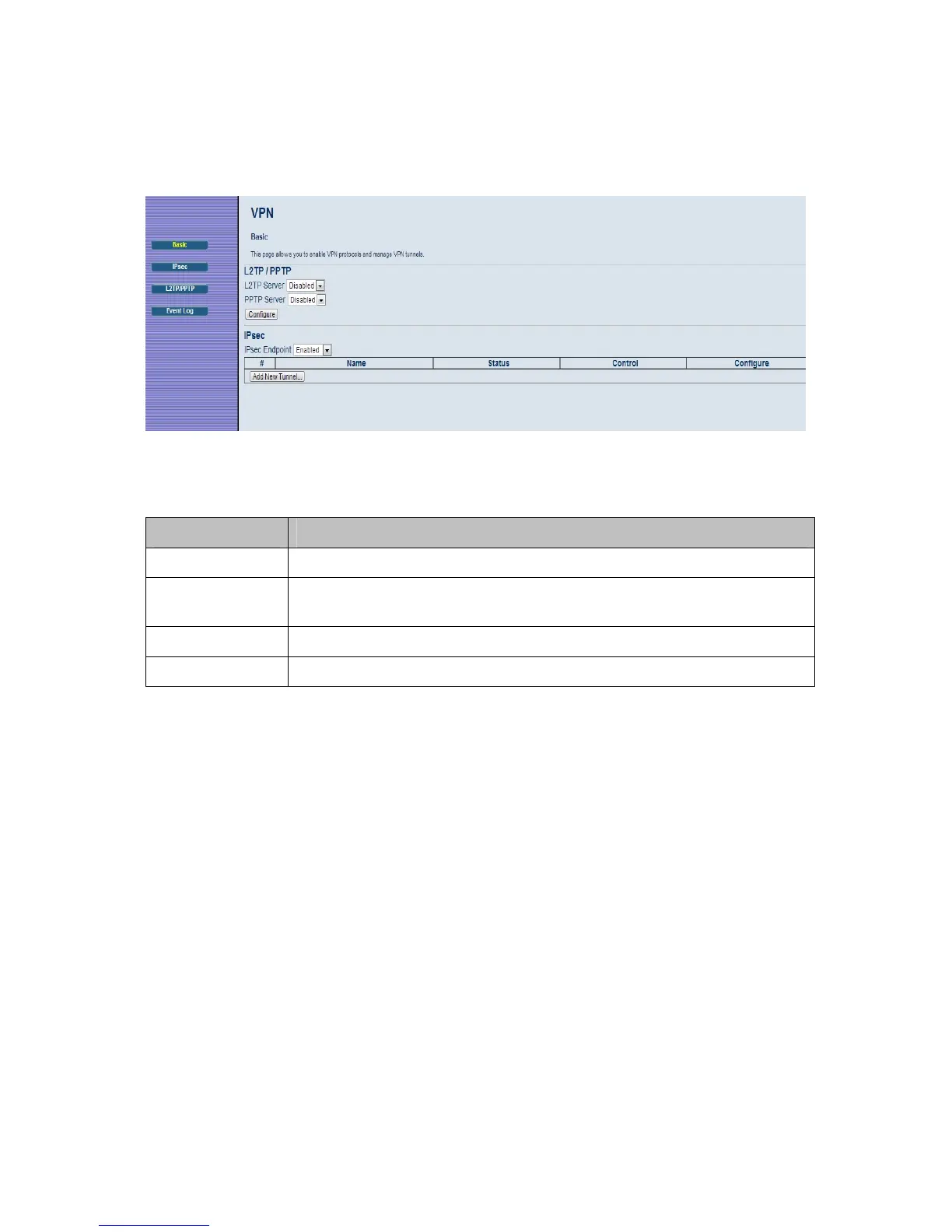
Figure 38. Example of Basic Page
Table 33. Basic Menu Option
Option Description
L2TP Server
Select Enable to enable L2TP (Layer 2 Tunneling Protocol) server.
PPTP Server
Select Enable to enable PPTP (Point-to-Point Tunneling Protocol)
server.
Configure
Select Configure to set up L2TP or PPTP.
IPSec Endpoint
Select Enable to enable IPSec endpoint.
IPSec
The IPSec page allows you to configure IPSec tunnel and endpoint settings. A VPN
tunnel is usually established in two phases. Each phase establishes a security
association (SA), a contract indicating what security parameters Cable Modem/Router
and the remote IPSec Cable Modem/Router will use.
The first phase establishes an Internet Key Exchange (IKE) SA between the
Cable Modem/Router and the remote IPSec Cable Modem/Router.
The second phase uses the IKE SA to securely establish an IPSec SA through
which the Cable Modem/Router and remote IPSec Cable Modem/Router can
send data between computers on the local network and remote network.
Before IPSec VPN configuration, try to familiarize yourself with terms like IPSec
Algorithms, Authentication Header and ESP protocol.



 To Next Page