47
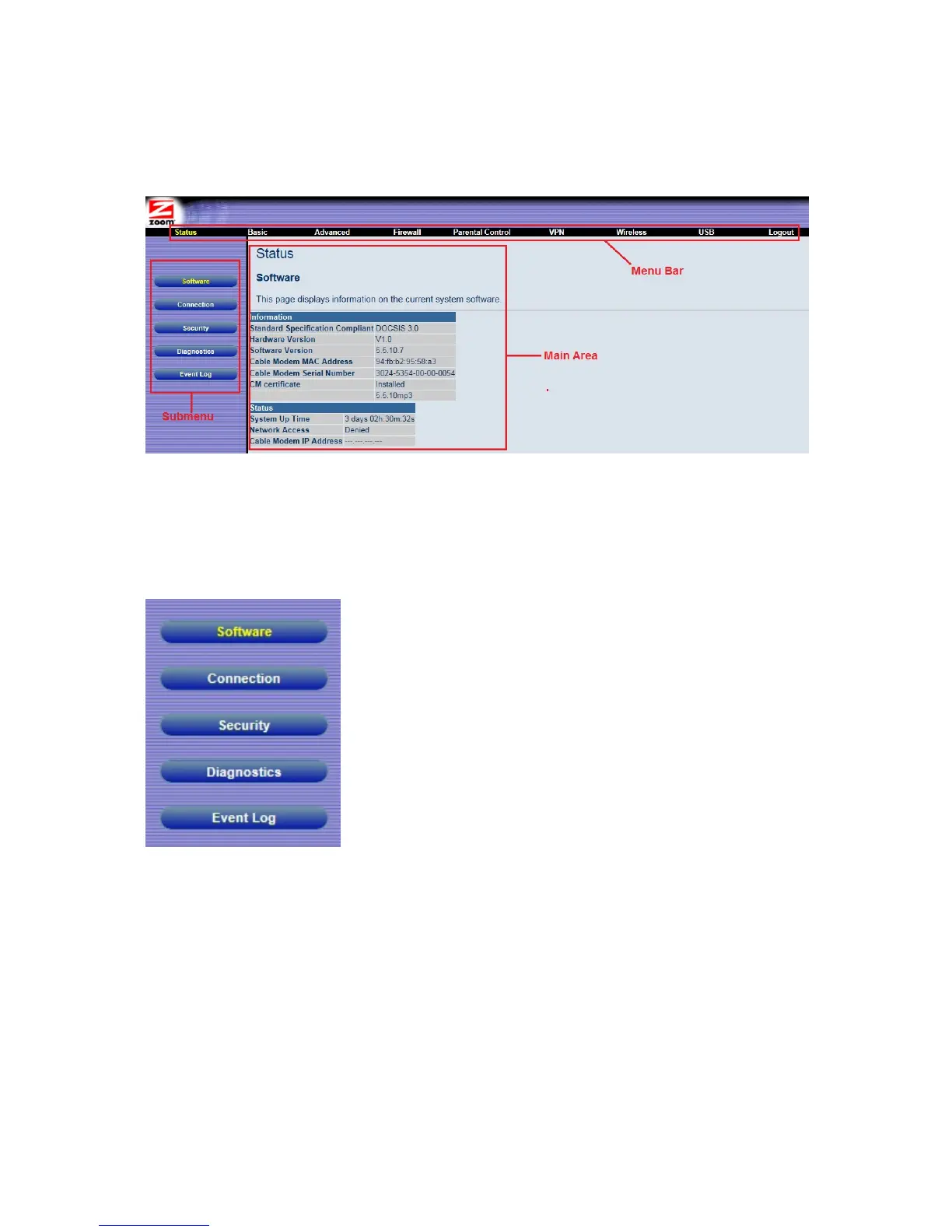
Figure 2. Main Areas on the Configuration Manager Interface
Every menu has submenus associated with it. If you click a menu item, the submenus
appear on the left frame of the Configuration Manager. For example, if you click the
Status menu item, the submenu Software, Connection, Security, Diagnostics, and
Event Log appear on the left column (see Figure 3).
Figure 3. Example of Status Submenu
The right-most item on the menu bar is the logout option. Click it to log out from the
Configuration Manager interface.
Configuration Manager Interface Menus
Table 1 describes the menus in the Configuration Manager interface. You can skip to specific



 To Next Page