82
11
Firewall Menu Options
The Firewall Menu lets you:
Configure the level of protection your firewall provides
View the firewall logs
Basic
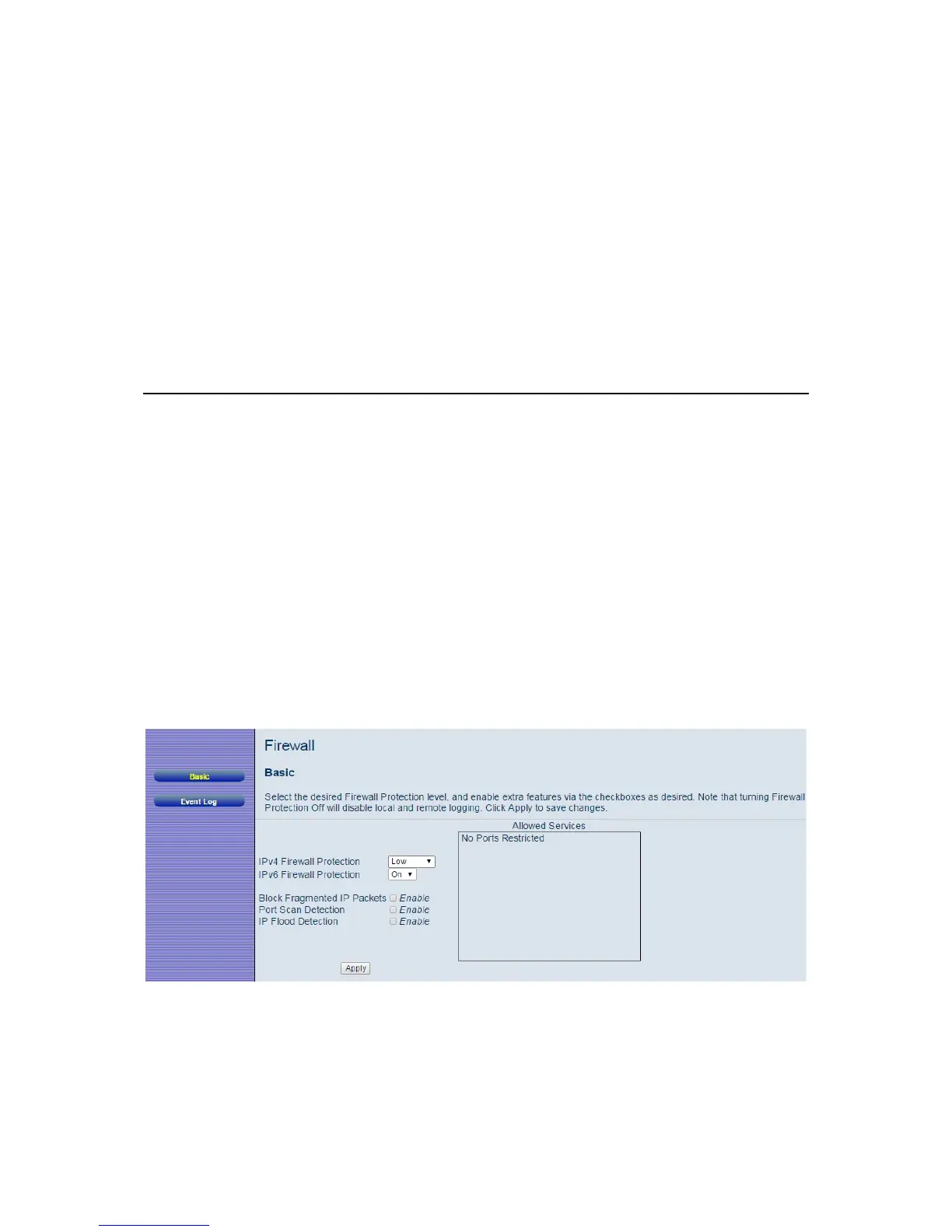
The Basic page allows you to configure the level of protection your firewall offers and
also what type of attacks it should detect..
To access the Basic page:
1 Click Firewall in the menu bar.
2 Then click the Basic submenu.
Figure 24 shows an example of the menu and Table 15 describes the
items you can
select.
Figure 24. Example of Basic Page



 To Next Page