41
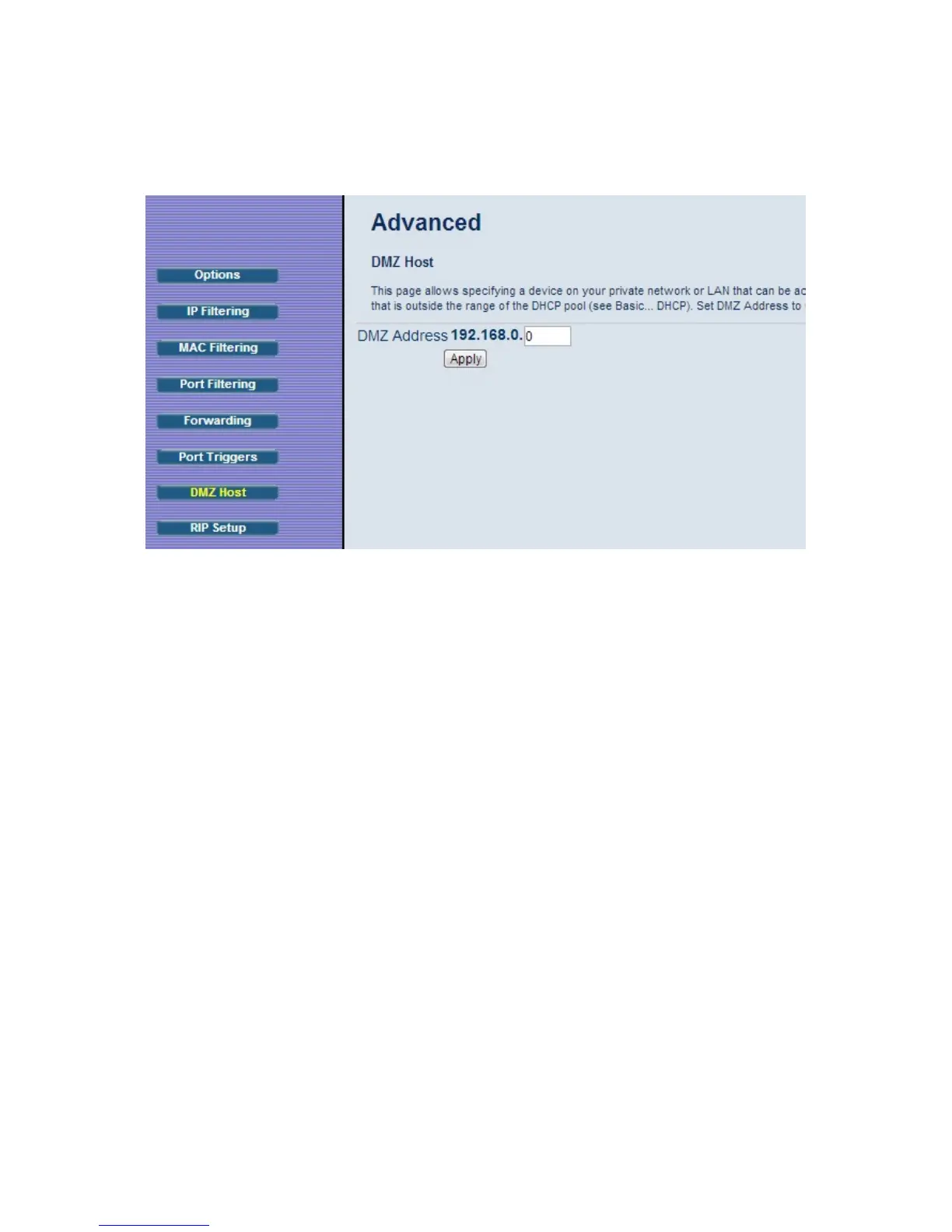
8 Enter the last byte of the LAN IP address of the static IP address you assigned to
your gaming system. For example if you assigned 192.168.0.5 enter 5.
9 Click Apply.
Your gaming system should now work with all your online games.
Port Triggers
Port Triggering works by sensing when your game sends data out through a specific
port. The outgoing data signals the router to allow the incoming game traffic to be passed
through the firewall on the correct port. Since the ports are only open when you are
gaming, port triggering is a very secure method for online gaming.
To set up port triggering you need to know what ports your game is using and whether
they use TCP, UDP or both on those ports. Typically this should be included with your
gaming software. If it is not included, try entering the name of your gaming software
followed by “ports used”.
Some games use the same ports for both incoming and outgoing traffic, while other
games use different ports for incoming and outgoing traffic.
Below is an example of setting up the popular game, World of Warcraft for port triggering.
Looking online, we find that World of Warcraft uses the following ports: 1119-1120, 3724,
4000, 6112-6114, and 6881-6999. We can also find out that these ports are all TCP.
In this case the same ports are used for both incoming and outgoing traffic, so we would



 To Next Page