13
We strongly recommend that you change the default password for your Cable
Modem/Router. This precaution, recommended for any router, helps prevent a
CSRF (cross site request forgery) hacker from gaining control of your router and
redirecting you to websites that they control to steal sensitive financial
information or money from you. To learn how to change your default password,
please see Accessing the Zoom Configuration Manager
.
If you want to use the Cable Modem/Router to stream media from a USB drive or
provide network storage, please see Chapter 5: Using an External USB Drive
.
If you are using the Cable Modem/Router for online gaming you may need to
make changes to the router’s firewall please see Chapter 6: Online Gaming
.
If you are like most users you will not need to make changes to the Cable
Modem/Router’s advanced settings. If your setup requires you to make changes
go to Chapter 7: Advanced Settings
.
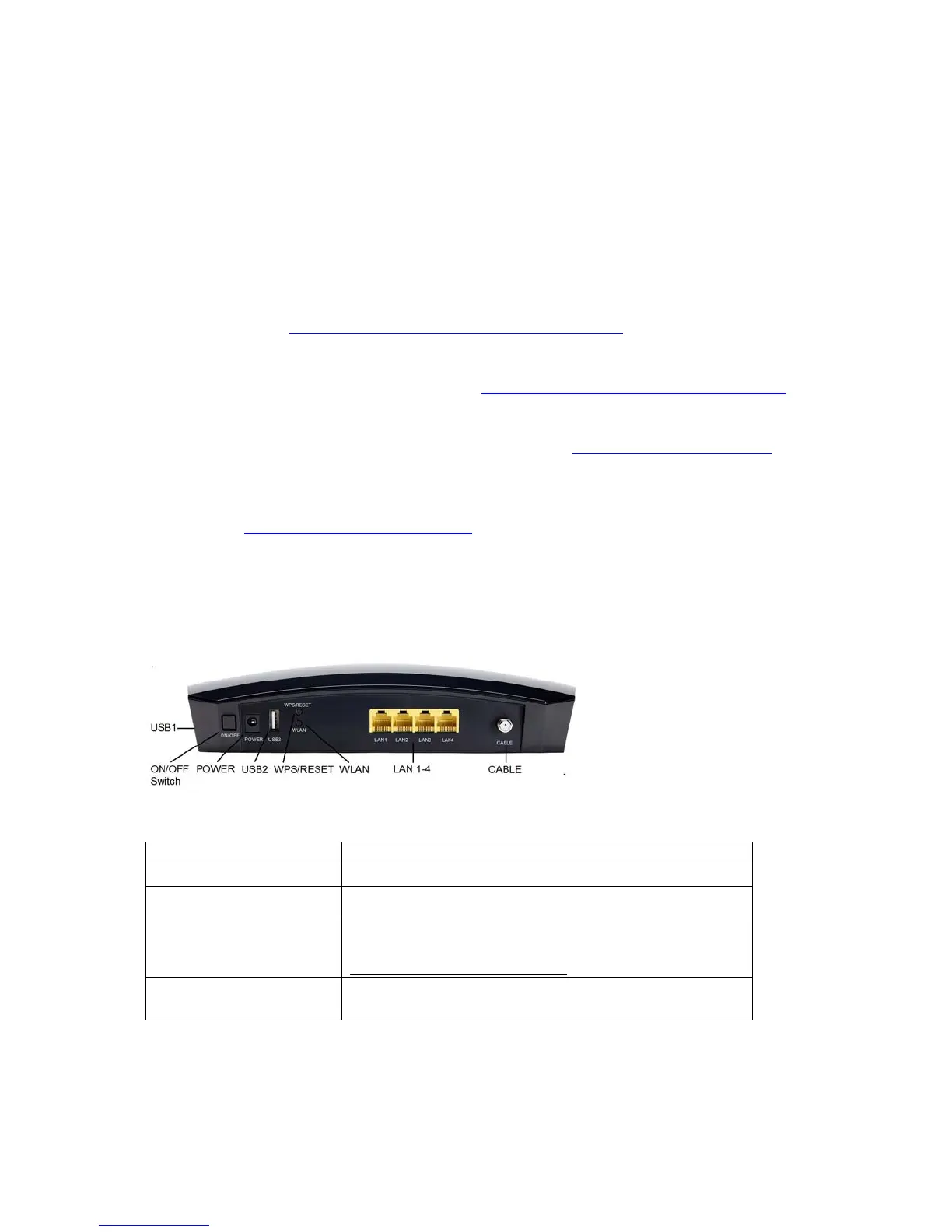
Hardware Connection
Port Description
ON/OFF SWITCH
Powers the cable modem/router on or off.
POWER
Connect the supplied power cube to this port.
USB1, USB2
Connect a USB Flash drive or hard drive for
Network Attached Storage (NAS). See
www.zoomtel.com/5354USB
WPS/RESET
WPS: Press and hold this button for 3 seconds to
initiate a WPS (WiFi Protected Setup) connection.



 To Next Page