8
2
Installing the Cable Modem/Router with Wireless-N
This chapter provides basic instructions for connecting the hardware and configuring the
Cable Modem/Router with Wireless-N using the Zoom Configuration Manager. This
chapter is almost identical to the printed Quick Start.
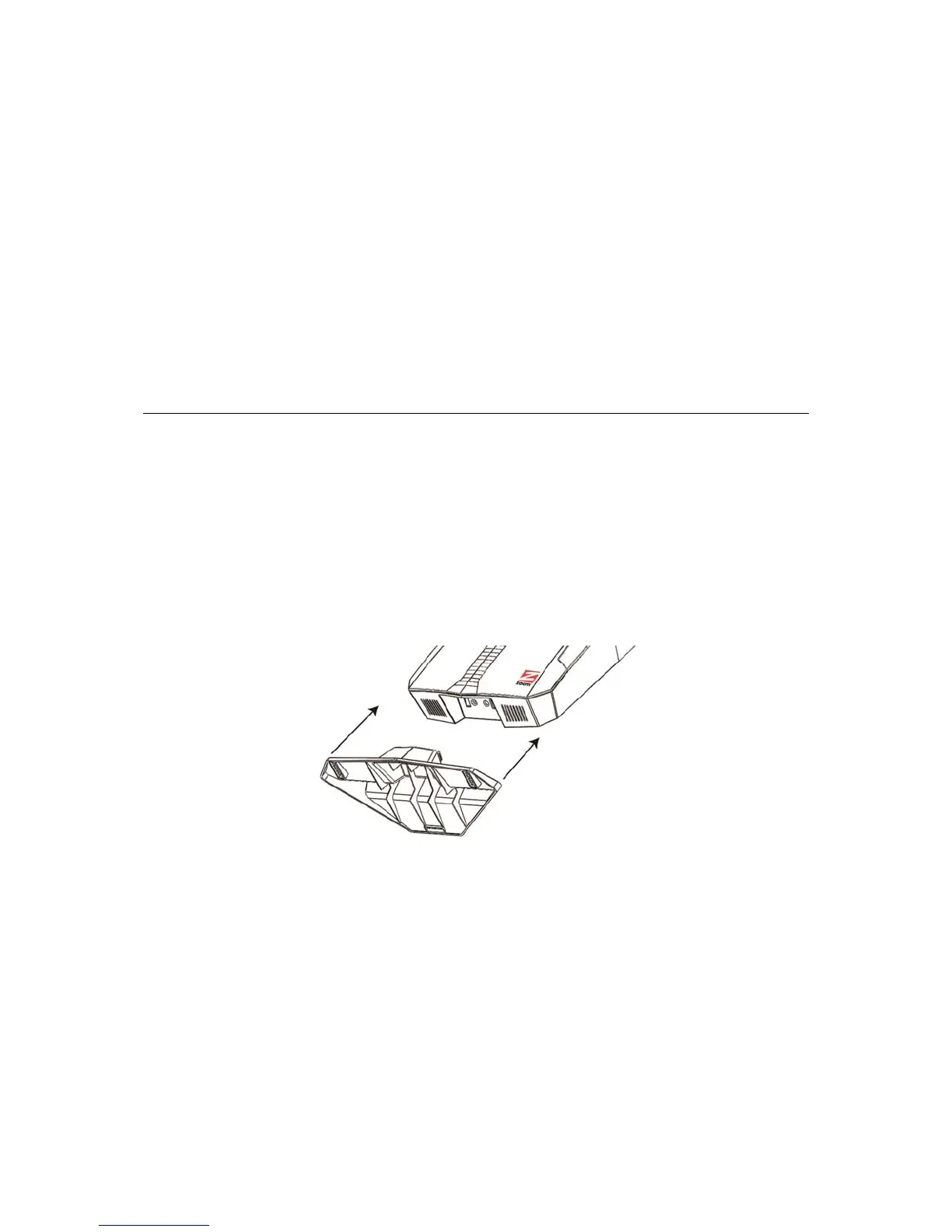
We strongly recommend that you use the cable modem stand to make the cable
modem stand vertically. Placing the modem in the stand will improve wireless
performance and provide good venting. Line up the tabs of the stand with the slots on the
bottom of the cable modem, and then firmly push the stand into the cable modem.
Before installing your cable modem, please read this:
You need to connect the cable modem/router to a cable modem service that uses any of
the popular DOCSIS standards – 3.0, 2.0, or 1.1. If you need to get cable modem
service, please speak with your cable service provider.



 To Next Page