58
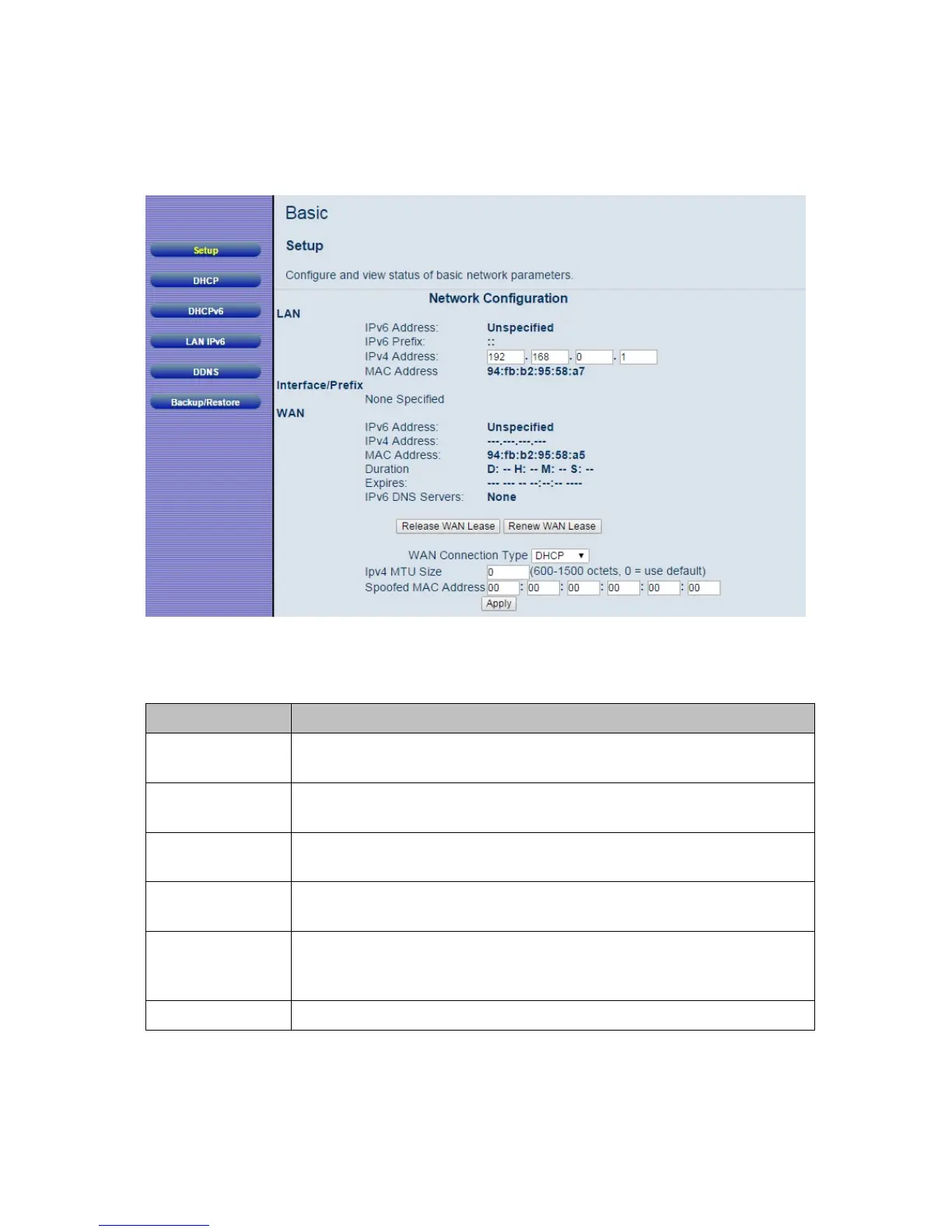
Figure 10. Example of Setup Page
Table 5. Setup Menu Option
Option Description
LAN IPv6
Address
LAN IPv6 address will appear here when connected to IPv6 service.
LAN IPv4
Address
Set the base LAN IP for your private network. By default this is
192.168.0.1 There is normally no need to change this.
WAN IPv6
Address
WAN IPv6 address will appear here when connected to IPv6
service.
WAN IPv4
Address
WAN IPv4 address will appear here when connected to IPv4
service.
Release and
Renew WAN
Lease button
Click on Release WAN Lease button to release WAN address. Click
on Renew WAN Lease button to renew WAN address.
WAN
Select how your Cable Modem/Router obtains an IP address. The



 To Next Page