80
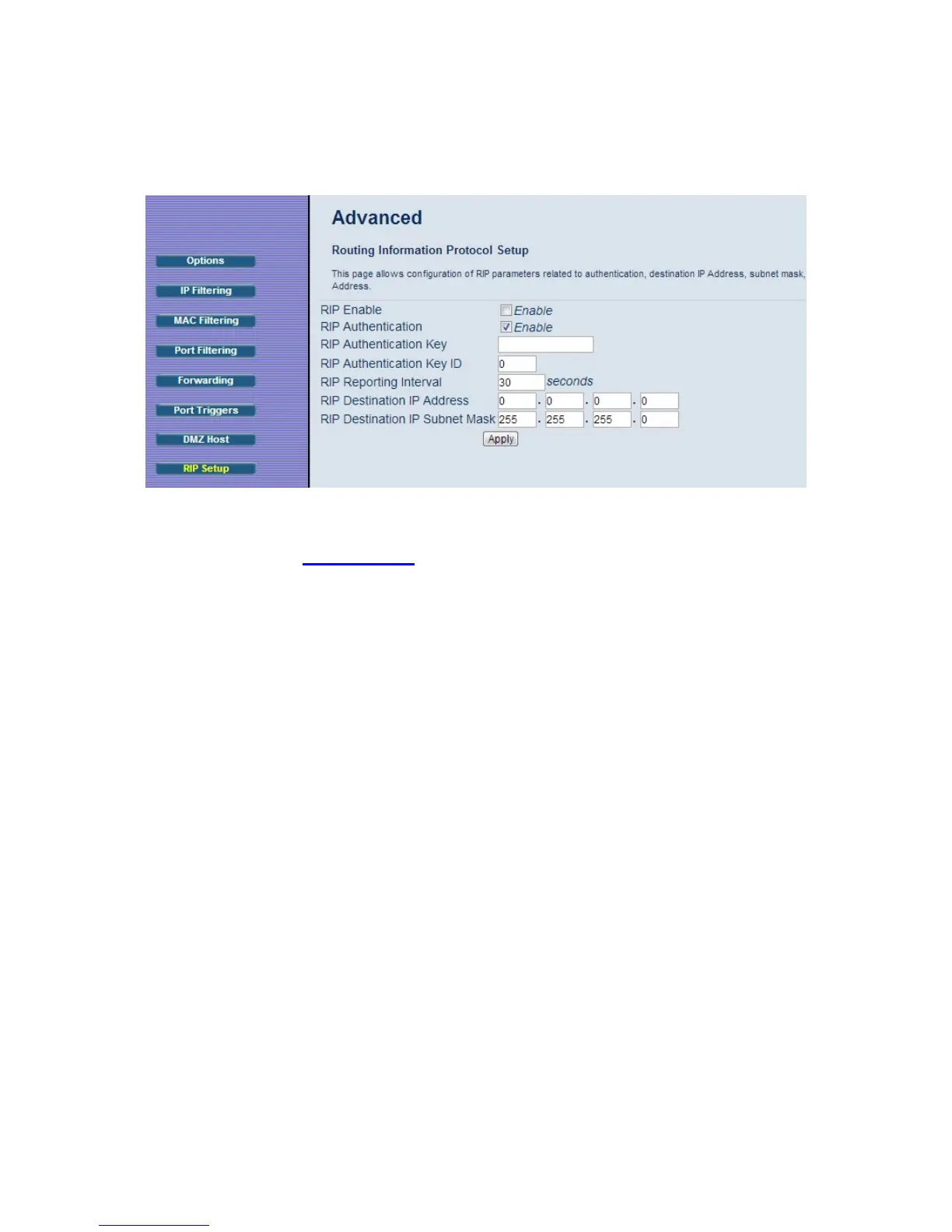
Figure 23. Example of RIP Setup Page
Note: RIP messages will only be sent when the Cable Modem/Router is configured for Static IP
Addressing (see the Basic – Setup
page).
It is unlikely that your cable Internet service supports this mode. If they do, and you want
to enable RIP, you will need to ask for the CMTS’s key name and number. You may need
additional information.
To enable the Cable Modem/Router to perform RIP, do the following (this example uses
BRCMV2 as the RIP Authentication Key and 1 as the Key ID):
To turn on RIP, check the Enable box.
To turn on RIP MD5 Authentication, and check the Enable box.
To specify a RIP MD5 Authentication Key String, type BRCMV2 for this example.
key name = a string value to match CMTS key name value
To specify a RIP MD5 Auth Key ID, type 1.
key number = a number to match the CMTS key number value
To change the RIP announcement interval, enter a number in seconds.
reporting interval by default = 30 seconds
To specify a RIP unicast destination IP address, enter the IP address and subnet
mask.



 To Next Page