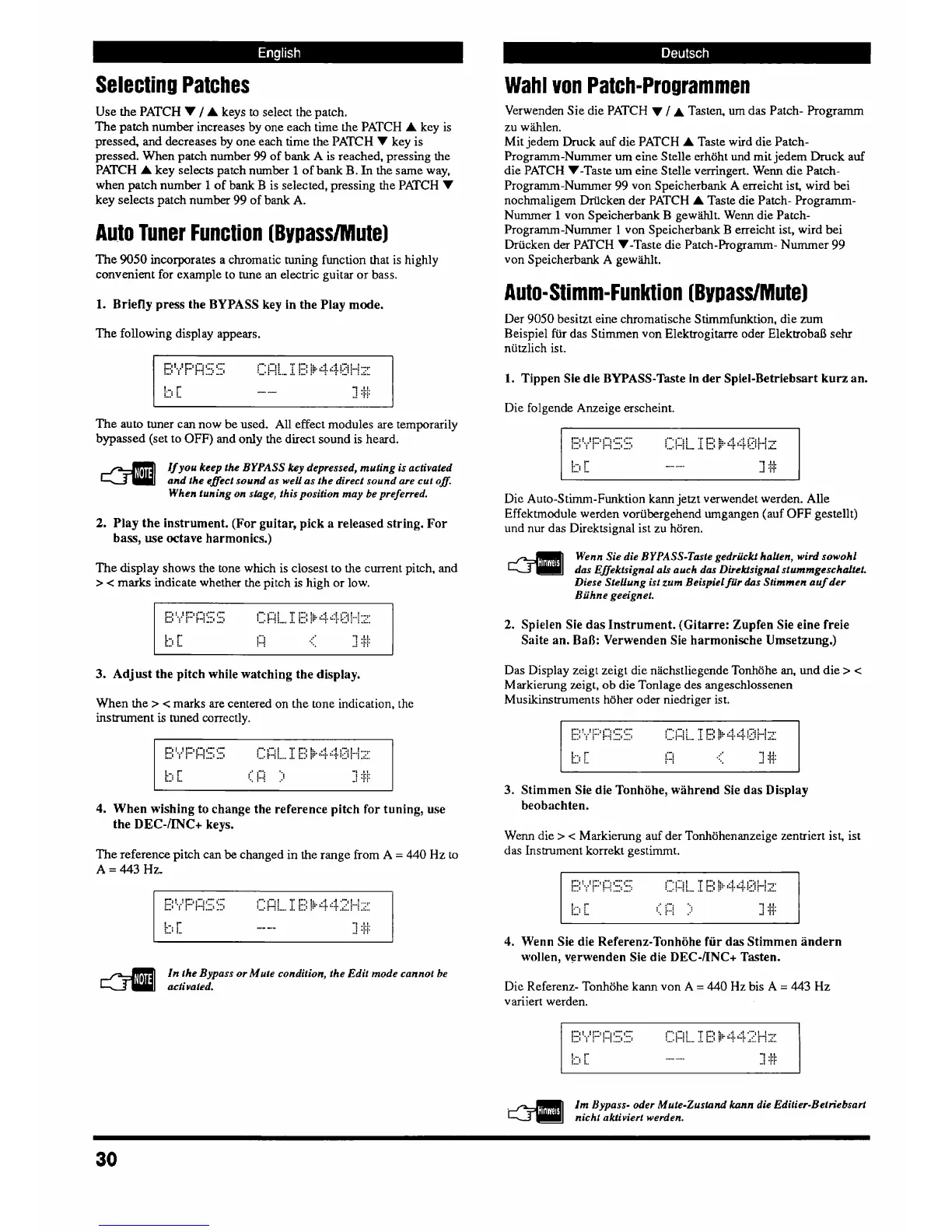
Selecting Patches
Verwenden Sie die PATCH
V
/
A
Tasten,
urn
das Patch- Programrn
zu wiihlen.
Mit jedern Druck ad die PATCH
A
Taste wird die Patch-
Programrn-Nummer urn eine Stelle erhtjht
und
mit jedem Druck auf
die PATCH V-Tas
te
urn
eine S telle verringert. Wenn die Patch-
Programm-Nummer
99
von Speicherbank
A
erreicht ist, wird bei
nochrnaligem Drifcken der PATCH
A
Taste die Patch- Programm-
Nurnmer
1
von Speicherbank
B
gewiihlt. Wenn die Patch-
Prograrnm-Nummer
1
von Speicherbank
B
erreicht ist, wird bei
hcken der PATCH V-Taste die Patch-Programm- Numrner
99
von Speicherbank
A
gewiihlt.
Use the PATCH V
/
A
keys
to
select thc patch.
The patch number increases by one each time the PATCH
A
key is
pressed, and decreases by one each time the PATCH
V
key is
pressed. When patch number
99
of bank
A
is
reached, pressing the
PATCH
A
key selects patch number
1
of
bank
B.
In
the same way,
when patch number
1
of
bank
B
is selected, pressing the PATCH V
key
selects patch
number
99
of bank A.
Auto Tuner Function (BypasslMute]
The
9050
incorporates a chromatic tuning function that is highly
convenient for example to tune an electric guitar or bass.
Auto-Stimm-Funktion (Bypass/Mute)
1.
Briefly press the BYPASS key in the Play mode.
Der
9050
besitzt eine chromatische Stimmfunktion, die mm
Reispiel fiir das Stimrnen von Elektrogitane oder Elektrobal3 sehr
niitzlich is t.
The
following display appears.
1.
Tippen Sie die BYPASS-Taste in der Spiel-Betriebsart kurz an.
Die folgende Anzeige erscheint.
The auto tuner can now be used. All effect modules are temporarily
bypassed (set to
OFF)
and only the direct sound is heard.
If you keep
the
BYPASS
ky
depressed, muting is activated
and the eflect sound as well as the direct sound are cut 08.
When t wing on shge, this position may be preferred.
Die Auto-Stimm-Funktion
kann
jetzt verwendet werden. Alle
Effektmodule werden voriibergehend umgangen (auf
OFF
gestellt)
und
nur das Direktsignal ist zu horen.
2.
Play the instrument. (For guitar, pick a released string. For
bass,
use octave harmonics.)
4
Wenn Sie die BYPASS-Tmie gedr&k.i halten, wid sowohl
das
Effekfsignal a& auch dos Direkisignal st wnmgeschaUef.
Diese Stellung ist zum Beispiel fur
&S
Stimmen auf der
Biihne geeignef.
The display shows the tone which is closest to the current pitch, and
>
<
marks indicate whether the pitch is high or low.
2.
Spielen Sie das Instrument. (Gitarre: Zupfen Sie eine freie
Saite an. Ball: Verwenden Sie harmonische Umsetzung.)
Das Display zeigt zeigt die nachstliegende Tonhijhe
an,
und die
> <
Markierung
raigt,
ob die Tonlage des angeschlossenen
Muskinstruments htjher oder niedriger ist.
3.
Adjust the pitch while watching the display.
When the
>
<
marks are centered on the tone indication, the
instrument
is
tuned correctly.
S".:!
[
,".:
j..:
'"S.
.a"
.:.
:-+
:...:
".tl...:
.
.......
!
2:
:[
,
!z'ii..:...
:.m.
-.
1
..-.
..-.
:
:
L-
.
.
-..
,
.
.
.. ...-.
.......
....
1....
1-
..".
::
"I
I
I
i,.'
i..
y-i
!
:!X
.J
::
3.
Stimmen Sie die Tonhohe, wahrend Sie das Display
beobachten.
4.
When wishing to change the reference pitch
for
tuning, use
the
DEC-/INC+
keys.
Wenn die
> <
Markierung auf der Tonhiihenanzeige zentriert ist, ist
das
Instrument
lcorrekt gestimrnt.
The reference pitch can
be
changed in the range from
A
=
440
Hz to
A
=
443
Hz.
4.
Wenn Sie die Referenz-Tonhohe fiir das Stimmen andern
wollen, verwenden Sie die
DEC-/INC+
Tasten.
4
In
the Bypass or Mute condition, the Edit mode cannot he
activated.
Die Referenz- Tonhohe kann von A
=
440
Hz bis
A
=
443
Hz
variiert werden.
Im
Bypass- oder Mule-Zusland
kann
die Edifier-Betriebsart
nicht akfiviert werden.



 To Next Page