Checking & Editing Files
Changing fi le names
44
Checking & Editing Files
Changing fi le names
45
H2n
Handy Recorder
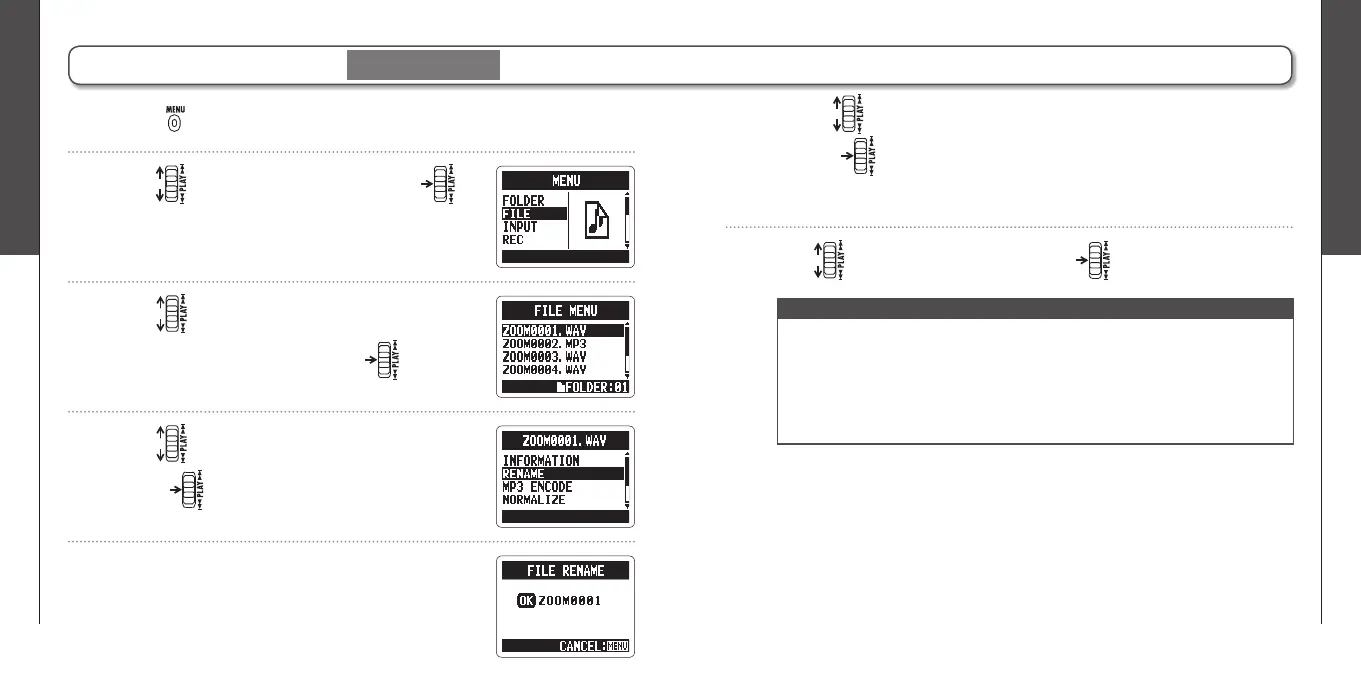
Changing fi le names
Stereo fi les only
1.
Press .
2.
Use to select FILE, and then press .
3.
Use to select the fi le name that you
want to change, and then press .
5.
Edit the name.
4.
Use to select RENAME, and then
press .
NOTE
∙ The following characters can be used in fi le names.
(Space)!#$% &'()+,-0123456789;=@ABCDEFGHIJKLMNOPQRSTUVWXYZ[]^_`
abcdefghijklmnopqrstuvwxyz{ }~
∙ A fi le name cannot be only spaces.
∙ If a file with the same name already exists in the same folder, a warning
appears and the screen shown in step fi ve automatically reopens.
Use to move the cursor and change characters
Push to select a character to change and to confi rm a change
6.
Use to select OK, and then press .



 To Next Page