RT100 Rough Terrain Crane
07- 24
F. Operate - extend the boom.
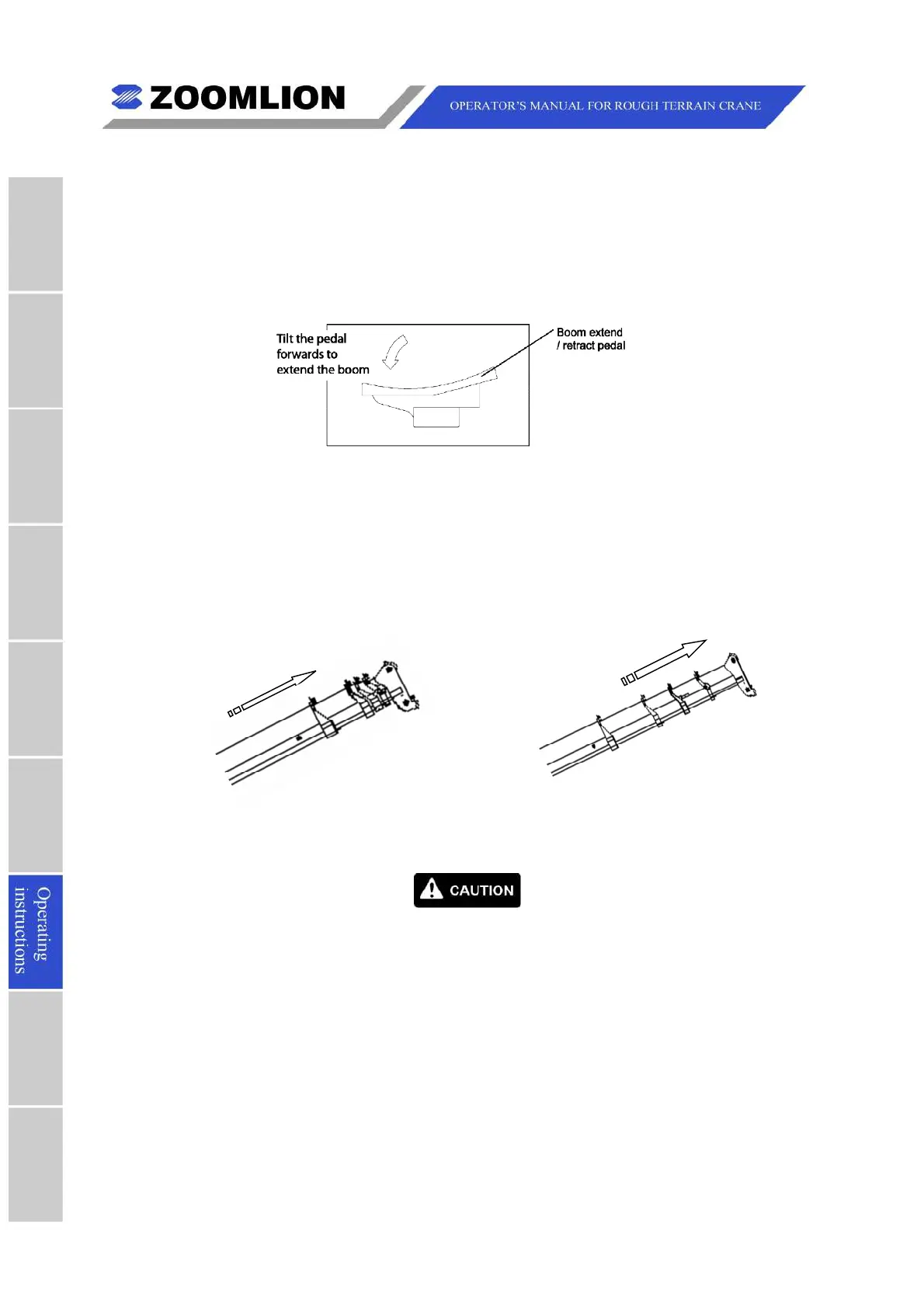
(1) Make sure the seat occupied andactivate the pedal to extend the boom.
Figure 07 – 19 Extend / Retract Pedal Forward
Note
Only when the operator’ s seat is occupied andthe icon onthe display lights
up,can the joysticks initiate various movement.
(2) Tilt the pedal forward to extend the boom. If telescoping cylinder I is activated,
telescopic section 1 extends. W
hen cylinder I is fully extended, LMI will alarm.Push
button on LMI to change to cylinder II.
The telescopic sections 2, 3 and 4 move
out at the same time.
Figure 07– 20 Telescopic Sections - Extend
(3) Release the pedal slowly to the neutral position to stop the telescoping movement.
The boom stops atthat point.
When you extend the boom and the hook block touches the anti-two
block weight,the items below occur:
l A warning noise sounds
l A warning light illuminates.
Whenthe warningoccurs, the function of the items below, stop:
l W inch spool-up
l Boom extension
l Derrick boom down.
If you must extend the boom more, use the reel-off function (right
joystick forward) to lower the hook block.



 To Next Page