RT100 Rough Terrain Crane
7.23 COUNTERWEIGHT OPERATION
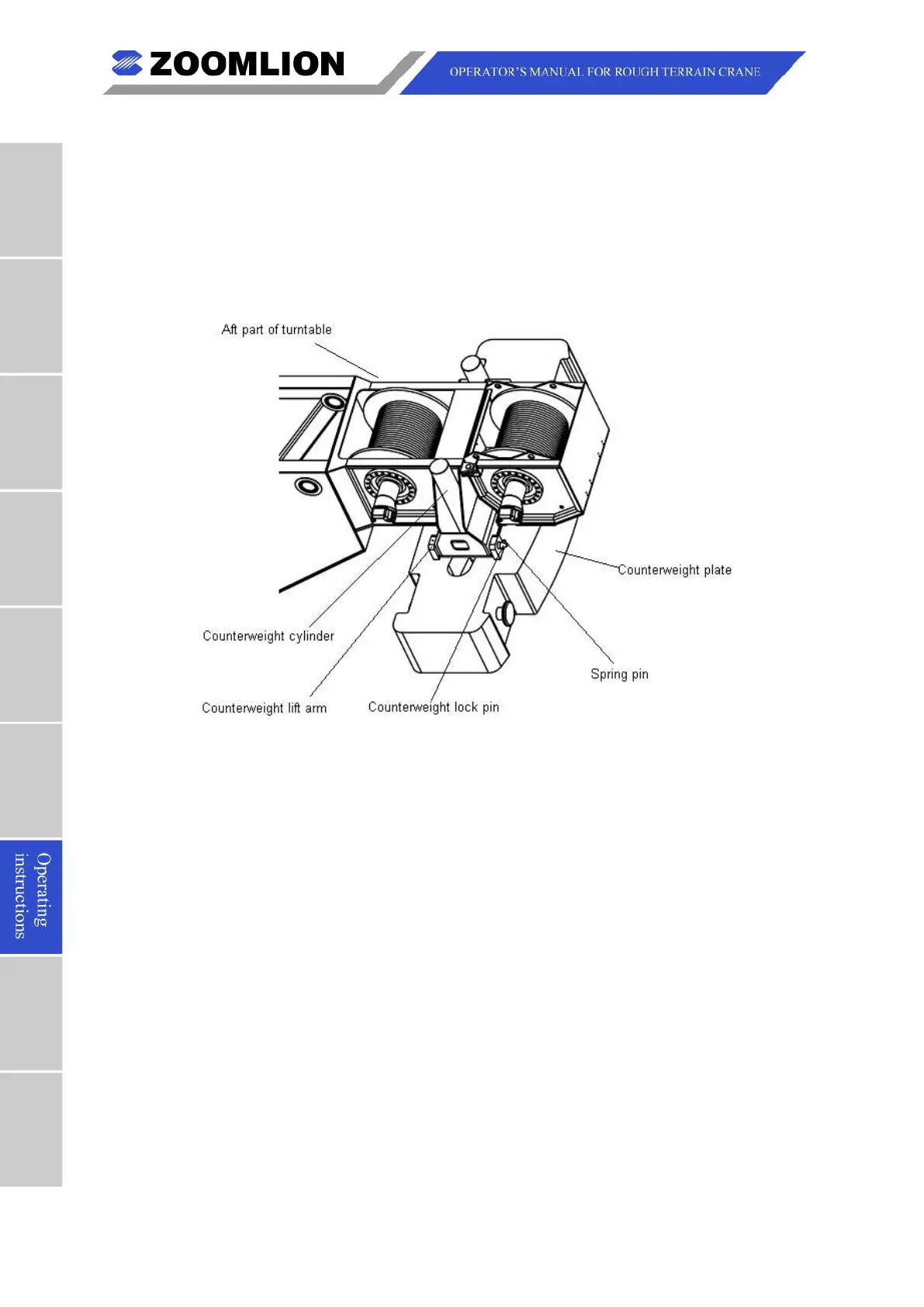
A. The components of the counterweight handler are as follows (Refer to Figure 07 – 57):
Figure 07 – 57 Counterweight Handler
Assemble the counterweight in the following steps:
(1) Lift counterweight onto the counterweight pins (Figure 07 – 57) located at the aft of
(2) Rotate the superstructure till the swing angle on dash displays 0°.
(3) Rotate the superstructure clockwise till the swing angle shown on dash displays 4°.
(4) Push down switch 3 (Refer to Figure 07 – 58) to fully extend the counterweight
(5) Rotate the superstructure counterclockwise till the swing angle shown on dash
(6) Push up switch 3 (Refer to Figure 07 – 58) to retract the counterweight cylinders.
Make sure that the counterweight lift arms (Refer to Figure 07 – 57 align with the lift
pin slots in the superstructure.



 To Next Page