EasyManua.ls Logo

Zte Maven 2 - User Manual

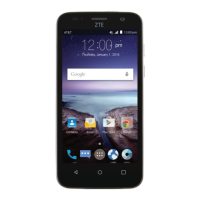
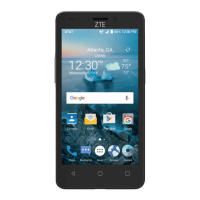
Zte Maven 2
144 pages
Print Icon
To Next Page IconTo Next Page
Loading...
User Guide

Table of Contents

Questions and Answers

  • H
    Hannah AlvarezJul 26, 2025
    What to do if my Zte Maven 2 Cell Phone crashes, reboots, freezes, or cannot be powered on?
    • M
      Mark CameronJul 27, 2025
      If your Zte Cell Phone crashes, reboots, freezes, or won't power on, it could be due to incompatible third-party software. Try resetting the phone to factory status. Also, uninstall the software that may be causing the problem and upgrade the phone software.
  • J
    Jeffery NicholsJul 31, 2025
    What to do if my Zte Maven 2 battery is not charging?
    • B
      Bobby RamirezJul 31, 2025
      If your Zte Cell Phone battery isn't charging, it could be due to several reasons. The battery or charger might be damaged and you should contact the dealer. The phone’s temperature might be too low (below 32°F/0°C) or too high (above 113°F/45°C); adjust the charging environment to avoid extreme temperatures. Also, check that all connectors are properly connected to ensure good contact between the battery and charger.
  • H
    harttinaAug 4, 2025
    Why does my Zte Maven 2 have poor reception?
    • E
      Erik CabreraAug 4, 2025
      Poor reception on your Zte Cell Phone may occur because the network signal is weak at your location (for example, in a basement or near a tall building). Wireless transmissions might not effectively reach the device. In this case, move to a location where the network signal can be properly received. Alternatively, the network might be busy, especially during peak times. Try again after a short wait. Finally, you might be too far from your service provider's base station, so you can request a service area map from them.
  • J
    Juan BurnsAug 8, 2025
    What to do if my Zte Maven 2 Cell Phone shows a Nano-SIM card error?
    • A
      Alicia WhiteAug 8, 2025
      If your Zte Cell Phone displays a Nano-SIM card error, it may be because the card has malfunctioned or is damaged. Take the nano-SIM card to your service provider for testing. It could also be inserted improperly; ensure it is correctly inserted. Finally, debris on the nano-SIM card contacts can cause issues; use a soft, dry cloth to clean the contacts.
  • A
    Andrew MccoyAug 12, 2025
    What to do if my Zte Maven 2 is unable to connect to the network?
    • P
      ppalmerAug 12, 2025
      If your Zte Cell Phone cannot connect to the network, the nano-SIM card might be invalid, so contact your service provider. You might also be outside the network's service area; check with your service provider. Poor signal strength can also be a factor; move to an open space or closer to a window.
  • C
    Christopher RiveraAug 17, 2025
    Why does my Zte Maven 2 Cell Phone have echo or noise during calls?
    • P
      patrickmitchellAug 17, 2025
      Echo or noise during calls on your Zte Cell Phone can be caused by poor network link quality from your service provider or poor local telephone line quality. To resolve this, end the call and dial again. You may be switched to a better-quality network link or phone line.
  • J
    Julia TorresAug 21, 2025
    Why is my Zte Maven 2 unable to select certain features?
    • J
      John WilliamsAug 21, 2025
      If you're unable to select certain features on your Zte Cell Phone, it's possible that your service provider does not support these features, or you have not applied for services that provide these features. Contact your service provider.

Summary

Getting Started and Basic Operations

Initial Setup: SIM, Battery, and First Time Configuration

Instructions for installing SIM/battery, charging, and initial phone setup.

Navigating Your Phone: Touch Screen, Keys, and Home Screen

Learn about touch gestures, key functions, and the home screen layout.

Personalizing and Customizing Your Device

Adjusting Display, Sound, and Personal Settings

Customize language, date/time, sounds, volumes, and screen brightness.

Home Screen Customization: Panels, Wallpapers, and Themes

Add/remove home screen panels, apply wallpapers, and change themes.

Connectivity and Data Management

Network Connections: Wi-Fi, Bluetooth, and Mobile Data

Connect to Wi-Fi, Bluetooth, manage mobile networks and data usage.

Storage and Computer Connectivity

Use microSDHC card storage and connect phone to a computer via USB.

Core Applications and Communication

Phone Calls and Contact Management

Make calls, manage contacts, and use call history features.

Email, Messaging, and Calendar Usage

Manage emails, send messages, and organize events in the calendar.

Browser, Music, Video, and Camera Usage

Browse the web, play media, and capture photos/videos.

System Settings, Troubleshooting, and Safety

Configuring System Settings

Adjust display, sound, security, apps, battery, and other system settings.

Troubleshooting Common Issues

Solutions for common phone problems like poor reception or battery issues.

Safety and Compliance Information

Important safety guidelines, FCC regulations, and handling precautions.

Warranty and Device Specifications

Warranty Information and Service

Details on warranty terms, coverage, and how to obtain service.

Device Specifications

Technical specifications of the ZTE Maven 2 phone.

Zte Maven 2 Specifications

General IconGeneral
Operating SystemAndroid 6.0 (Marshmallow)
Display Size5.0 inches
Display Resolution480 x 854 pixels
RAM1 GB
Internal Storage8 GB
Expandable StoragemicroSD, up to 32 GB
Rear Camera5 MP
Front Camera2 MP
Battery2300 mAh
Wireless Technology4G LTE
NetworkGSM / HSPA / LTE
Wi-FiWi-Fi 802.11 b/g/n
GPSYes, with A-GPS
ColorsBlack
ProcessorQualcomm Snapdragon 210
Weight160 g
Display TypeTFT LCD

Related product manuals