EasyManua.ls Logo

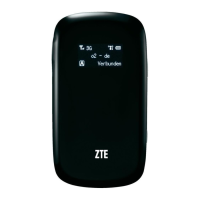
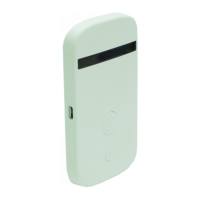
Zte MF30 - User Manual

Zte MF30
66 pages
Print Icon
To Next Page IconTo Next Page
Loading...
1
ZTE MF30
Global Mobile Hotspot
User Manual

Other manuals for Zte MF30

Questions and Answers

  • S
    Sharon WhiteAug 17, 2025
    How to fix Zte Wireless Router when I cannot access the internet?
    • A
      austin15Aug 17, 2025
      If you cannot access the internet with your Zte Wireless Router, first check your configuration settings. Allow 1-2 minutes for the router to initialize. Then, check the status of your service indicator LEDs.
  • J
    Julie HernandezAug 20, 2025
    What to do if Zte Wireless Router is connected to the Internet, but cannot open any website page?
    • G
      gouldcarolynAug 20, 2025
      If your Zte Wireless Router is connected to the internet but cannot open any website pages, check that the APN in the configuration files is correct. Also, upgrade or reinstall your IE browser. Use professional anti-virus software to check and remove any viruses. Verify you've connected to an APN that can connect to the Internet and enter the correct APN from your operator.
  • K
    Kyle EvansAug 22, 2025
    Why is there no signal on my Zte Wireless Router after restarting the computer?
    • R
      randy41Aug 23, 2025
      If there is no signal indicated after restarting the computer with your Zte Wireless Router, you may be in a location with no GSM/GPRS/EDGE/WCDMA/HSDPA(HSUPA) network coverage, such as underground parking garages, tunnels, or remote rural areas. Try changing your location to find a good signal. Ensure the device is properly connected by safely closing the device, pulling it out, and reinserting it. Also, verify that the SIM/USIM card is correctly inserted. Adjust the angle/position of the modem device or its proximity to other electronic devices, as the modem device's position may adversely affect signal reception.
  • W
    Wendy RandallAug 25, 2025
    What to do if computer cannot find Zte Wireless Router during installation?
    • S
      Susan BurnsAug 26, 2025
      If the computer cannot find the Zte Wireless Router during installation, it may be because the installation programs of the modem device have not been installed properly. Run the installation program first, then connect the device and install the drivers as normal in Windows. Also, the device may not be connected properly, so restart the computer or reconnect the device.
  • A
    Ashley VazquezAug 28, 2025
    Why are my download and upload speeds so slow on my Zte Wireless Router?
    • L
      Leonard WallaceAug 28, 2025
      Slow download or upload speeds on your Zte Wireless Router are often due to signal strength. Check your signal strength and network type to improve your speed.
  • B
    Brian MackAug 30, 2025
    What causes a data connection failure on a Zte Wireless Router?
    • D
      David CantuAug 31, 2025
      If the data connection failed on your Zte Wireless Router, you might be in an area without GSM/GPRS/EDGE/WCDMA/HSDPA(HSUPA) network coverage; move to an area with good signal. If the network is busy, try again later. Check the APN in the user configuration file under "Network settings" to ensure it's correct. The device data may be corrupted, so retry the data request. If the network type was selected manually but is incorrect, reselect the network type according to your SIM/USIM card type.
  • S
    Shawn BrownSep 2, 2025
    Why is my Zte Wireless Router failing to send messages?
    • M
      Michael ButlerSep 2, 2025
      If sending a message fails on your Zte Wireless Router, the SMS center number may be incorrect. Although your device is preconfigured, if the number is missing or incorrect, contact your operator. Alternatively, the network may be busy, or you may be in an area with no signal; try again later or move to an area with a stronger signal.
  • A
    Aaron CookSep 5, 2025
    What does it mean if RSSI signal indicator is blinking on Zte Wireless Router?
    • M
      Michael AdamsSep 5, 2025
      If the RSSI signal indicator on your Zte Wireless Router is always blinking or does not light up, this indicates poor reception. Try moving the router to another location near the window.
  • P
    pchenSep 8, 2025
    What to do if the UI program on my Zte Wireless Router doesn't run automatically?
    • G
      gmcmahonSep 8, 2025
      If the UI program doesn't run automatically after plugging in your Zte Wireless Router, the system configuration may be incorrect. Open the UI program manually from the desktop.
  • J
    Juan CooleySep 12, 2025
    How to fix if Zte Wireless Router system cannot run the installation program automatically?
    • K
      Kevin SmithSep 12, 2025
      If the system cannot run the installation program automatically for your Zte Wireless Router, the system configuration may be having difficulty with the auto-run software. The device will appear as a virtual CDROM on the PC's start menu. Click on the icon and start the Install.exe. If you have previously installed a version of the program, please uninstall it first.

Summary

General Information

Safety Precautions

General safety guidelines and warnings for using the device.

Getting Started

Installation

Step-by-step instructions for installing SIM card, battery, and charging.

Modem Mode

Software Installation

Guide for installing the necessary software for modem functionality.

Internet

Steps for connecting to and managing internet access.

AP Mode

Login

Steps to log into the router's web-based management interface.

WAN Connection

Configuration for establishing an Internet connection (WAN).

Wi-Fi Settings

Configuration options for the wireless network, including security and WPS.

Troubleshooting

AP Related Problems

Solutions for common issues encountered in AP mode.

Modem Mode Related Problems

Solutions for common issues encountered in Modem mode.

Zte MF30 Specifications

General IconGeneral
Wi-Fi Standards802.11b/g
Maximum Wi-Fi Speed54 Mbps
Max Speed Downlink7.2 Mbps
Max Speed Uplink5.76 Mbps
Battery Capacity1500 mAh
SIM Card SlotYes
Number of Connected DevicesUp to 5
Weight80 g
Wi-Fi SecurityWEP, WPA, WPA2
Operating Time4 hours
Standby Time100 hours
Device TypeMobile Hotspot
Supported Operating SystemsWindows, Mac

Related product manuals