94 CHAPTER 7: AGGREGATING PORTS
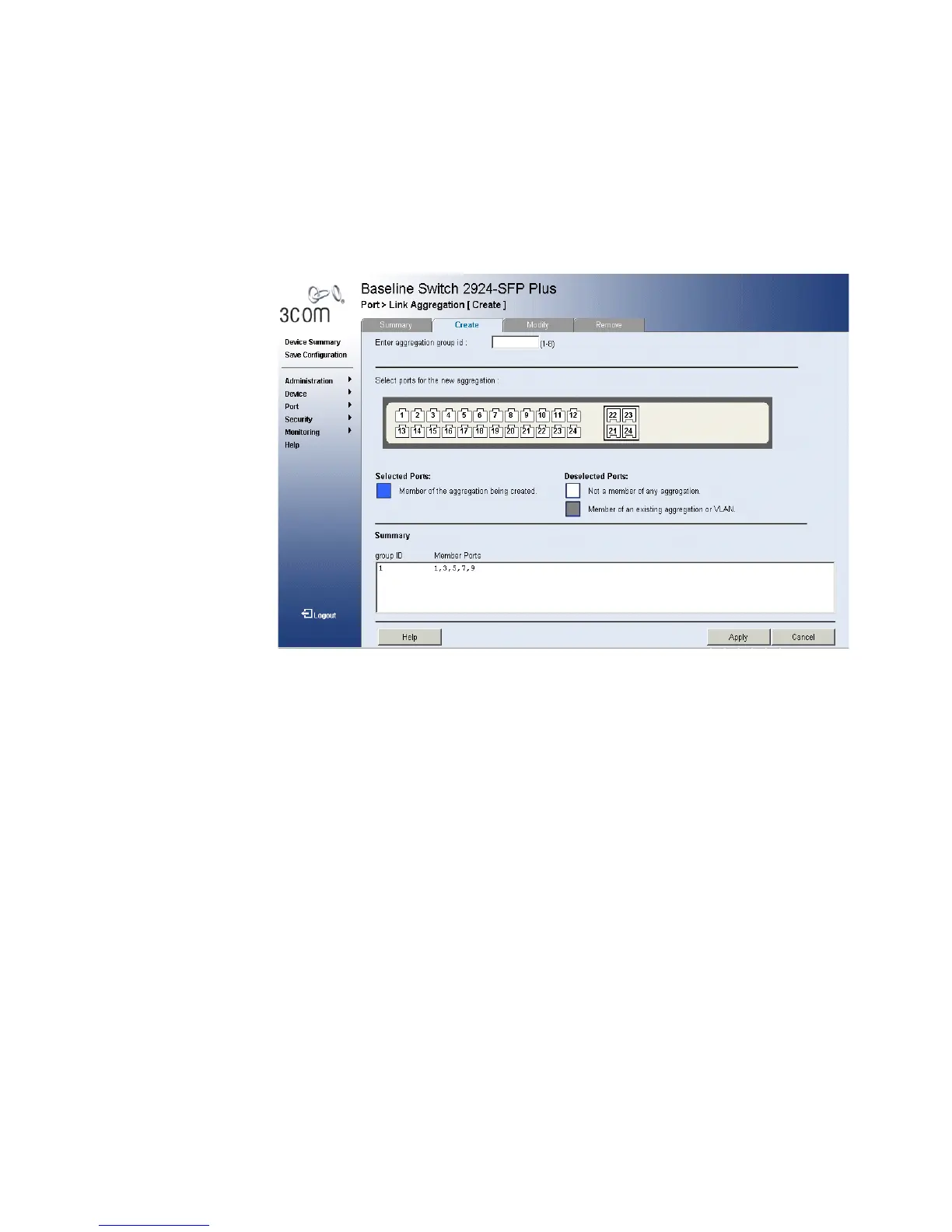
1 Click Ports > Link Aggregation > Create. The Link Aggregation Create
Page opens:
Figure 47 Link Aggregation Create Page
The Link Aggregation Create Page includes the following fields:
■ Enter aggregation Group ID — Displays the group ID. The range is
1-8 groups.
■ Static — Selects the link aggregation type to be static.
■ LACP — Selects the link aggregation type to be LACP.
■ Select ports for the new aggregation — Displays the ports for
which the link aggregation parameters are defined.
■ Blue — Displays a member of the aggregation being created.
■ White — Displays a non existent member of any aggregation.
■ Grey — Displays a member of an existing aggregation or VLAN.
Summary
■ Group ID — Displays the Link Aggregated Group ID.
■ Member Ports — Displays the ports configured to the LAG.
2 Define the fields.
3 Click Apply. The LAG configuration is defined, and the device is updated.










 To Next Page