Network Camera User’s Guide
10/96
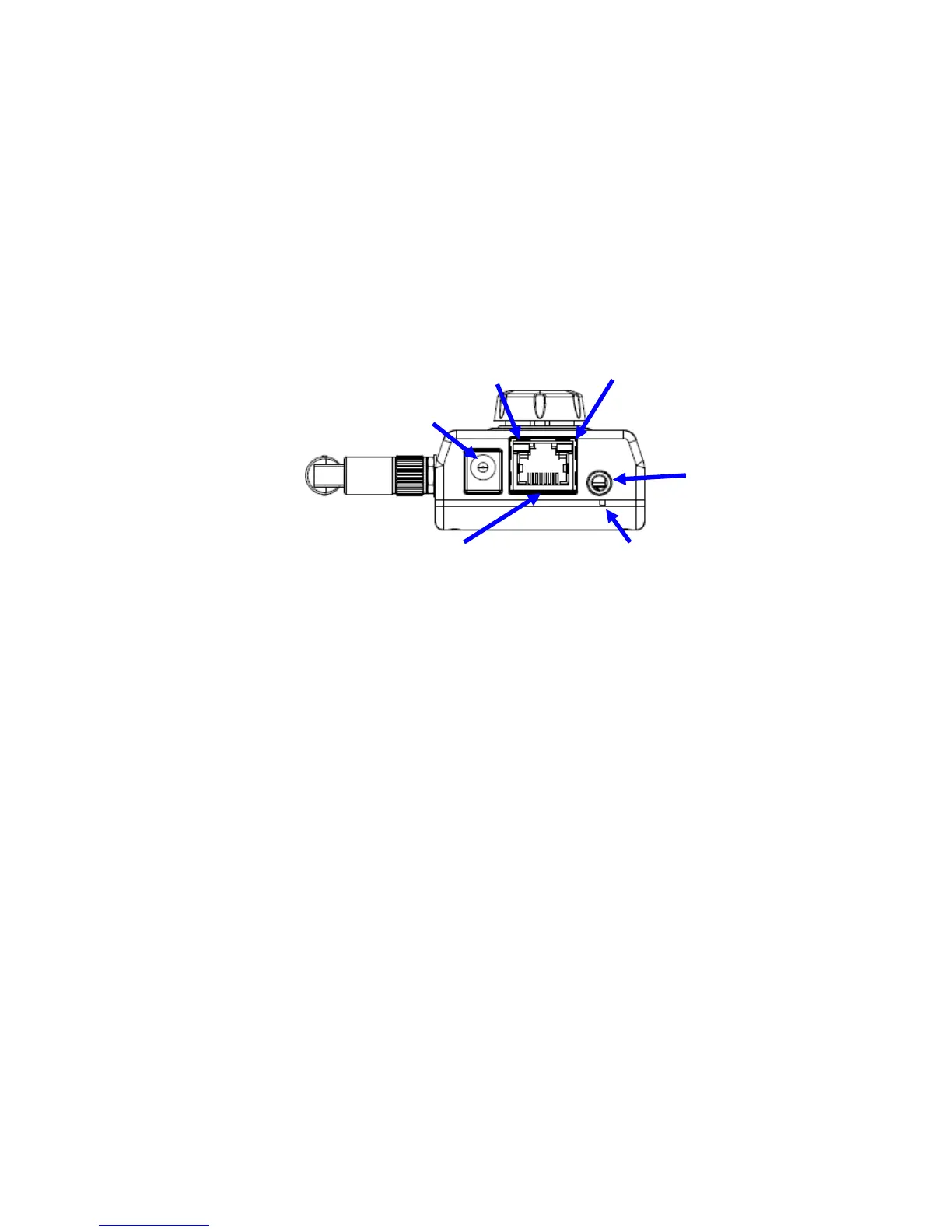
Bottom View
Audio Output Jack
Audio-out Jack allows this device to output audio or alerting sound.
DC Power Jack
The input power is 12VDC. Note that supply the power to the Camera with the power
adapter included in package. Otherwise, the improper power adapter may damage the
unit and result in danger.
Factory Default Reset
This button is hidden in the pinhole. This button is used to restore the all factory default
settings. Sometimes restarting the camera will make the system back to a normal state.
If the system still got problems after restart, user can restore the factory default settings
and install it again. To restore the device, please follow the steps below:
1. Make sure the Camera is ready first. Insert the paper clip or other tool
and press and hold the button down continuously.
2. Hold it at least 5 seconds and release the tool while the Camera is
operating. Then the device has been restored to default settings and reboot
again.
Note: Restoring the factory default setting will lose the all previous settings
included IP address forever. User needs to run the IPWizard II program to search
the device and configure it to let the device work properly again.
LAN Socket
The LAN socket is a RJ-45 connector for connections to 10Base-T Ethernet or
100Base-TX Fast Ethernet cabling. This Ethernet port built N-Way protocol can detect or
negotiate the transmission speed of the network automatically. Please use Category 5
cable to connect the Network Camera to a 100Mbps Fast Ethernet network switch or
hub.
LAN LED (green color)
This LED will be flashing while network accessing via Ethernet.
LAN Socket
DC Power
Jack
Factory
Default Reset
Audio
Output Jack
Power/Wireless
LED
LAN LED



 To Next Page