Network Camera User’s Guide
25/96
Operating the Network Camera
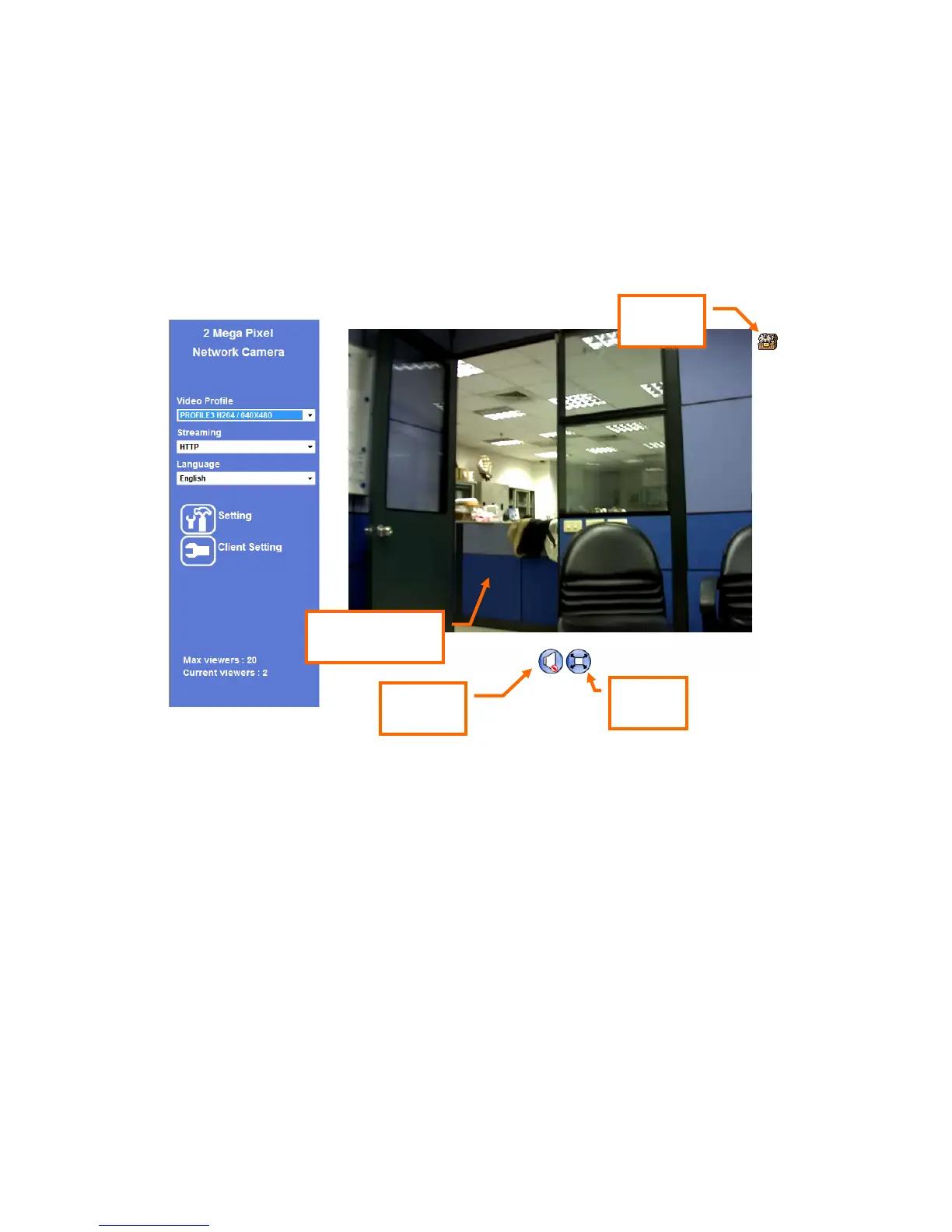
Start-up screen will be as follow no matter an ordinary users or an administrator.
Monitor Image Section
The image shot by the device is shown here. The date and time are displayed at the top
of the window.
Video Profile
The device supports multi-profile function for H.264, MEPG4 and JPEG simultaneously.
User can chose the proper and/or preferred profile which is listed here.
Streaming Protocol
User can select proper streaming protocol according to networking environment.
Monitor Image
Section
ActiveX
Control
2-Way
Audio
Full
Screen



 To Next Page