Network Camera User’s Guide
61/96
Object detection: Setup Object detection
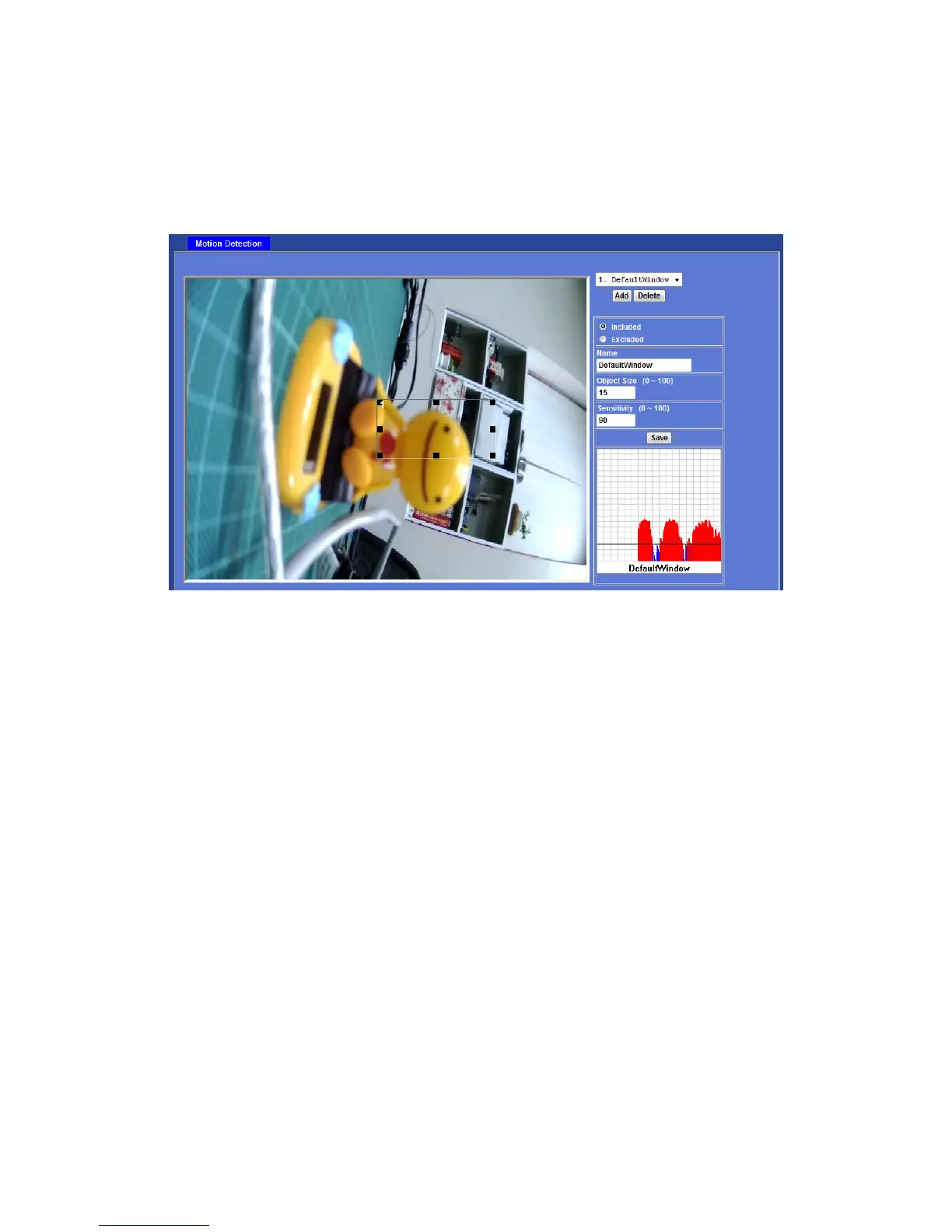
Use this menu to specify motion detection window 1 to window 10 and set the conditions
for detection while observing a captured image.
Add and Del:
To add or delete the motion windows. User can specify up to 10 Included and/or
Excluded windows to monitor the video captured by this device. By dragging mouse on
the image, you can change the position and size of the selected motion window
accordingly.
Included or Excluded Window:
These windows can be specified as Included or Excluded type.
Included windows target specific areas within the whole video image
Excluded windows define areas within an Include window that should be ignored
(areas outside Include windows are automatically ignored)
Name:
Name of the specified motion window.
Object Size:
Defines the object size of motion detection. The higher object size will only larger objects
trigger motion detection. The lower object size will even small objects trigger motion
detection too. Generally speaking, the smaller size will be easier to trigger event.
Sensitivity
Defines the sensitivity value of motion detection. The higher value will be more
sensitivity.



 To Next Page