Network Camera User’s Guide
59/96
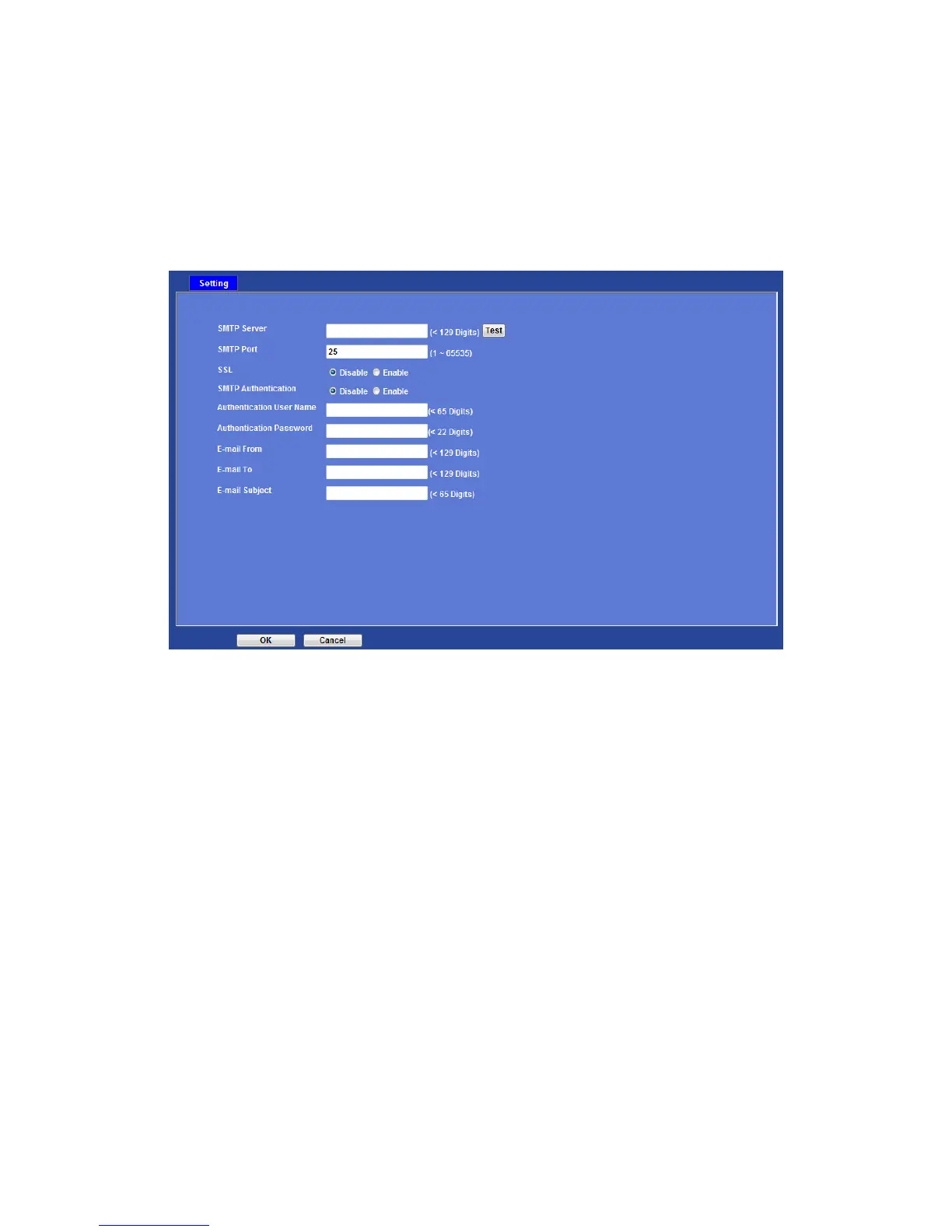
E-Mail: Setup E-Mail configuration
User may setup SMTP mail parameters for further operation of Event Schedule. That’s,
if users want to send the alarm message out, it will need to configure parameters here
first and also add at least one event schedule to enable event triggering.
SMTP Server:
Type the SMTP server name or the IP address of the SMTP server.
Test:
Send a test mail to mail server to check this account is available or not.
SMTP Port:
Set port number of SMTP service.
SSL:
Enable SSL function or not.
SMTP Authentication:
Select the authentication required when you send an e-mail.
Disable: if no authentication is required when an e-mail is sent.
Enable: if authentication is required when an e-mail is sent.
Authentication User name:
Type the user name for the SMTP server if Authentication is Enable.
Authentication Password:
Type the password for the SMTP server if Authentication is Enable.



 To Next Page