Network Camera User’s Guide
71/96
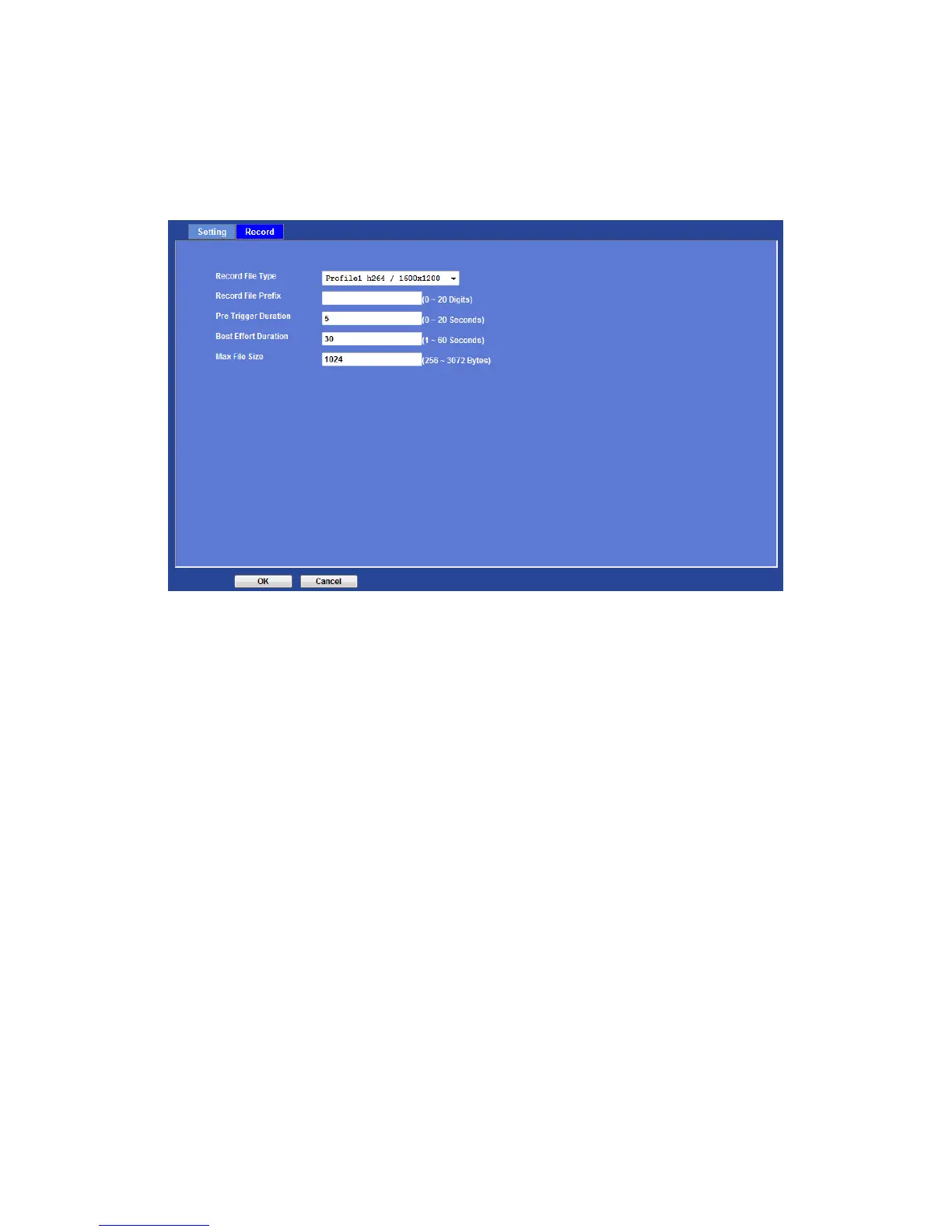
Record
User can choose the type of record file for event or schedule application.
Record File Type:
Choose a profile to record.
Record File Prefix:
Define the prefix of recorded filename.
JPEG Picture Numbers:
Define the picture numbers of JPEG to be sent out. (by mode)
Pre-Trigger Duration:
Define the maximum duration of pre-alarm.
Best Effort Duration:
Define the best effort duration of post-alarm.
Max File Size:
Define the maximum buffer size of record file.



 To Next Page