Network Camera User’s Guide
31/96
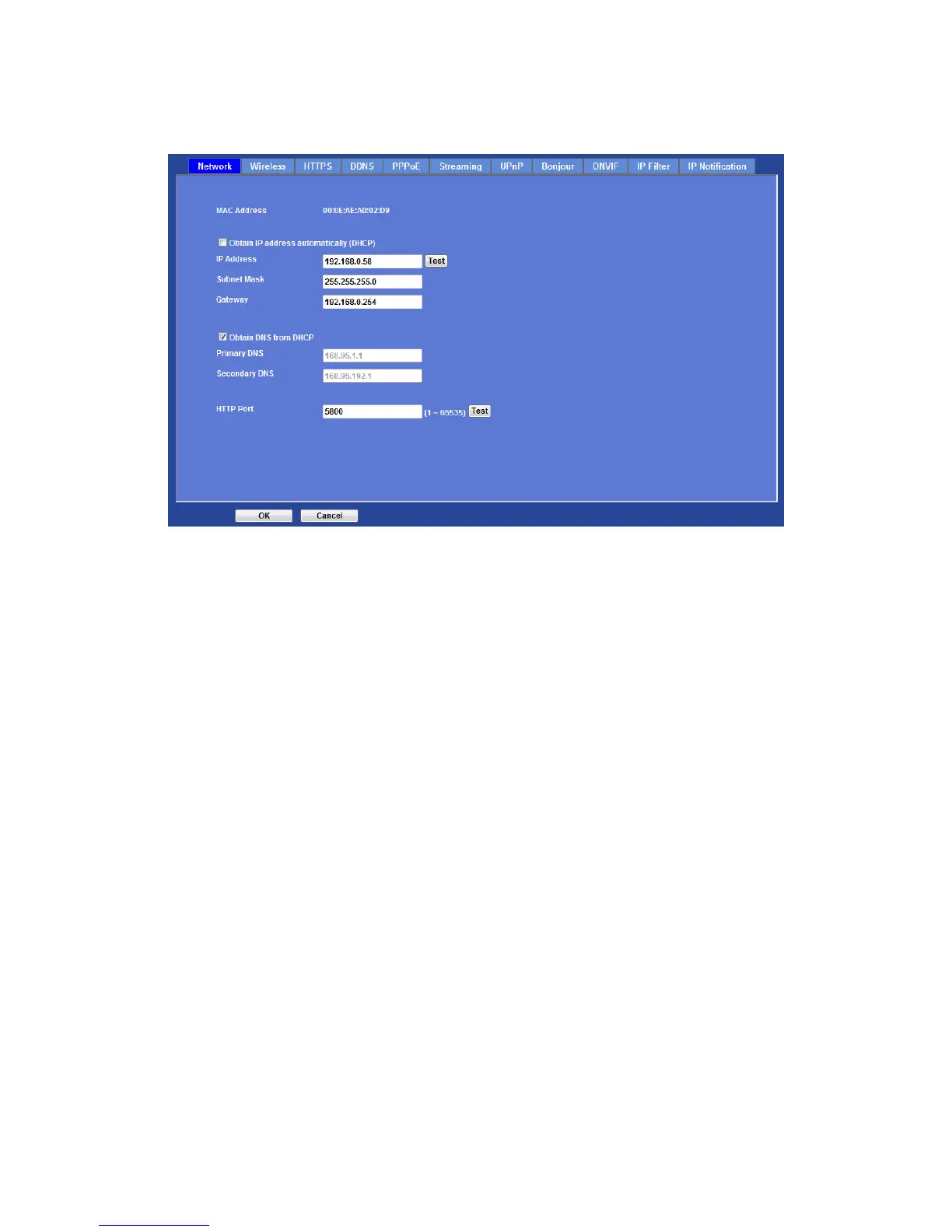
MAC address:
Displays the Ethernet MAC address of the device. Note that user can not modify it.
Obtain IP address automatically (DHCP):
DHCP: Stands for Dynamic Host Configuration Protocol.
Enable this checked box when a DHCP server is installed on the network to issue IP
address assignment. With this setting, the IP address is assigned automatically. If this
device can not get an IP address within limited tries, the device will assign a default IP
address, 192.168.0.100, by itself as the default IP address.
IP address, Subnet mask, and Gateway:
If you do not select Obtain an IP address automatically, then you need to enter these
network parameters manually.
Obtain DNS from DHCP:
DNS: Stands for Domain Name System.
Enable this checked box when a DHCP server is installed on the network and provide
DNS service.
Primary DNS and Secondary DNS:
If you do not select Obtain DNS from DHCP, then you need to enter these parameters
manually.
HTTP Port:
The device supports two HTTP ports. The first one is default port 80 and this port is fixed.
This port is very useful for Intranet usage. The second HTTP port is changeable. Users
could assign the second port number of http protocol, and the WAN users should follow



 To Next Page