Network Camera User’s Guide
51/96
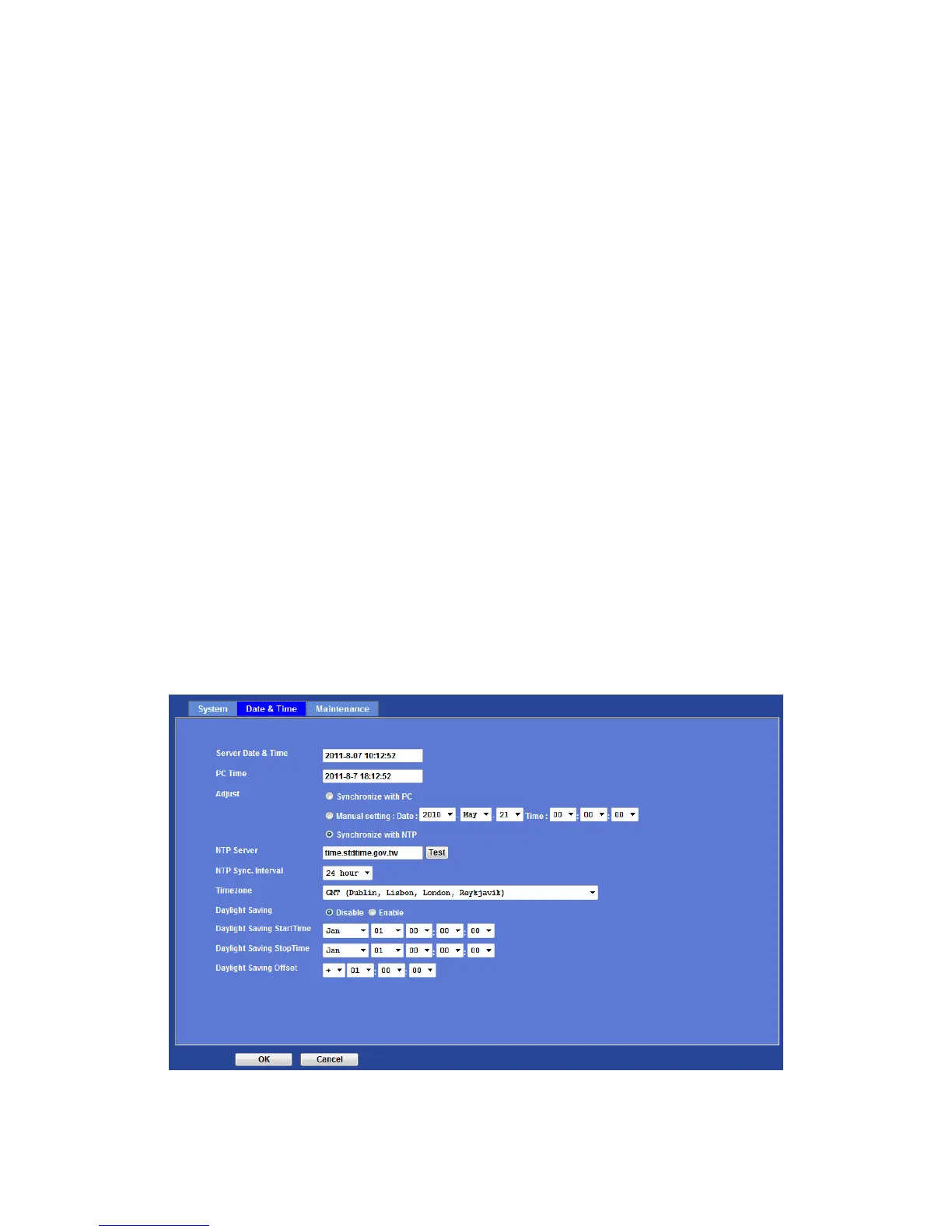
Displays the date and time of the device.
PC Time:
Displays the date and time of the connected PC.
Adjust:
- Synchronize with PC:
Click this option to enable time synchronization with PC time.
- Manual setting:
Click this option to set time and date manually.
- Synchronize with NTP:
Click this option if you want to synchronize the device’s date and time with those of
time server called NTP server (Network Time Protocol).
NTP Server: Type the host name or IP address or domain name of the NTP
server.
NTP sync. Interval: Select an interval between 1 and 24 hours at which you
want to adjust the device’s time referring to NTP server
Time zone:
Set the time difference from Greenwich Mean Time in the area where the device is
installed.
Daylight Saving:
Disable or enable the daylight saving adjustment.



 To Next Page