GB 23
English
– The Data Memory Function automatically stores the measured result after completion of each
measurement.
– The maximum number of results stored is 100 in the MX-50 or 50 in the MF-50.
– All stored data can be transferred to dedicated printer or to a PC with dedicated software at one time.
– All stored data can be erased at once.
– Data will be stored for each measurement dAtA 1
Data will not be stored dAtA 0
(Refer to Section 12 for more information)
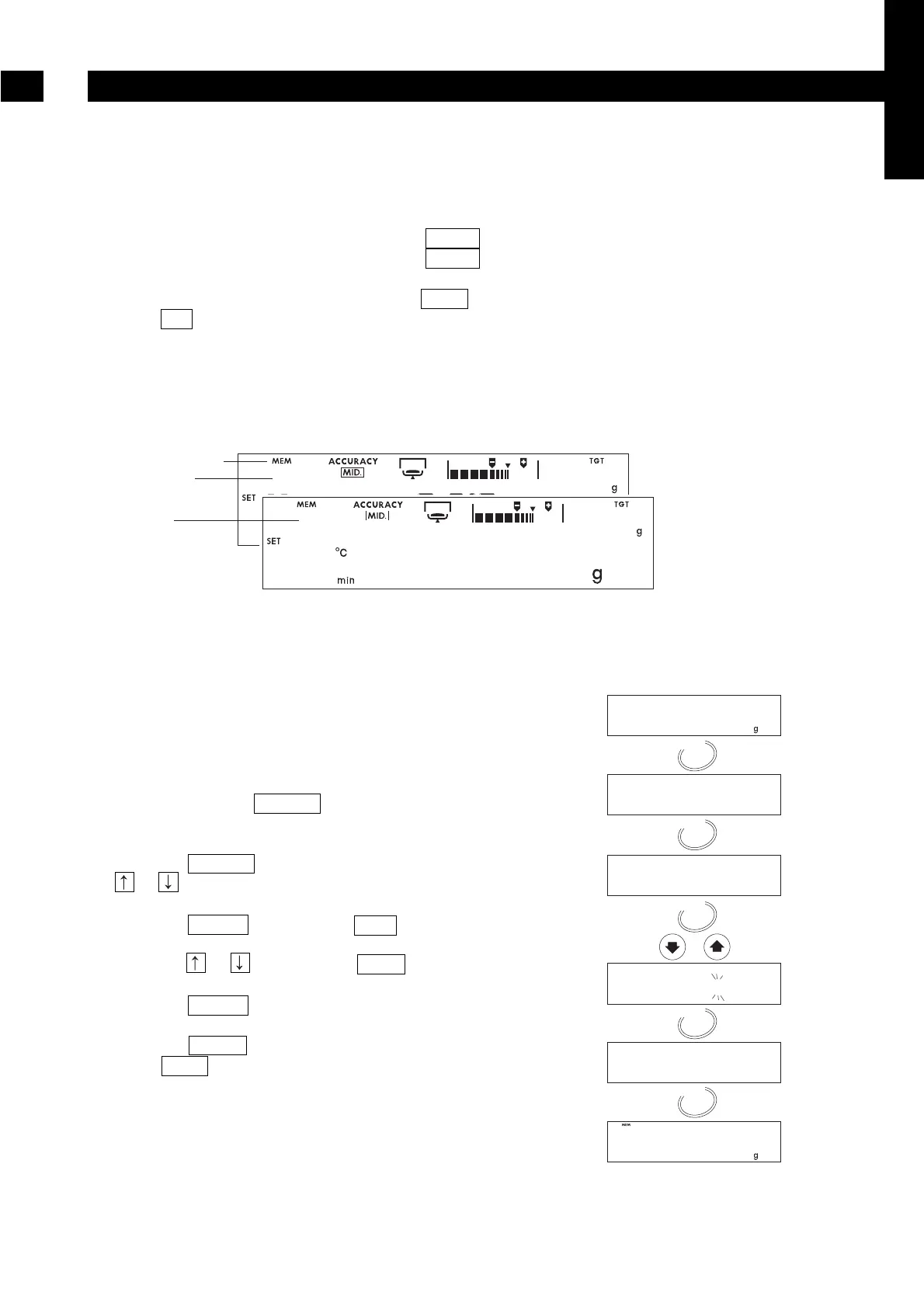
– When the Data Memory Function is active, MEM is displayed.
– When FUL is displayed, the memory is full. New data can be stored only if all the existing data is
erased.
Caution
If the STOP key is pressed during a measurement (except in manual mode), the result will not
be stored.
10.1.1. Function Setting
This example selects "store result" from the Function
Table (Refer to Section 12).
1. Turn on the analyser. The gram unit (of weighing
mode) is displayed.
2. Press and hold the SELECT key to enter the
function table.
3. Press the SELECT key several times or press the
or key to display data.
4. Press the ENTER key to display dAtA .
5. Press the or key to display dAtA 1 .
5. Press the ENTER key to store the new settings.
6. Press the RESET key to return to the weighing
mode. MEM is displayed when the memory
function is effective.
Data Memory Function
10


 To Next Page