AND MX-50/MF-50 Instruction Manual
GB 16
7.2. Operation in User Mode
Example
– How to store a drying process for recall in memory
Program number 2 (PROG 2)
Measurement program
Automatic mode (U-a)
Drying temperature 160°C
Analysing mode 0.02%/min (Drying Rate to
complete the measurement)
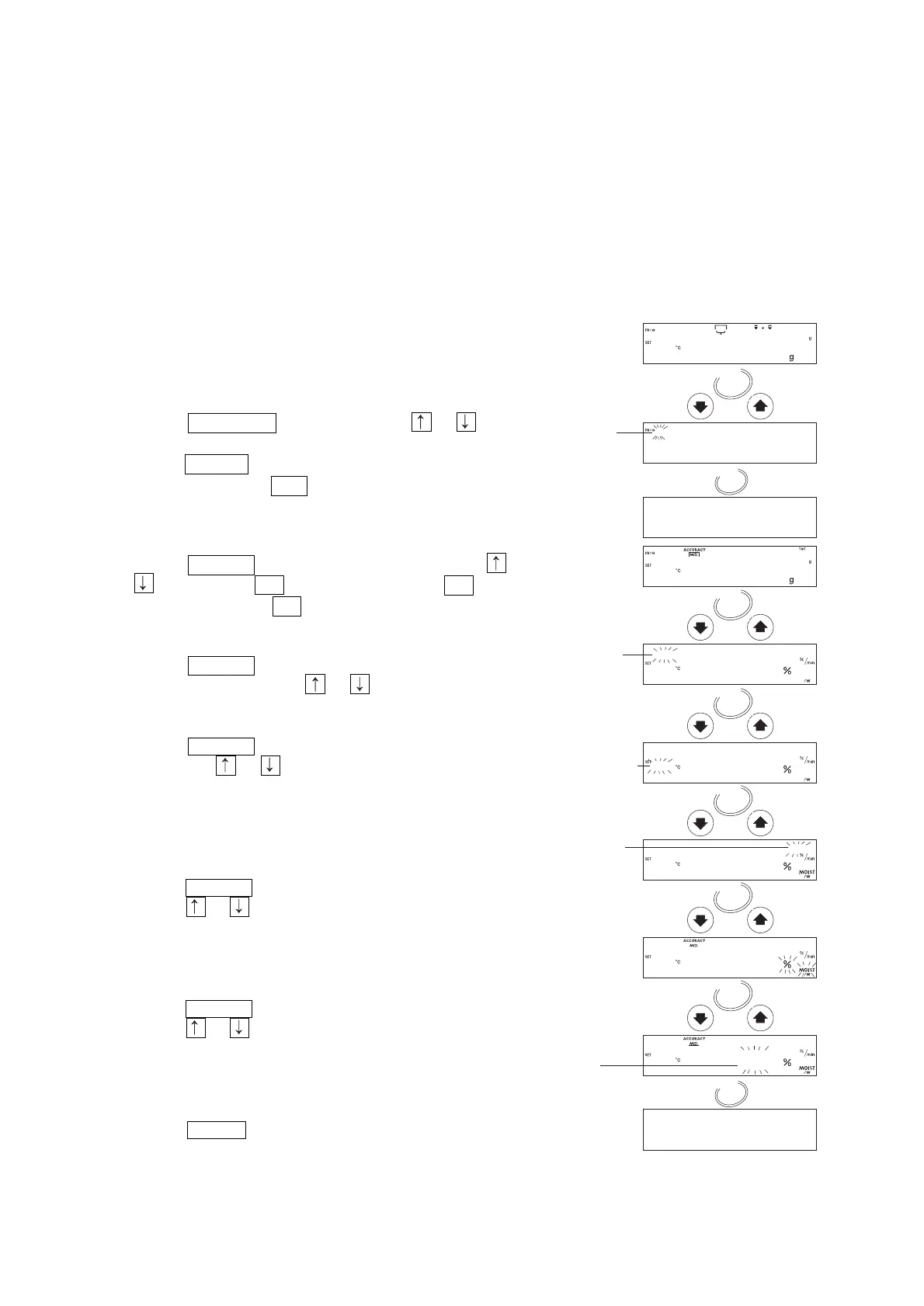
1. Turn on the analyser.
The display will show 0.000 g.
Select a Program Number to Store and Recall the
Measurement Condition
2. Press the PROGRAM key and press the or key
to select program number 2.
3. Press the ENTER key to use the number.
4. The analyser displays end and returns to the weighing
mode.
Select the Automatic Mode
5. Press the SELECT key several times and press the
or key to select U-A . (Timer mode selects U-t .
Manual mode selects U-m . )
Set the Drying Temperature
6. Press the SELECT key to select the drying
temperature and press the or key to set 160°C.
Set the Analysing mode
7. Press the SELECT key to select the analysing mode
and press the or key to set 0.02[%/min]. To store
the parameters and finish the operation, proceed to
step 12. (Timer mode sets the drying time. Manual
mode proceeds to the next step. )
Select the Unit (Refer the Unit Charter at 7.1)
8. Press the SELECT key to select unit.
9. Press the or key to select the unit.
To store the parameters and finish the operation,
proceed to step 12.
Select the Decimal Point
10. Press the SELECT key to select decimal point.
11. Press the or key to select decimal point.
To store the parameters and finish the operation,
proceed to step 12.
Store Parameters and Finish the Operation
12. Press the ENTER key to store the parameters.
The weighing mode is automatically displayed.


 To Next Page