AND MX-50/MF-50 Instruction Manual
GB 28
11.3.1. Operation
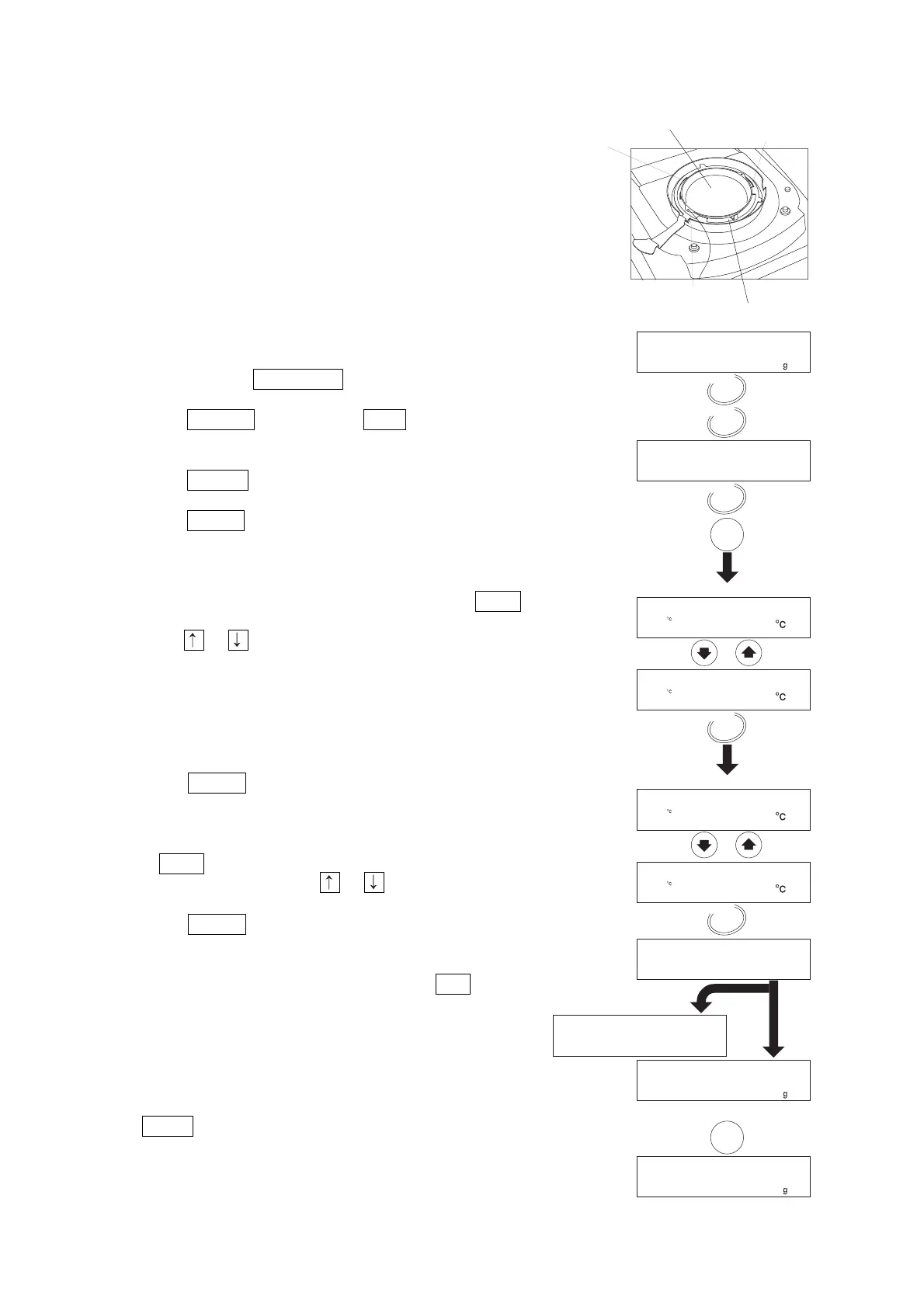
1. Replace the weighing pan with the sensor pan of the
temperature calibrator.
2. Bend the sensor wire so it does not touch the heater cover
and glass-housing when closing the heater cover.
Level the sensor pan.
Do not leave a gap between the pan support and the sensor.
3. Turn on the analyser.
The display will show 0.000 g.
4. Press and hold the PROGRAM key
5. Press the SELECT key to display t-CAL .
6. Press the ENTER key.
7. Press the START key to start the 100°C measurement.
8. After fifteen minutes, the buzzer sounds and blinks 100°C .
Adjust the value to be the same as the thermometer value
using the or key. (Example: 97°C)
9. Press the ENTER key to store the new data and to
proceed to the 160°C measurement.
10. After fifteen minutes, the buzzer sounds and the display
blinks 160°C . Adjust the value to be the same as the
thermometer value using the or key. (Example: 162°C)
11. Press the ENTER key to store the new data, to finish the
adjustment and to return to the weighing mode.
If the report for GLP, GMP and ISO is output, GLP is
displayed. (Output condition is selected in the function table.)
When the heater cover is opened during measurement or
the STOP key is pressed, calibration is stopped and the
analyser displays the weighing mode.
15 min.
15 min.
Level the sensor pan.


 To Next Page