AND MX-50/MF-50 Instruction Manual
GB 20
– The analyser can be connected to a computer using the RS-232C interface.
– The analyser is DCE (Data Communication Equipment).
Use a straight-through type cable.
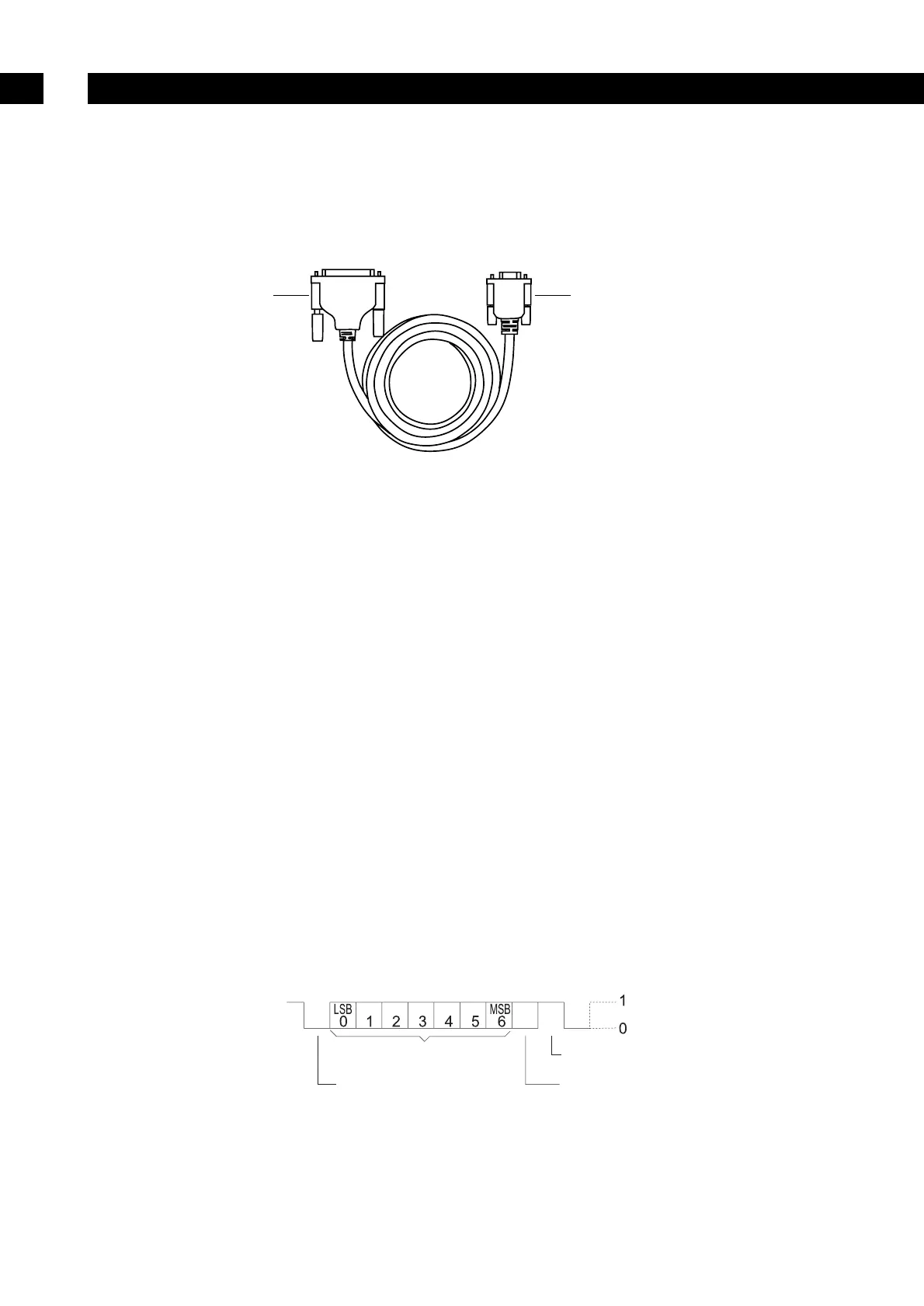
The MX-50 has the following accessory cable for RS-232C. If it is necessary to connect a cable to the
MF-50, purchase the cable accessory AX-MX-40.
– The MX-50 has accessory software "WinCT-Moisture" for Microsoft Windows that can draw a graph of
the Drying Rate and other information on a connected PC. Refer to "Readme.txt" on the CD-ROM for
the details.
– The MF-50 has the accessory software " WinCT" for windows. It can transmit data to a PC that is
working on Microsoft Windows, to monitor data and to check the measurement condition.
9.1. RS-232C Serial Interface
RS-232C Serial Interface
– Transmission system EIA RS-232C
– Transmission form Asynchronous, bi-directional, half duplex
Data format Baud rate 2400bps
Data bits 7bits
Parity EVEN
Stop bit 1bit
Code ASCII
Terminator CR LF (CR: 0Dh, LF: 0Ah)
Bit format
Connecting to a Computer
9


 To Next Page