Page 29
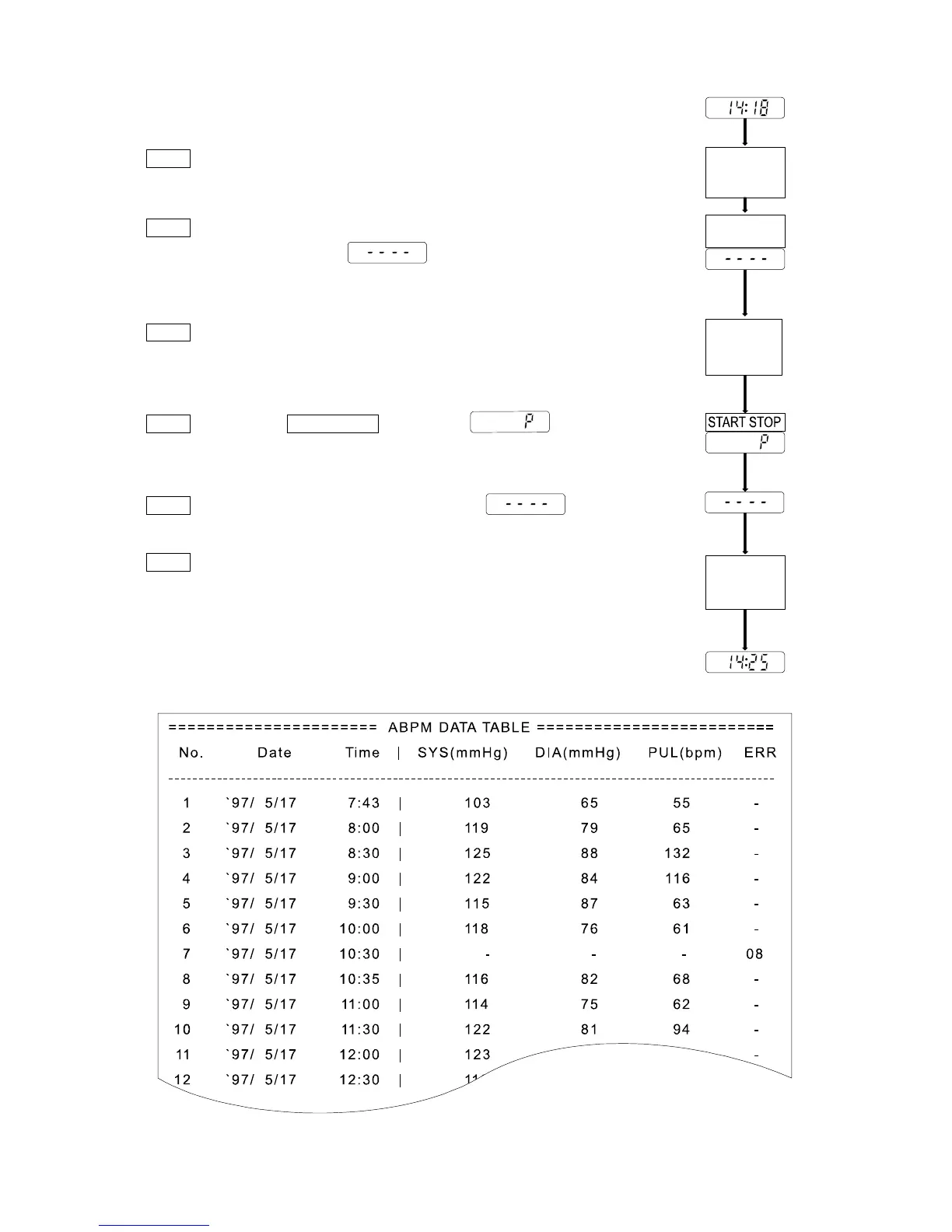
Steps for data transmission
Step 1 Enter the parameters into the printer so that the data can be
transmitted.
Step 2 Connect the cable to both the recorder and printer. Then the
recorder displays . Refer to "Analysis Software
and Communication Cable" about the cable.
Step 3 Set the printer to "ON LINE".
Step 4 Press the START STOP key. Then is displayed
and the data is transmitted.
Step 5 When the transmission is finished, is
displayed.
Step 6 Remove the cable at once. The clock is displayed.
Print sample
Setup fo



 To Next Page