Page 15
Initializing the recorder
Replacing Batteries
Caution
When "B" is displayed before a measurement, the recorder can not make a
measurement. Please replace the new batteries before using.
If "B" is displayed during the measurement, stop the measurement and replace
the new batteries at once.
Use alkaline batteries or the specified rechargeable batteries for the recorder.
Do not use new and used batteries at the same time.
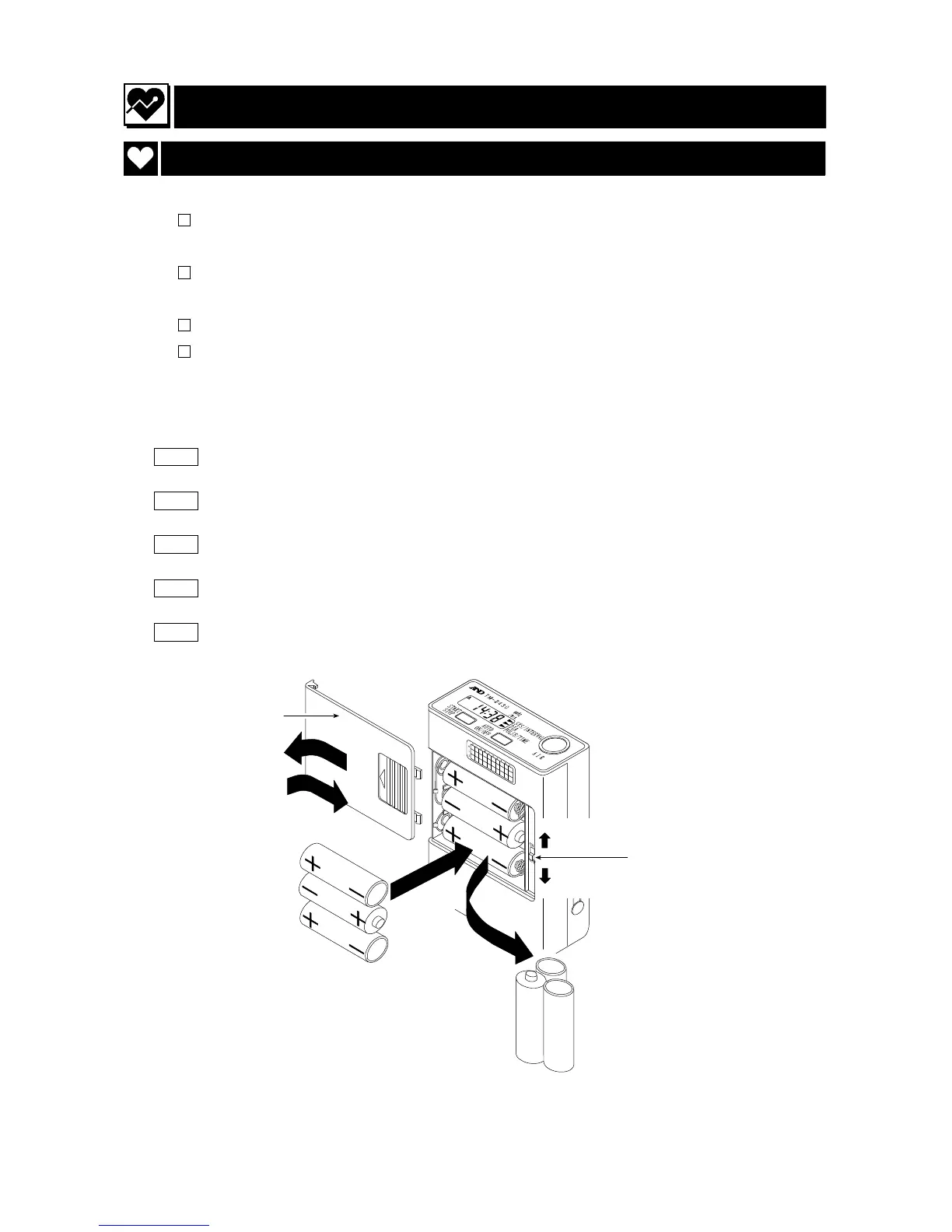
Steps for replacing the batteries
Step 1 Open the battery cover.
Step 2 Turn off the power switch.
Step 3 Replace with new batteries. ( note the direction, "+" and "-".)
Step 4 Turn on the power switch.
Step 5 Close the battery cover.
Battery cover
Step 1
Step 5
New alkaline batteries
Step 3
Step 4
Step 2
Power switch
Used batteries



 To Next Page