___________________________________________________________________________________________
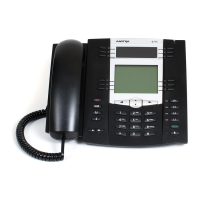
CS 6757i IP PHONE USER GUIDE V3.2.2 AASTRA - 2788-003
CLEARSPAN® IS A REGISTERED TRADEMARK OF AASTRA TECHNOLOGIES LTD. PAGE 44 OF 116
The Audio Mode screen displays.
Speaker mode is the default.
Audio Mode
Speaker
Headset
Speaker/Headset
Headset/Speaker
Done
Cancel
MoreSpd 100
Callers
Services DND
Weather
Use and to reset the audio option.
The change is saved. The Set Audio
menu displays again.
Headset Microphone Volume:
Go to Options > Preferences > Set
Audio.
Press to select Headset Mic Volume.
Set Audio
1.Audio Mode
2.Headset Mic Volume
Select
Done
3.DHSG
MoreSpd 100
Callers
Services DND
Weather
The Headset Mic Volume screen
displays.
Headset Mic Volume
Low
Medium
High
Done
Cancel
MoreSpd 100
Callers
Services DND
Weather
Press or to select the volume.


 To Next Page
 Loading...