DECTnetIP Configuration
132
the base station that you have selected to be the DECTnetIP Manager. The MAC
address of the base station is located on its type label. Enter a fixed IP address for
this base station. All other base stations can be operated using either a fixed IP
address or an IP address assigned dynamically via DHCP. Configuration of the
DECTnetIP-Manager must work via a static DHCP entry. Please refer to the infor-
mation given in the chapter entitled LAN DHCP Server starting on page 124.
Note: A base station cannot be operated as a DECTnetIP Ma-
nager and a WLAN-Access Point simultaneously.
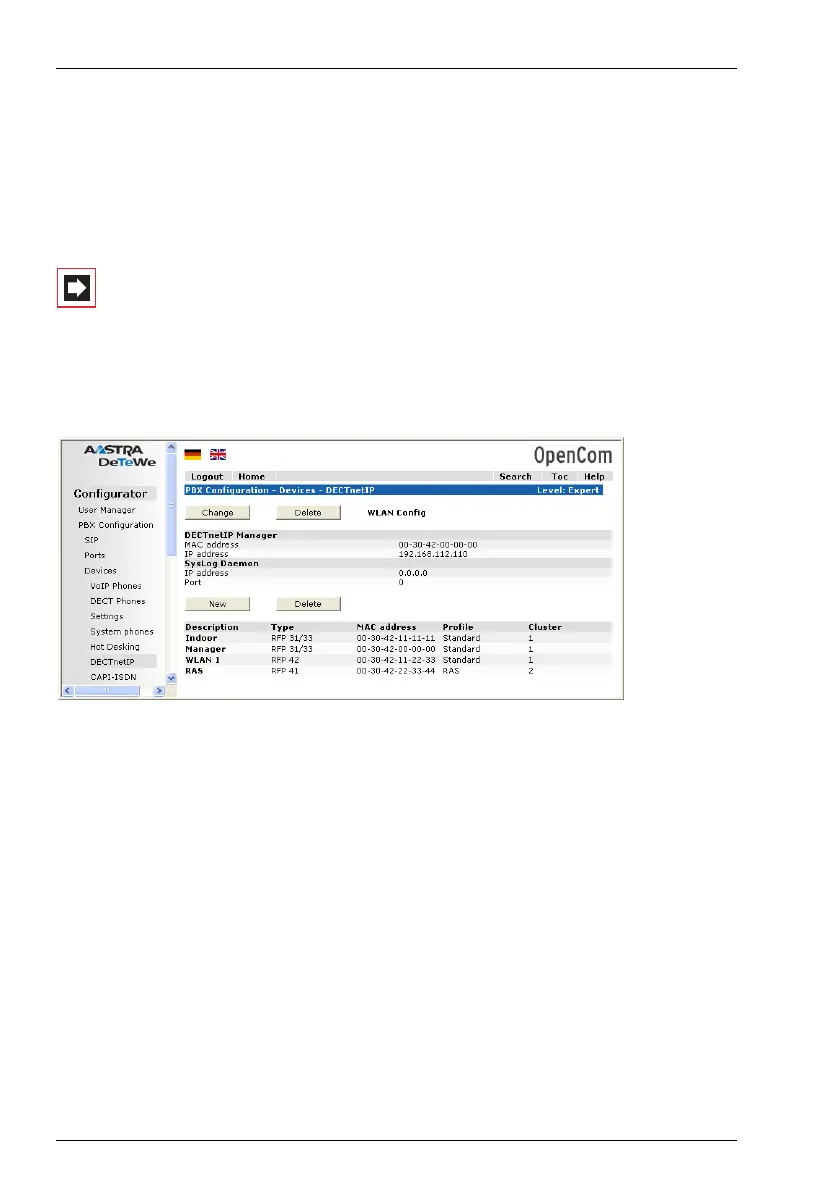
Create a separate entry for each DECTnetIP base station and for the DECTnetIP
Manager as well. You use these entries to determine the VoIP data compression
(Profile).
Configurator: PBX Configuration: Devices: DECTnetIP
User administration and set-up of DECT terminals is done in the Configurator of
the OpenCom 510 as well.
The DECTnetIP Manager offers a separate web user interface to manage the set-
tings of devices with WLAN functions. Therefore at least one WLAN-RFP has to be
configured. If everthing is configured correctly, you will see the WLAN Config link.
Login as the user “Administrator” with the currently set administrator’s password
of the OpenCom 510.
11.2.1 Dual operation
Simultaneous operation of base stations via U
pn
access and base stations via
Ethernet access is possible with the OpenCom 510. Transparent handovers, for
example, are only possible when between DECT base stations using the same



 To Next Page