Configuration Guide Overview
182
18.1 Overview
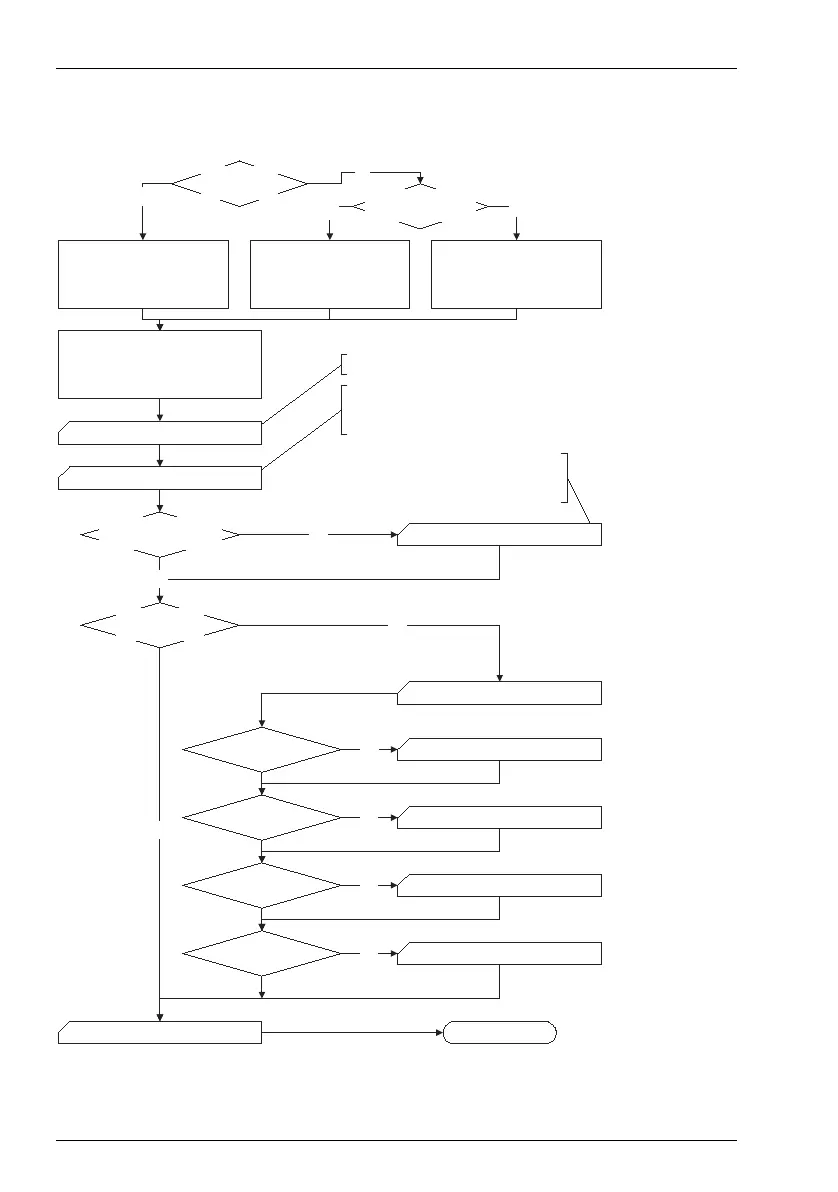
Flowchart: Overview
Ye s
Finished
No
Ethernet network
(LAN) exists?
Connect the OpenCom and the
configuration PC to the network
Connect the configuration
PC to the OpenCom COM port.
Generate the Dialup Networking
entry with “occonfig”.
Configure OpenCom
Least Cost Routing function?
Configure OpenCom
network functions?
Ye s
No
Ye s
Dial in (RAS)?
Connection (LAN)?
Internet?
E-mail?
Ye s
Ye s
Ye s
Ye s
No
Create the user groups and users.
Set the system data. Select the access type. Connect
the S
0
, U
pn
and analogue devices and configure them.
Configure the call distribution scheme.
User Manager
PBX Configuration
Save data
E-Mail Configuration
WAN Configuration
Branch Configuration
RAS Configuration
LAN Configuration
LCR Configuration
Configure the Least Cost Routing
function: zones, network providers
and holidays.
No
No
No
No
Start the OpenCom configuration
service via your Web browser.
Enter the OpenCom address, for
example “http://192.168.99.254”.
Connect the configuration
PC to the OpenCom LAN port.
Enable DHCP.
Cross-connected ethernet
cable available?
No
Ye s



 To Next Page