Configuration Guide RAS Settings
186
18.5 RAS Settings
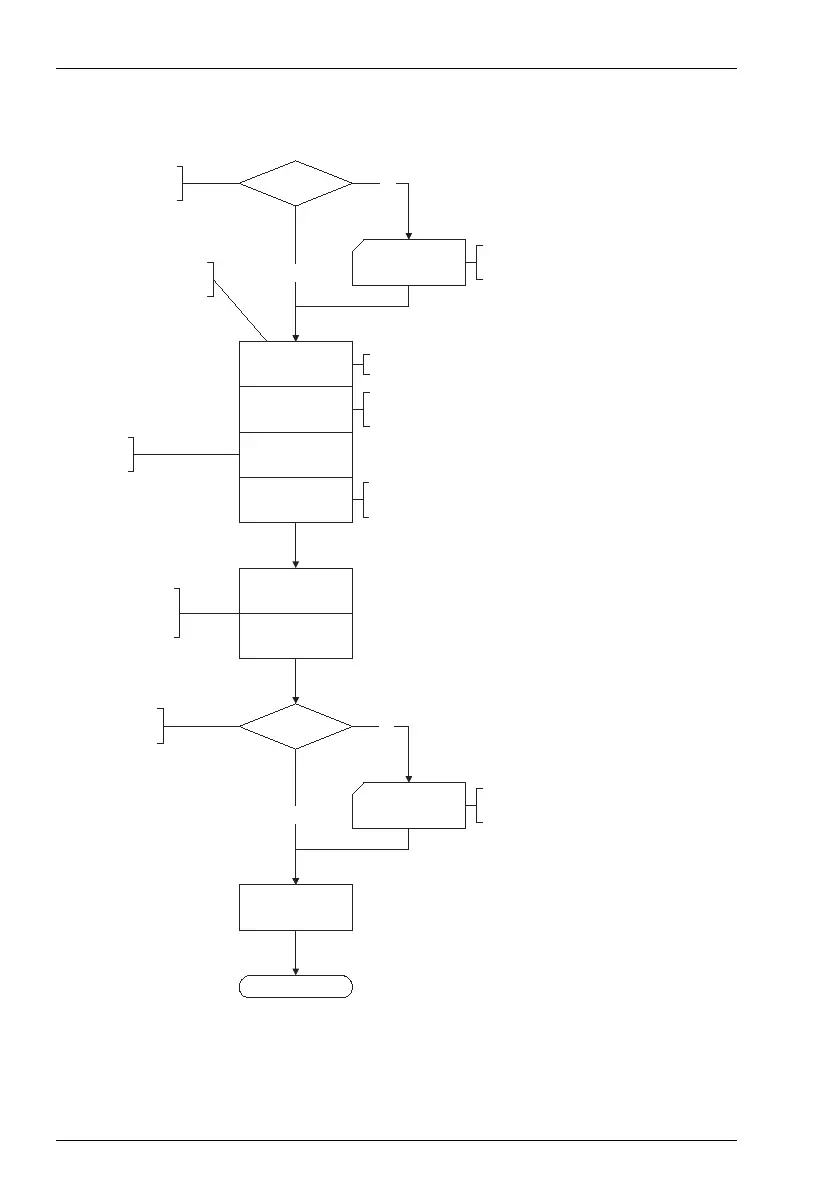
Flowchart: Configuring the RAS Settings
LAN
Users
Status
Authorisation
Number of connections
Filter list IN
Filter list OUT
Add internal telephone
number to the incoming
call distribution scheme.
Finished
Ye s
No
No
Ye s
Configure users that
have RAS access rights.
Have you created users
with RAS access rights?
Select the filter lists. Filter
lists are created in “NET
Configuration: Firewall”
Specify how many simultaneous
connections are possible via this access.
Select from PAP,
CHAP and CLID.
Activate the RAS access.
Configure the network -
settings for the OpenCom.
Have you made the network
settings for the OpenCom ?
Configure the RAS access of the
OpenCom. “NET Configuration: RAS”
NET Configuration:
LAN
User Manager: Users
and User Groups
Telephone number
Specify the telephone number for which
the RAS access should be configured.



 To Next Page