PBX Cascading Putting a Cascaded PBX into Operation
136
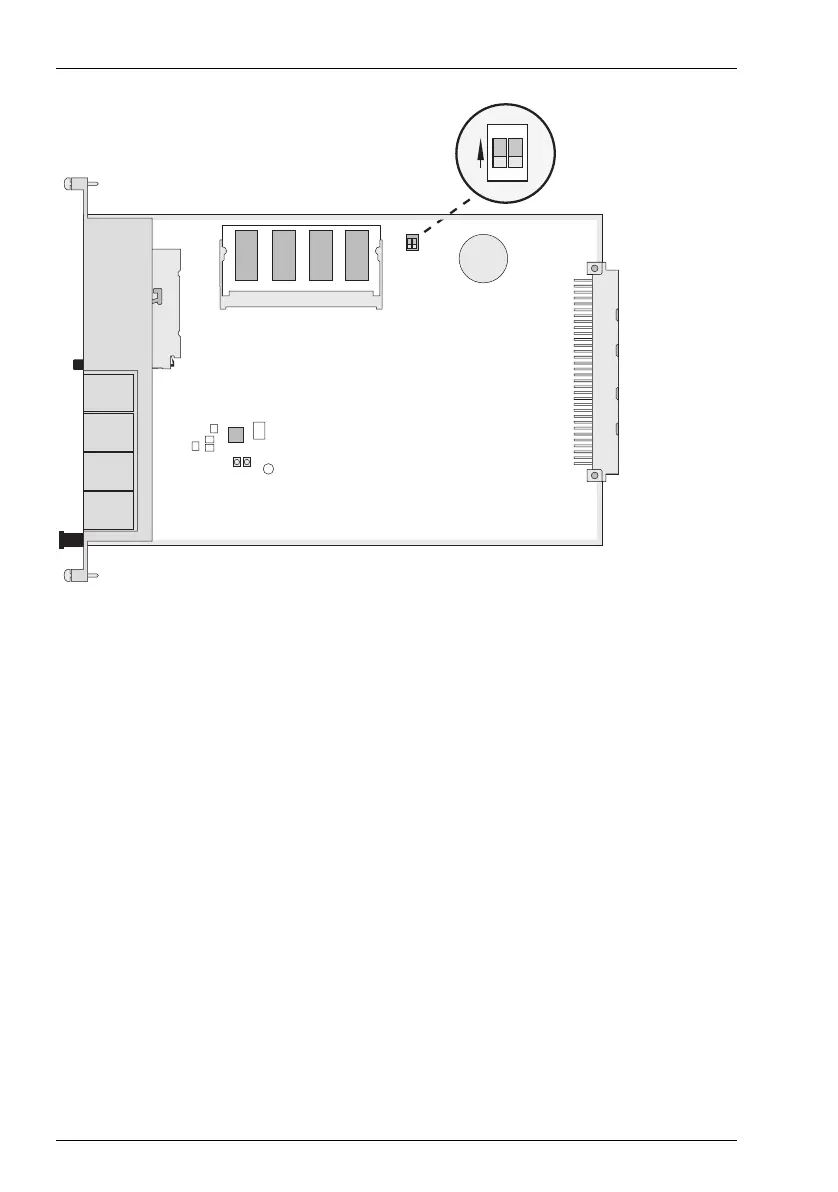
MC+1-3: Top view
1. Mount the slave system frame above or below the master system. Connect a
system telephone to the slave system for a later performance check. Use the
U
pn
1 terminal of an existing MS+UPN1-8 oder MS+UPN2-8 interface card.
2. Back up the master system data. For further information, refer to the online
help topic SYS Configuration: Data Backup. The backup procedure also
stores the current configuration data to the CompactFlash memory card.
3. Switch off the master system if it is operating. Disconnect the module from the
power supply by pulling out the mains plug.
4. Connect the two modules by means of a suitable cable as described above.
5. Power on the two PBXs. The order in which you do this does not matter.
6. In the PBX Configuration: Ports: Slots dialogue of the master system’s Confi-
gurator, click on Slave. Select the slave Type in the Slave: Change dialogue.
2
3
4
5
6
1
1
2
ON



 To Next Page