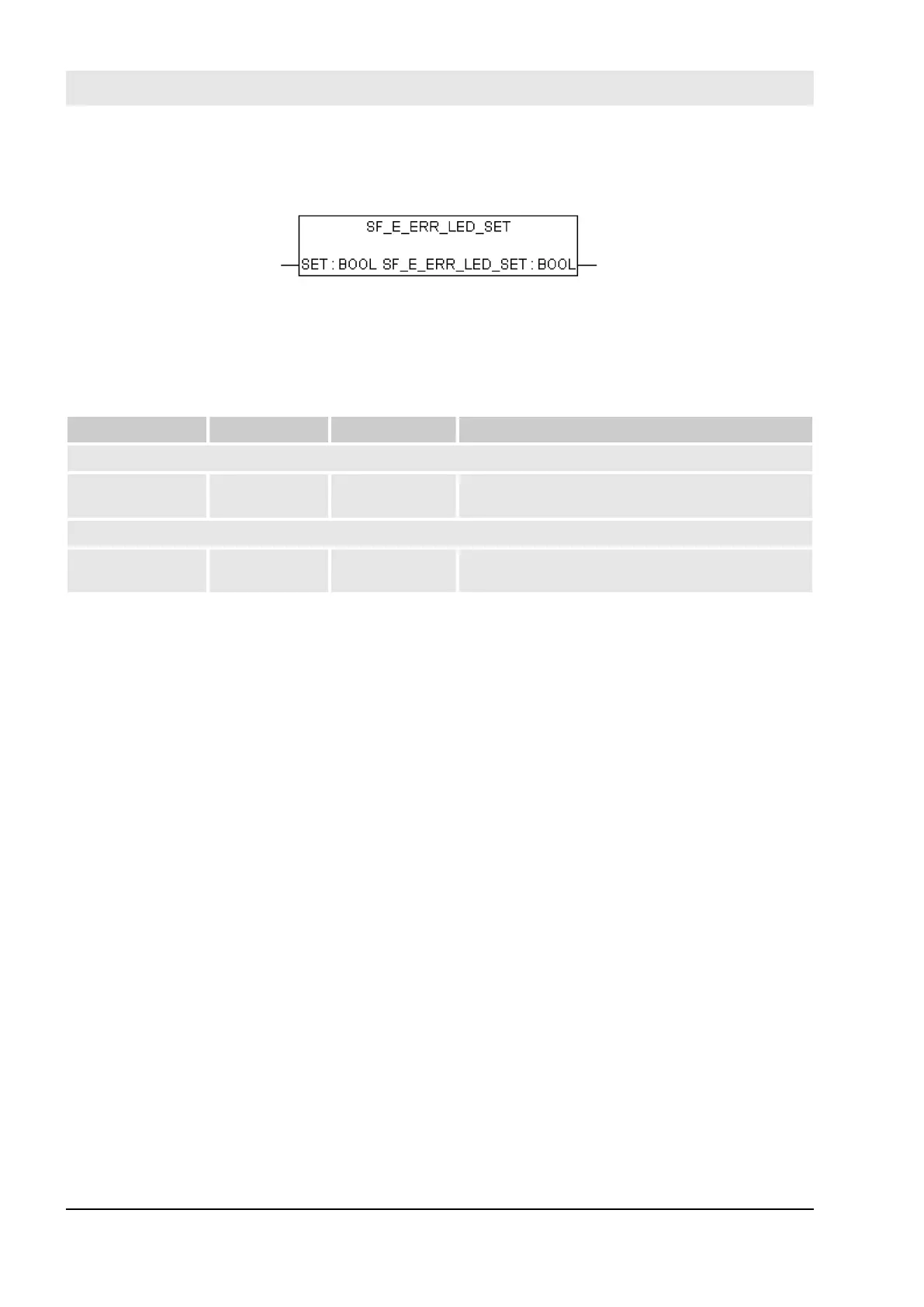
4.6.4.1 SF_E_ERR_LED_SET
Setting E-ERR LED state (ON = TRUE or OFF = FALSE)
E-ERR LED is set directly in the same SM560-S Safety CPU cycle. The state remains unchanged until it is
not explicitly changed using SF_E_ERR_LED_SET call.
Table 15: FUN Name: SF_E_ERR_LED_SET
Name Data Type Initial Value Description, Parameter Values
VAR_INPUT
SET BOOL FALSE FALSE = E-ERR LED is OFF, TRUE = E-ERR
LED is ON
VAR_OUTPUT
SF_E_ERR_LED_
SET
BOOL FALSE FALSE = E-ERR LED is OFF, TRUE = E-ERR
LED is ON
Call in ST
SF_E_ERR_LED_SET_Value := SF_E_ERR_LED_SET(SF_E_ERR_LED_SET_Set);
Configuration and programming
AC500-S Libraries > SafetyExt_AC500_V22.lib
30.03.2017AC500-S236


 To Next Page