68 Start-up and control panel
ACH550-01 User's Manual
• context sensitive help
• real-time clock.
Start-up
Start-up can be performed in two ways:
1. using the Start-up assistant or
2. changing the parameters individually.
At the first power-up, the drive activates the Start-up assistant.
You can restart it and its individual tasks in the Assistants mode
as described in section Assistants mode on page 76.
1. Start-up by using the Start-up assistant
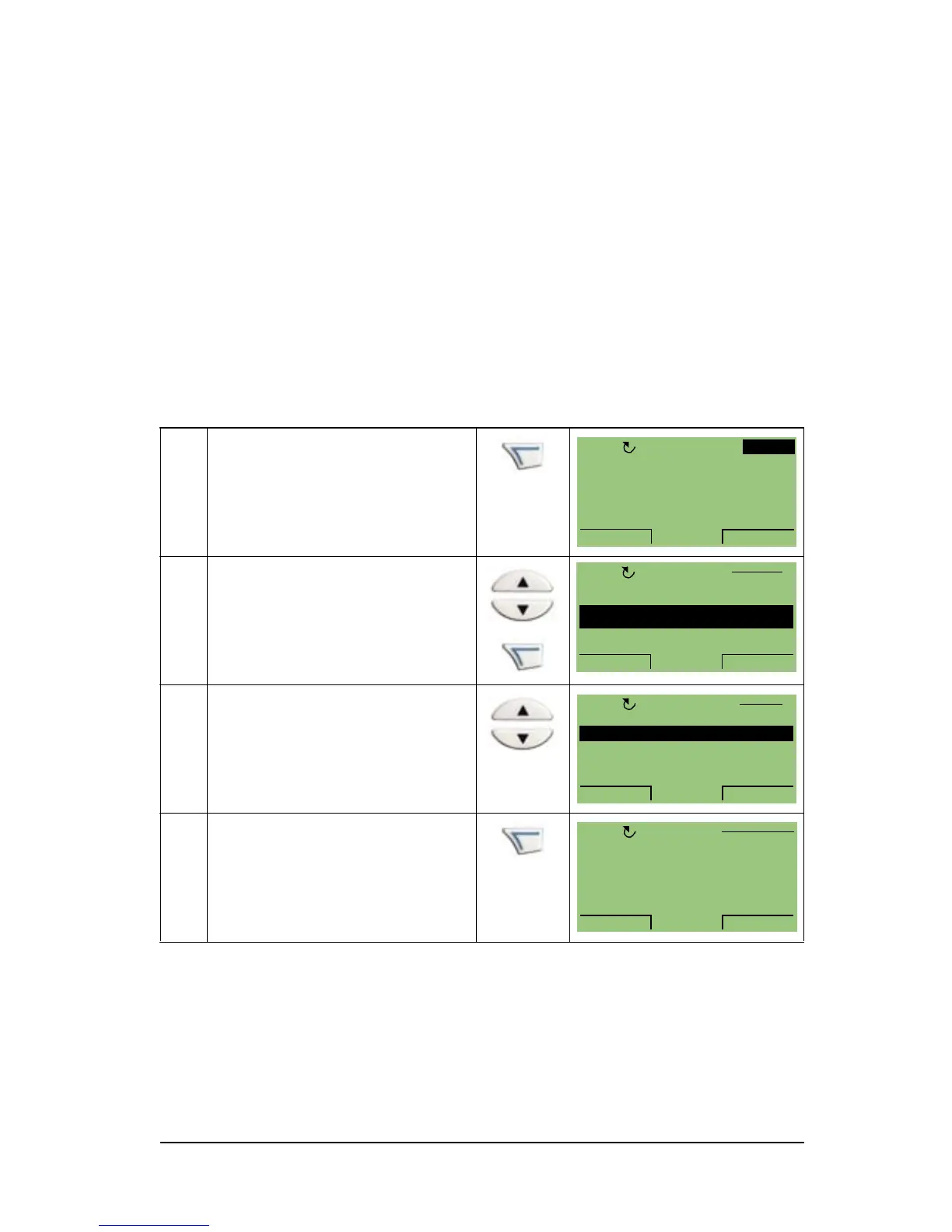
To start the Start-up assistant, follow these steps:
1 Press MENU to go to the
main menu
2 Select ASSISTANTS with
the UP/DOWN keys and
press ENTER.
3 Scroll to Commission drive
with the UP/DOWN keys
and press SEL.
4 Change the values
suggested by the Start-up
assistant to your
preferences and then press
SAVE after every change.


 To Next Page