76 Start-up and control panel
ACH550-01 User's Manual
Assistants mode
The Start-up assistant guides you through the basic
programming of a new drive. (You should familiarise yourself
with basic control panel operation and follow the steps outlined
above.) At the first power-up, the drive automatically suggests
first selecting the language. The assistant also checks the
values entered to prevent entries that are out of range.
The Start-up assistant is divided into assistants, each of which
guides you through the task of specifying a related parameter
set, for example References 1 & 2 or PID control. You may
activate the assistants (tasks) one after the other, as the Start-up
assistant suggests, or independently from a menu.
Note: If you want to set the parameters independently, use the
Parameters mode.
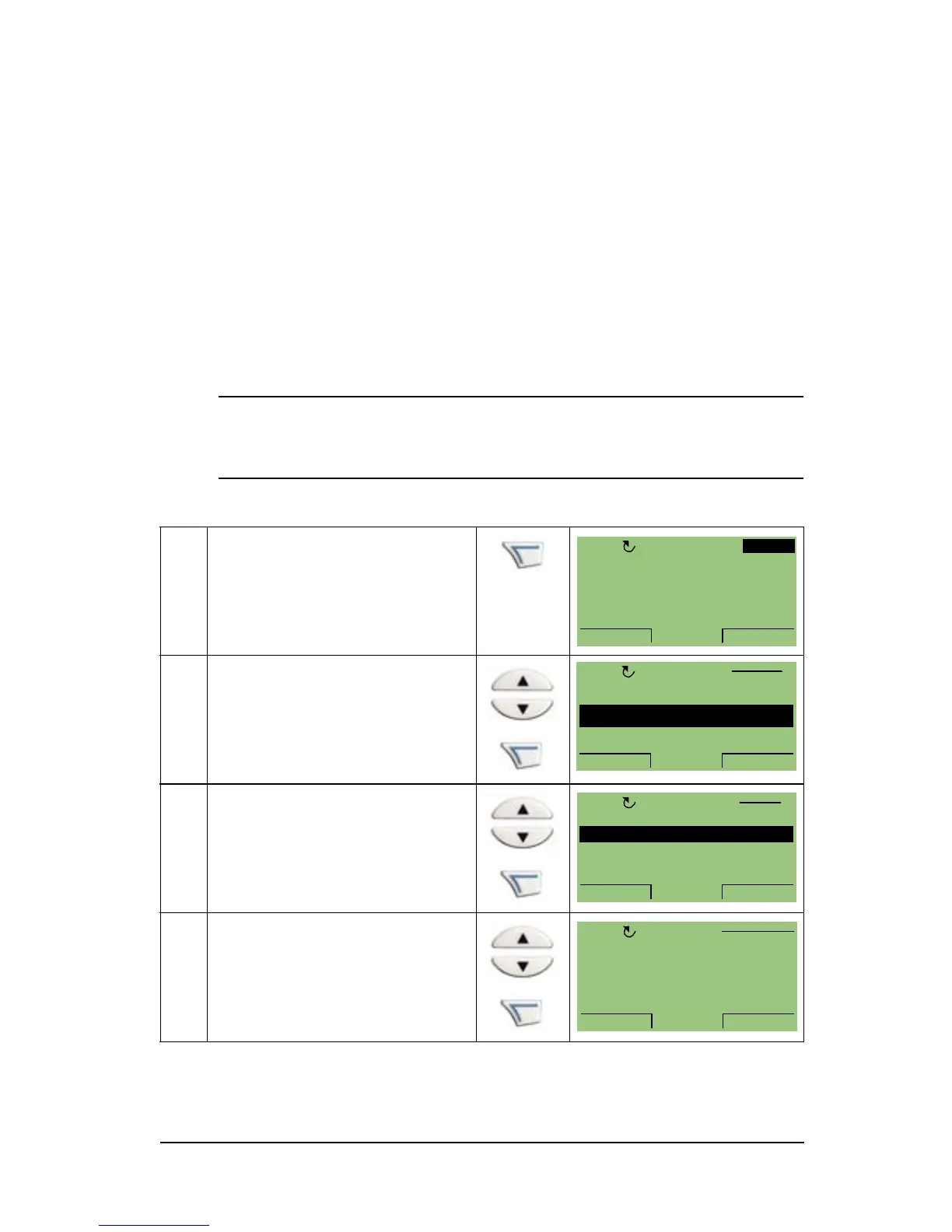
To start the Start-up assistant, follow these steps:
1 Press MENU to go to the
main menu.
2 Select ASSISTANTS with
the UP/DOWN keys and
press ENTER.
3 Scroll to Commission drive
with the UP/DOWN keys
and press SEL.
4 Change the values
suggested by the assistant
to your preferences and
then press SAVE after
every change.


 To Next Page